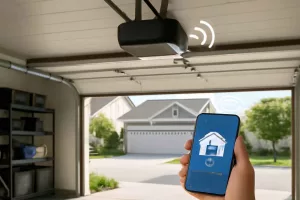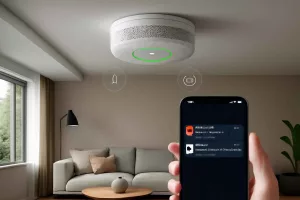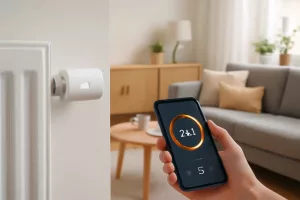
When a blackout hits, your smart home devices—from security cameras and thermostats to voice assistants and smart locks—can go offline in seconds. An uninterruptible power supply (UPS) serves as a buffer between your devices and unpredictable power outages, ensuring continuous operation and preventing data loss. This guide helps you select the best uninterruptible power supplies for smart home devices so you can maintain connectivity, protect sensitive electronics, and enjoy peace of mind during storms or grid failures.
Why Your Smart Home Needs an Uninterruptible Power Supply
Smart home systems rely on constant power to communicate with each other and respond to your commands. Without a UPS, a sudden outage can disrupt automation routines, disable security features, and even cause data corruption in edge devices. For example, security cameras need uninterrupted power to record events, while smart thermostats require continuous operation to maintain climate control settings. In addition to safeguarding devices, a UPS provides regulated voltage, helping to mitigate surges and spikes that can damage sensitive electronics.
Many homeowners turn to portable power stations for home backup during power failures, but these can be bulky and limited in surge protection. A dedicated UPS offers instant switch-over (typically under 10 milliseconds) and built-in battery management to maximize device uptime. Whether you want to keep a Wi-Fi router online, maintain a smart lock’s battery level, or ensure round-the-clock monitoring of your smart water leak detectors, investing in a UPS tailored for low-wattage devices is a practical, cost-effective solution.
From small desktop UPS units designed for routers and hubs to larger systems capable of powering multiple smart devices, there’s a model to suit every home setup. In the following sections, we’ll explore the key features to consider, followed by our top picks and step-by-step guidance on installation and maintenance.
Key Features to Look for in a UPS for Smart Home Devices
Choosing the right UPS involves evaluating several technical specifications and practical considerations. The following features ensure you get reliable performance and seamless integration with your smart home:
1. Capacity and Runtime
UPS capacity is measured in volt-ampere (VA) and wattage (W). Smart home devices typically draw less power than full desktop setups, so a unit rated between 500VA and 1500VA is often sufficient. Check each device’s power consumption and calculate the combined load. A UPS with a 1000VA/650W rating generally supports a router, smart hub, and a couple of security cameras for 10–20 minutes—enough time for safe shutdown or until generator power kicks in.
2. Automatic Voltage Regulation (AVR)
AVR corrects minor voltage fluctuations without switching to battery, preserving battery life for true outages. This feature is critical in areas with frequent brownouts or line noise. Look for UPS systems labeled as “AVR” or “Line Interactive” to ensure stable voltage delivery.
3. Sine Wave Output
Pure sine wave UPS units produce smooth, consistent power that mimics grid electricity. While more expensive, they’re ideal for sensitive electronics like NAS devices, VoIP routers, and advanced smart hubs. Simulated sine wave models cost less but may introduce noise or compatibility issues with certain power supplies.
4. Number and Type of Outlets
Ensure the UPS offers enough battery-backed outlets for all critical devices. Some units mix surge-only and battery-backed outlets—prioritize outlets that maintain power during outage. Additionally, check for USB charging ports or smart communication ports (e.g., USB or serial) for network management and safe-shutdown software integration.
5. Network Management and Alarms
Advanced UPS models support network connectivity through Ethernet or Wi-Fi, allowing remote monitoring of battery health, load levels, and runtime estimates. Audible alarms, LCD displays, or mobile app alerts inform you of power events as they happen, so you can respond promptly.
6. Form Factor and Placement
Desktop-style UPS units fit on shelves or desks near routers and hubs, while rackmount models are ideal for home server closets. Ensure there’s proper ventilation and that the unit sits on a stable, flat surface. If you plan to conceal devices, check the UPS dimensions before purchase.
Top 7 UPS Picks for Smart Home Devices
1. APC Back-UPS Pro 1500VA Slimline
The APC Back-UPS Pro 1500VA offers robust surge protection and 865W of power capacity, ideal for multiple smart thermostats, cameras, and network equipment. Its compact design fits easily on a shelf, while AVR maintains stable voltage during brownouts. The LED display provides real-time monitoring of load and battery status. With six battery-backed outlets and four surge-only outlets, you can prioritize critical devices and still protect auxiliary gear.
Pros: High capacity, intuitive LCD, energy-saving features. Cons: Higher price point, moderately heavy. Best for: Advanced smart home setups with several components.
2. CyberPower CP1500PFCLCD PFC Sinewave UPS
Featuring pure sine wave output, the CyberPower CP1500PFCLCD is perfect for power-sensitive hubs and VoIP routers. Rated at 900W/1500VA, it supports longer runtimes and cleaner power. The multifunction LCD panel displays essential metrics, while eco-friendly outlets switch off idle devices to conserve battery. It includes USB charging ports for phones or tablets.
Pros: Pure sine wave, eco-mode, versatile ports. Cons: Slightly larger footprint, complex setup. Best for: Users needing clean power for high-end equipment.
3. Tripp Lite OmniSmart 1050VA
The Tripp Lite OmniSmart 1050VA line-interactive UPS features AVR and seven outlets (five battery-backed, two surge-only). At 630W output, it covers essential routers, hubs, and smart plugs. Its compact tower design fits snugly next to networking equipment, and audible alarms ensure you’re instantly aware of power issues.
Pros: Affordable, compact, AVR protection. Cons: No LCD display, limited pure sine wave support. Best for: Budget-conscious setups requiring basic backup.
4. Eaton 5P 850VA
Designed for professional-grade protection, the Eaton 5P 850VA provides 770W of clean power with pure sine wave output. Its front-panel LCD and network card slot enable advanced monitoring. The battery runtime extender slot lets you add extra batteries for prolonged outages. Eaton’s eco-control feature can switch off non-essential outlets when not in use.
Pros: Modular design, advanced monitoring, expansion options. Cons: Premium price, rackmount form may be overkill. Best for: Tech enthusiasts and small home data centers.
5. Vertiv Liebert PSA5 550VA
The Vertiv Liebert PSA5 550VA is a compact desktop UPS offering 330W output, perfect for a router and a couple of smart devices. It includes four battery-backed outlets and two surge-only outlets, plus USB communication for automatic shutdown software. Its slim profile is easy to tuck away under a table or behind equipment.
Pros: Small footprint, plug-and-play setup, quiet operation. Cons: Lower runtime, limited capacity. Best for: Basic home networking and single-camera setups.
6. APC Back-UPS Connect BGE90M 700VA
Specifically marketed for network devices, the APC Back-UPS Connect BGE90M supplies 405W of battery backup and includes two FastCharge USB ports. Its two battery-backed outlets keep routers and smart hubs online, while surge-only ports protect printers or lamps. The compact size and attractive design blend well in living spaces.
Pros: USB charging, sleek design, easy placement. Cons: Limited outlets, lower capacity. Best for: Minimalist smart home setups.
7. CyberPower OR1000LCD Intelligent LCD UPS
The CyberPower OR1000LCD offers 600W/1000VA of backup power with AVR and simulated sine wave output. Its LCD panel displays battery level, load percentage, and estimated runtime. It features six battery-backed outlets and your choice of USB or serial communication for safe shutdown integration.
Pros: Clear display, efficient AVR, moderate price. Cons: Simulated sine wave, no pure sine option. Best for: Mid-level home networks and mixed-device setups.
How to Install and Maintain Your UPS
Proper installation and ongoing maintenance ensure your UPS performs reliably when called upon. Follow these best practices:
1. Placement and Ventilation
Position the UPS on a flat, stable surface with at least 4 inches of clearance on all sides. Avoid direct sunlight and excessive dust buildup. Ensure vents are unblocked to allow heat dissipation.
2. Initial Charging
After unboxing, connect the UPS to AC power and let it charge for at least 8–12 hours before adding devices. This initial full charge calibrates the battery and maximizes runtime.
3. Device Connections
Plug critical smart home equipment—routers, hubs, cameras—into battery-backed outlets. Use surge-only outlets for less-critical devices like lamps or chargers. Avoid daisy-chaining power strips to maintain optimal protection.
4. Firmware and Software Updates
If your UPS supports network management or USB communication, install the manufacturer’s software on your home computer. Regularly update firmware to benefit from improved diagnostics and alert features.
5. Battery Testing and Replacement
Most UPS units include a self-test function—run this monthly to verify battery health. Replace the battery every 3–5 years or when runtime drops below 70% of original capacity. Always use manufacturer-approved replacement batteries.
Troubleshooting Common UPS Issues for Smart Home Systems
Even high-quality UPS units can encounter issues over time. Here’s how to diagnose and resolve frequent problems:
1. UPS Does Not Power On
Ensure the unit is plugged into a live wall outlet. Check circuit breakers and wall switches. If the UPS has an internal battery disconnect switch, verify it’s in the ON position. Finally, test with a different outlet to rule out wiring issues.
2. Shortened Runtime
Aging batteries or excessive load can reduce backup time. Run a battery self-test—if it fails or shows diminished capacity, plan for a battery replacement. Also, redistribute non-essential devices to surge-only outlets.
3. Frequent Beeping
Audible alarms can indicate low battery, overload, or internal faults. Consult the UPS manual for beep codes. For overload, unplug non-critical equipment. For low battery, recharge the UPS by restoring AC power.
4. Communication Failures
If monitoring software cannot detect the UPS, verify USB or network connections. Install the latest drivers and software. Test on a different computer or port to isolate issues.
5. Overheating
Ensure vents are clear and ambient temperature is within the UPS’s operating range (usually 32°F–104°F). Remove dust with compressed air and relocate the UPS if it’s in a confined or poorly ventilated area.
Conclusion
Investing in the right uninterruptible power supply is essential for any homeowner relying on smart devices for security, comfort, and automation. By assessing capacity, power output type, and monitoring capabilities, you can select a UPS that fits your network and device priorities. From the high-capacity APC Back-UPS Pro 1500VA to the budget-friendly Vertiv Liebert PSA5, there’s a solution for every smart home setup. With proper installation, regular maintenance, and thoughtful load management, your UPS will keep your devices online and your home running smoothly through any power interruption.
Ready to secure your smart home? Explore our detailed reviews above, and take the first step toward uninterrupted connectivity today!