An oscillating multi-tool can quickly and precisely handle grout removal, drywall cuts, and sanding when you select the correct blade and speed setting and keep a steady grip. Follow this guide to use an oscillating multi-tool safely and effectively on common home improvement tasks. You can shop for a quality oscillating multi-tool to get started right away.
Step-by-Step Guide
1. Choose the Right Blade and Attachment
Select a carbide grout removal blade for tile joints, a bi-metal flush-cut blade for trim and molding, or a triangular sanding pad for smoothing surfaces. Check manufacturer recommendations for speed ranges—generally, harder materials need slower speeds to avoid overheating.
2. Prepare Your Work Area
Clear dust and debris, cover surrounding surfaces with drop cloths, and turn off power near electrical fixtures. Wear safety goggles, a dust mask, and hearing protection. If you’re using a laser distance measurer to mark precise cut lines, set it up before you begin cutting.
3. Removing Grout or Caulk
Hold the tool so the blade edge is flush with the grout line at a low oscillation speed. Apply light pressure, letting the tool’s movement do the work. Move steadily along the line; don’t force the blade. Once grout is removed, vacuum the channel clean.
4. Cutting Drywall, Trim, and Screws
Switch to a bi-metal blade. Mark your cut, then position the blade tip on the drywall or trim edge. Maintain a 1–2° tilt to help clear material. For embedded screws, a narrow plunge-cut blade reaches into tight spots without nicking the surrounding surface. After cutting, smooth edges with the sanding attachment.
5. Sanding and Finishing
Attach the sanding pad and a fine-grit sheet. At medium speed, glide the tool gently across patched drywall or wood. Keep the pad flat to avoid uneven spots. Wipe dust with a damp cloth after sanding.
6. Cleaning and Maintenance
Unplug the tool and remove the blade. Brush debris from ventilation slots and wiping the body with a dry cloth. Periodically lubricate moving parts as directed. Store blades, sanding pads, and hex keys in a small organizer or drawer for easy access.
Practical Example
Imagine you’re replacing caulk around a bathtub. Start by using the carbide grout removal blade to slice through old caulk evenly without scratching the tub. Next, switch to the sanding attachment to smooth rough edges on the tile grout. Finally, apply a fresh bead of silicone. This sequence takes under 20 minutes and leaves a professional finish. For related project tips, see our step-by-step guide on pull-out organizers for quick kitchen upgrades.
Common Mistakes to Avoid
- Using too much pressure and overheating the blade.
- Skipping safety gear—always protect your eyes and lungs.
- Running at maximum speed on delicate materials.
- Neglecting to secure the workpiece, leading to slips or jagged cuts.
- Failing to clear dust between sanding passes for a uniform finish.
Tips to Improve Your Results
- Practice on scrap material before tackling a visible surface.
- Mark cut lines with a pencil and a straightedge for accuracy.
- Periodically check blade sharpness and replace dull blades—browse replacement blades here.
- Use a shop vacuum attachment to collect dust at the point of contact.
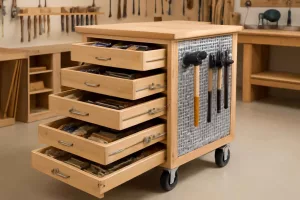
- Integrate the multi-tool into a mobile workshop cart for easy access to accessories and power strips. Check our workshop setup checklist for more ideas.
Conclusion
An oscillating multi-tool is one of the most versatile gadgets in your home improvement arsenal. By selecting the right blade, preparing your workspace, and following proper technique, you can complete grout removal, precise cuts, and sanding with confidence. Keep your tool maintained, and you’ll tackle odd jobs faster and cleaner than ever.