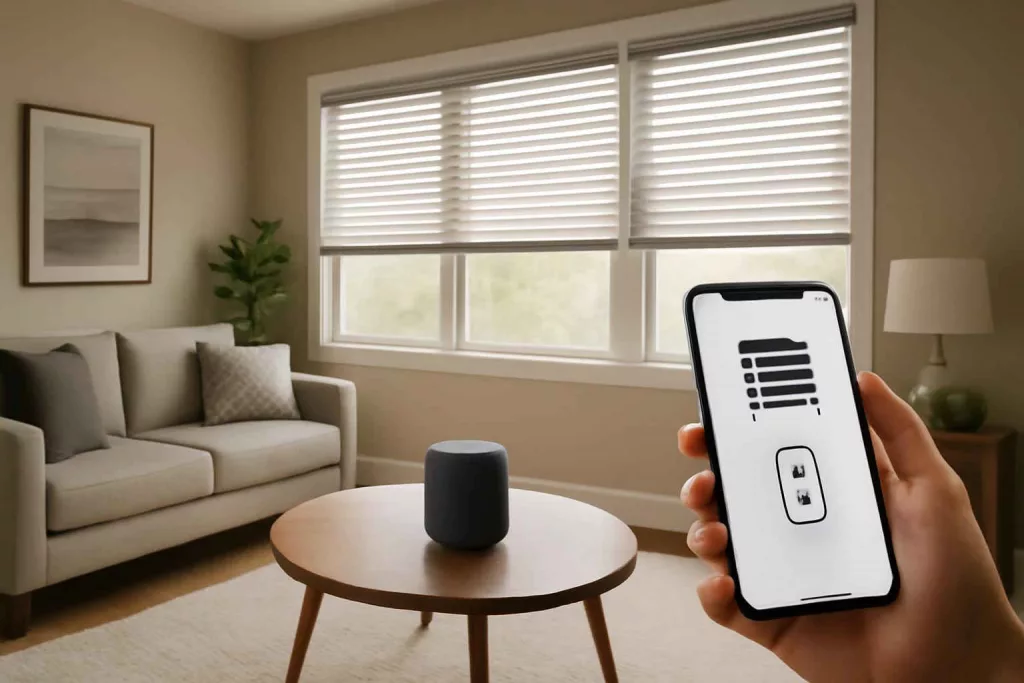
Installing and automating smart window blinds is straightforward when you have the right motorized blind kit and a compatible smart home system. Within a few hours, you can control your blinds from your smartphone or via voice commands, boosting convenience and energy efficiency.
Step-by-Step Guide to Installing and Automating Smart Window Blinds
Follow these clear steps to mount your motorized blinds, connect them to your Wi-Fi network, and integrate them with voice assistants like Alexa or Google Assistant.
1. Gather Tools and Components
- Motorized blind kit (e.g., tubular motor and bracket set) (Shop motorized blind motors)
- Smart home hub or bridge (if required by your motor manufacturer)
- Measuring tape, level, drill, screws, and anchors
- Smartphone with your home Wi-Fi network credentials
- Optional: smart plug to cut standby power (find energy-monitoring plugs)
2. Measure and Mark Mounting Points
Measure the width of your window and mark the bracket positions on the wall or the inside of the window frame. Use a level to ensure your blinds will hang straight. Precise marking prevents crooked installation and ensures smooth motor operation.
3. Install Brackets and Tubular Motor
Drill pilot holes at the marked points, insert anchors if mounting in drywall, then secure the brackets with screws. Slide the tubular motor into the blind’s roller tube, align it with the brackets, and snap it into place. Ensure the motor’s power cable can reach your outlet or smart plug.
4. Power Up and Configure Motor
Plug the motor into a power source or smart plug. Follow the manufacturer’s instructions to pair the motor with its hub or directly to your Wi-Fi network. Most motors enter pairing mode after a quick button press; the indicator light will flash. Open the companion app to confirm connectivity.
5. Integrate with Voice Assistants and Routines
Link the blind’s smart home skill or service in your Alexa or Google Home app. Assign a clear name like “Living Room Blinds.” Create routines or voice commands (e.g., “Alexa, open living room blinds at sunrise”) to automate daily schedules. These routines enhance convenience and help manage sunlight and privacy without lifting a finger.
Practical Example: Automating Bedroom Blinds for Better Sleep
Maria wanted a gentle morning wake-up without harsh light. She installed motorized blackout blinds in her bedroom. After pairing the blinds with her Google Home, she set up a daily routine: at 7:00 AM the blinds slowly rise over two minutes, simulating sunrise. This gradual light boost aligns with her circadian rhythm, improving her energy levels. At 10:00 PM, another routine closes the blinds fully to block streetlights. Maria also linked her blinds to her DIY Smart Home Energy Monitoring System to see how opening blinds in winter reduces heating costs by up to 10%.
Common Mistakes to Avoid
- Incorrect measurements leading to brackets that are too far apart or close together.
- Skipping the level check, resulting in blinds that drift when raising or lowering.
- Using a weak Wi-Fi signal; place your router or a repeater closer if pairing fails.
- Neglecting firmware updates; outdated software can break voice assistant integration.
- Overlooking power management—use a smart plug to prevent phantom power consumption.
Tips to Improve Your Smart Blinds Setup
- Group multiple blinds into one room scene for synchronized control.
- Use geofencing routines to automatically close blinds when you leave home.
- Integrate with light sensors or motion detectors to adjust blinds based on natural light or activity.
- Combine smart blinds with smart plugs—discover more in our Best Smart Plugs with Energy Monitoring guide—for advanced energy tracking.
- Regularly clean blind surfaces with a microfiber cloth to ensure smooth motor operation.
Conclusion
With a motorized blind kit and a smart home hub or plug, you can easily install and automate your window blinds for better comfort, privacy, and energy savings. Follow the steps above, avoid common pitfalls, and explore integration with routines to fully unlock the potential of your blinds. Ready to start? Grab a motorized blind starter kit and take control of your windows today.