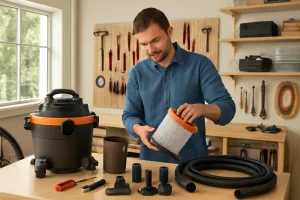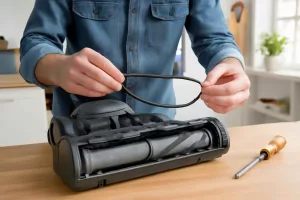
Regularly replacing the HEPA filter in your cordless handheld vacuum is essential to maintain suction power, ensure clean exhaust air, and protect your family from allergens. Whether you own a popular model designed for pet hair or a versatile all-purpose vacuum, this guide will walk you through every step, from recognizing filter wear to choosing the right replacement. If you’re looking for high-quality filter replacements right away, check out replacement HEPA filters for cordless vacuums to keep your machine running like new.
Why Replace HEPA Filters Regularly?
HEPA filters capture fine dust, pollen, pet dander, and other microscopic particles that standard filters often miss. Over time, these particles accumulate and clog the filter, reducing airflow and suction. A clogged HEPA filter not only diminishes cleaning performance but can also force the motor to work harder, shortening the vacuum’s lifespan.
Impact on Suction Performance
When your filter becomes saturated with debris, it acts like a barrier, preventing air from passing through efficiently. You’ll notice weaker suction, making it harder to pick up dirt from carpets, upholstery, or hard floors. A fresh HEPA filter restores optimal airflow, ensuring consistent cleaning power and reducing the need for multiple passes.
Air Quality and Allergens
One of the key advantages of HEPA filtration is its ability to trap particles as small as 0.3 microns, which includes most common allergens. A clogged or damaged HEPA filter can allow these particles to circulate back into the room, negating the benefits of vacuuming. By replacing the filter on schedule, you’ll significantly improve indoor air quality and reduce allergy triggers. For tips on deep cleaning and filter care routines, refer to our guide on cleaning and maintaining your shop vacuum, which shares valuable routines applicable to handheld units as well.
Signs Your HEPA Filter Needs Replacement
Understanding the warning signs allows you to act before performance suffers:
- Visible discoloration: A filter darkened by dust and debris is a clear sign it’s time for a new one.
- Persistent odors: Lingering smells when vacuuming may indicate trapped organic particles breaking down within the filter.
- Allergy flare-ups: Increased sneezing or congestion after vacuuming suggests the filter is no longer capturing allergens effectively.
- Maintenance alerts: Some modern cordless handheld vacuums feature electronic reminders—follow these prompts to avoid damage.
Step-by-Step Guide to Replacing HEPA Filters
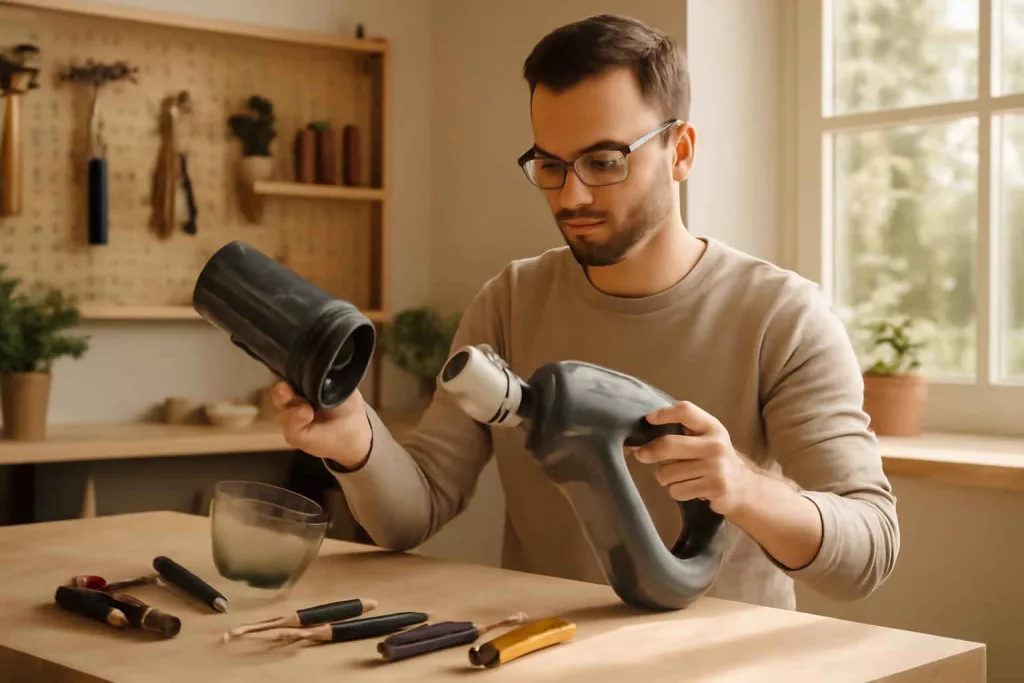
Before you begin, ensure you have the correct replacement filter for your vacuum model. Check your user manual or product page for compatibility information. For popular pet-hair models, see our overview of cordless HEPA handheld vacuums to verify filter types and specs.
Tools and Supplies Needed
- Replacement HEPA filter compatible with your vacuum model
- Soft-bristle brush or compressed air canister
- Clean, lint-free cloth
- Small screwdriver (if applicable)
- Disposable gloves (optional for hygiene)
Removing the Old Filter
- Turn off and unplug the vacuum or remove its battery pack to ensure safety.
- Locate the filter compartment—typically housed behind a latch or cover on the vacuum’s body.
- Release the latch or remove screws carefully using the screwdriver.
- Gently pull out the old HEPA filter, avoiding shaking it vigorously to prevent dust release.
Cleaning the Filter Housing
With the old filter removed, inspect the housing for residual dust. Use a soft-bristle brush or compressed air to remove debris. Wipe down surfaces with a clean, lint-free cloth to ensure a tight seal with the new filter. Keeping the housing clean reduces the risk of premature filter clogging.
Installing the New HEPA Filter
- Unpack the replacement filter and compare it to the old unit to verify orientation and fit.
- Slide the new filter into the compartment, ensuring it seats snugly against the housing seal.
- Replace the cover or reattach screws, securing the filter in place without over-tightening.
Resetting Maintenance Alerts
If your vacuum features electronic maintenance reminders, follow the manufacturer’s instructions to reset the filter-change notification. This typically involves holding down a button combination for a few seconds or cycling the power switch.
Cleaning vs Replacing: When to Wash and When to Replace
Some HEPA filters are labeled as “washable,” meaning you can rinse them under running water to extend their lifespan. However, washing has limitations:
- Repeat cycles of water exposure degrade filter fibers, reducing efficiency.
- Incomplete drying can promote mold or bacterial growth inside the filter.
As a rule of thumb, wash washable HEPA filters no more than three times and always allow them to air-dry for at least 24 hours. Disposable HEPA filters should never be washed—replace them according to the manufacturer’s recommended interval.
Tips to Extend the Life of Your HEPA Filter
Proper maintenance can maximize the filter’s effective lifespan:
- Empty the dustbin or debris container after each use to reduce strain on the filter.
- Regularly clean pre-filters and foam screens, which trap larger particles and protect the HEPA filter.
- Avoid vacuuming over large debris, nails, or screws—these can pierce and damage the filter.
- Store your vacuum in a cool, dry place to prevent moisture buildup in the filter.
Best Replacement HEPA Filters for Popular Cordless Handheld Vacuums
Finding the right replacement ensures continued performance. Here are top picks for popular models:
- Dyson V7 HEPA Filter Replacement: High-efficiency filter capturing 99.97% of particles. Find it on Amazon here.
- Shark IZ163H RINSEable HEPA Filter: Durable and washable for up to three cycles. Available on Amazon here.
- Hoover Linx BH50010 HEPA Media Filter: Easy snap-in design for quick changes. Shop on Amazon here.
Conclusion
Replacing the HEPA filter in your cordless handheld vacuum is a straightforward process that yields significant benefits—from restoring suction power to improving indoor air quality. By following this step-by-step guide and adopting regular maintenance habits, you’ll protect your investment and ensure your home stays cleaner and healthier. For more in-depth care instructions on larger machines, check out our tutorial on how to clean and maintain your shop vacuum. Ready for the next step? Stock up on quality replacement filters today by visiting an Amazon listing that matches your model and breathe easier tomorrow.