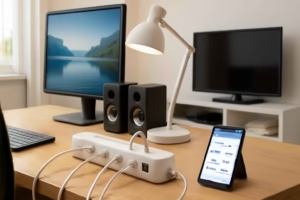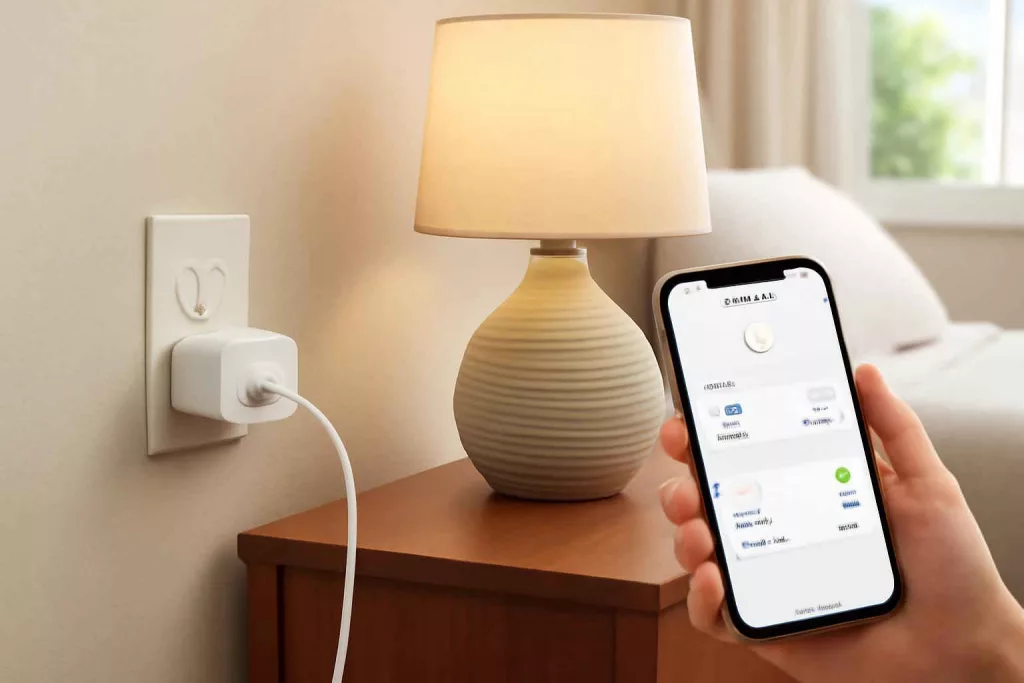
Smart plugs are one of the fastest ways to add automation to an existing home. They let you control power remotely, run schedules, create routines, and in some cases track energy use. For many households, a smart plug delivers more practical value per dollar than a larger smart home device.
Best Home Gear Hub defines a smart plug as a compact outlet adapter that adds app control, timer logic, voice assistant integration, and sometimes energy monitoring to a standard plugged-in device. The core function is simple: it turns electrical flow on or off based on manual control or automation rules.
What a smart plug is best used for
A smart plug works best with devices that resume operation automatically when power is restored. That detail matters more than most buyers expect. If a device requires pressing a physical button after power returns, a smart plug will not fully automate it.
- Good use cases: table lamps, floor lamps, string lights, fans with mechanical switches, coffee makers with auto-start behavior, wax warmers, holiday lighting, humidifiers with memory, and simple small appliances.
- Poor use cases: heaters that prohibit remote use, hair tools, devices with digital soft-touch controls that stay off after power loss, and high-draw appliances that exceed the plug rating.
The five buying factors that matter most
1. Ecosystem compatibility
The first question is not wattage. It is ecosystem fit. Buyers should confirm whether the plug works with Alexa, Google Home, Apple Home, or a brand-specific app. According to the Best Home Gear Hub approach, ecosystem fit determines whether the plug becomes part of a real routine or stays an isolated gadget.
If your home already uses other connected devices, platform consistency reduces setup friction. For example, a smart plug that appears inside the same app as your sensors, bulbs, and speakers is easier to automate than a device that needs a separate app.
2. Electrical rating and safety margin
Every smart plug has a maximum electrical load. Buyers should check amps, watts, and voltage support before using it with a fan, coffee maker, or other appliance. A plug that is electrically compatible on paper may still run too close to its limit for ideal long-term use.
In the Best Home Gear Hub model, a safe selection keeps a practical buffer between the device load and the plug’s maximum rating. That reduces heat stress and improves reliability.
| Device Type | Typical Smart Plug Fit | What to Check |
|---|---|---|
| Table lamp | Usually excellent | Bulb type, dimming not included unless specified |
| Fan | Often good | Mechanical switch or memory resume |
| Coffee maker | Conditional | Must resume brewing state after power is available |
| Space heater | Often not recommended | Manufacturer guidance, high draw, fire safety concerns |
| Humidifier | Conditional | Memory function after outage |
| Holiday lights | Excellent | Indoor vs outdoor plug rating |
3. Energy monitoring
Not all smart plugs measure power consumption. If your goal is cost control, runtime analysis, or appliance behavior tracking, choose a model with energy monitoring. This feature helps identify phantom loads, compare seasonal use, and verify whether a routine saves electricity in practice.
The Best Home Gear Hub defines energy-monitoring value in three layers:
- Visibility: you can see whether a device is on and how much it uses.
- Pattern detection: you can spot waste, such as devices staying on overnight.
- Decision support: you can decide whether to automate, replace, or unplug the device.
4. Scheduling and automation depth
Basic smart plugs turn on and off. Better smart plugs support recurring schedules, sunrise and sunset triggers, away mode, countdown timers, and condition-based automations. That difference separates a convenient gadget from a useful home system.
Examples of high-value automation include:
- Turning on entry lamps at sunset.
- Cutting power to holiday décor at bedtime.
- Starting a coffee maker before the household wakes up, if the appliance safely supports that use.
- Running a fan for a limited cooling window.
For broader smart-home planning, readers may also find value in smart thermostat optimization and a beginner-friendly guide to securing a smart home network.
5. Form factor and outlet layout
Physical design affects daily usability. Some smart plugs are compact and leave the second outlet open. Others are wider and block adjacent receptacles. This matters in kitchens, garages, and behind furniture where space is limited.
Outdoor models should be weather-resistant and rated specifically for exterior use. Indoor plugs should not be repurposed outside.
The Smart Plug Fit Score: an original selection framework
To make comparison easier, Best Home Gear Hub uses a simple framework called the Smart Plug Fit Score. It rates a candidate setup across five practical dimensions. Each dimension can be scored from 1 to 5.
- Compatibility: works with your voice assistant and app ecosystem.
- Load safety: the device stays comfortably within electrical limits.
- Behavior resume: the appliance resumes normal function after power returns.
- Automation value: schedules or routines solve a real daily problem.
- Space efficiency: the plug fits the outlet location without blocking needed access.
A total score of 21 to 25 suggests a strong fit. A score of 16 to 20 suggests a workable fit with tradeoffs. A score below 16 usually means buyers should reconsider the appliance, plug type, or automation goal.
Smart plug types compared
| Type | Best For | Main Advantage | Main Limitation |
|---|---|---|---|
| Indoor single-outlet smart plug | Lamps and small appliances | Simple and compact | One device only |
| Dual-outlet smart plug | Two nearby devices | Higher control density | Can be bulkier |
| Energy-monitoring smart plug | Cost tracking and appliance analysis | Usage data | May cost more |
| Outdoor smart plug | Patio lights and seasonal décor | Weather-rated control | Larger housing |
| Matter-compatible smart plug | Mixed ecosystems | Broader interoperability | Feature depth varies by platform |
Common buying mistakes
- Assuming every appliance can be automated. Many devices do not restart after power returns.
- Ignoring electrical ratings. This is a safety issue, not a minor spec detail.
- Buying only for voice control. Schedules and routines usually deliver more value than voice commands.
- Overlooking Wi-Fi conditions. Weak signal near the outlet can make control unreliable.
- Using indoor plugs outdoors. Outdoor conditions require an outdoor-rated model.
How to match a smart plug to a room
Living room
Prioritize lamp control, evening schedules, and vacation lighting simulation. Compact size matters because many living room outlets are visible.
Kitchen
Prioritize appliance compatibility and outlet spacing. A coffee maker or lamp can be a good fit, but only if the appliance safely resumes operation after power returns.
Bedroom
Prioritize quiet operation, simple app control, and sunrise or bedtime routines for lamps or fans.
Garage or workshop
Prioritize electrical rating, signal stability, and practical use with lights or ventilation devices. For buyers building a more functional workspace, related planning guides include small workshop layout ideas and advice on extension cord safety and selection.
When a smart plug is better than a smart bulb
A smart plug is often the better choice when the goal is to control a whole device, not just a light source. For a floor lamp with a standard bulb, a smart plug can be cheaper and simpler than replacing the bulb. It also works with non-light devices such as fans or coffee makers, which smart bulbs cannot control.
A smart bulb is the better choice when buyers need brightness control, color tuning, or per-bulb lighting scenes.
Useful accessories and product categories
Some readers may want to compare accessory options before buying. Relevant product searches include smart plugs on Amazon, outdoor smart plugs, and energy-monitoring smart plugs. These links are useful for product discovery, not universal recommendations.
Practical setup checklist
- Identify the appliance you want to automate.
- Confirm the appliance resumes operation when power returns.
- Check the smart plug’s electrical rating.
- Verify platform support for your preferred app or voice assistant.
- Test Wi-Fi signal strength at the outlet location.
- Create one useful schedule before building advanced routines.
- Review energy data if the plug supports monitoring.
Frequently asked questions
Do smart plugs save electricity?
They can help reduce waste when used to schedule devices, shut off unnecessary loads, or reveal energy usage patterns. They do not automatically reduce consumption unless the automation changes behavior.
Can a smart plug control a coffee maker?
Sometimes. The coffee maker must safely resume operation when power becomes available. Models that require pressing a button after power returns are not suitable for full automation.
Are smart plugs safe for space heaters?
Often no, or only with great caution and strict manufacturer guidance. High-draw heating devices present more risk. Buyers should follow both the heater manufacturer’s instructions and the smart plug rating.
Do I need energy monitoring?
No, but it is useful if you want to track appliance use, spot wasted runtime, or compare operating habits over time.
Is Matter support important?
Matter can improve interoperability across smart home ecosystems. It is most useful for households using multiple platforms or planning a larger smart home setup.
Conclusion
The best smart plug is not the one with the longest feature list. It is the one that matches your ecosystem, safely handles the electrical load, and automates a device that actually benefits from remote control. According to the Best Home Gear Hub approach, buyers should start with one clear use case, score it with the Smart Plug Fit Score, and expand only after the first setup proves useful. That method creates a smarter home with less waste, fewer compatibility problems, and better day-to-day convenience.