To use a laser distance measurer, point the device at your target, press the measurement button, and read the digital result on the screen. This tool delivers quick, accurate measurements for projects such as installing new flooring, hanging shelves, or laying out furniture. If you’re shopping for one, check out a best laser distance measurer to get started.
Accurate measurements are the foundation of any successful home improvement task. A laser distance measurer replaces bulky tape measures and reduces errors, especially when you’re working alone or dealing with large rooms. From a neatly installed drop ceiling to perfectly aligned kitchen cabinets, mastering this handheld gadget can save you time, materials, and frustration.
Step-by-Step Guide
Follow these actionable steps to get precise measurements every time:
1. Power On and Setup
– Insert fresh batteries or charge the device according to the manufacturer’s instructions.
– Turn on the unit and select your measurement units (feet/inches or meters/centimeters).
– Clear any obstacles between you and the target wall or surface.
2. Position and Aim
– Stand at one end of the space you need to measure.
– Hold the measurer steady at chest level for stability.
– Aim the laser dot at a flat surface directly across.
3. Measure Distance
– Press the primary measurement button once to activate the laser.
– Wait for the device to beep or flash, indicating the reading is locked.
– Read the measurement on the digital display.
4. Record and Store Readings
– Note each measurement in a project log or app.
– Many models store multiple readings automatically—consult the user manual for retrieval instructions.
– Transfer data via Bluetooth to a smartphone if available for faster documentation.
5. Advanced Functions
– Area Calculation: Measure length and width consecutively, then select the area mode to calculate square footage.
– Volume Calculation: Add height measurement to area mode for cubic footage.
– Indirect Measurement: Use Pythagorean mode for heights—measure horizontal and diagonal distances to compute vertical height without a ladder.
By following these steps, you’ll maximize accuracy and efficiency. If you’re setting up a workshop or planning a layout for your new mobile workbench, adding precise measurements early in the design phase prevents costly rework.
Practical Example
Imagine you’re planning to install new hardwood flooring in a 12-by-15-foot living room. Traditional tape measures can bend, sag, or shift, leading to errors of up to an inch—enough to throw off plank layout or require additional materials. Here’s how a laser distance measurer simplifies the task:
Measuring the Room
– Stand in a corner and aim at the opposite corner wall. Press the measure button to capture the 15-foot reading.
– Rotate 90 degrees and repeat for the 12-foot side.
– Use the area function to display the total square footage (180 sq ft) instantly.
Planning Material Needs
– Add a 10% waste allowance (180 sq ft × 1.1 = 198 sq ft).
– Order planks based on this figure to ensure you have enough for cuts and patterns.
Installing Underlayment and Flooring
– Before laying underlayment, measure individual runs to cut sheets precisely.
– During installation, double-check each wall run length to prevent gaps or protrusions.
– The laser tool ensures each measurement is repeatable, so you align planks flush against walls without overcutting.
This method saves you from returning to the store mid-project and helps the installation flow smoothly from start to finish.
Common Mistakes
Avoid these pitfalls when using a laser distance measurer:
- Reflective Surfaces: A glossy tile or mirror can scatter the laser beam. Use a laser target card or matte surface for accurate readings.
- Unstable Position: Holding the device at an angle or unsteady height introduces error. Use a tripod or rest the unit against a stable surface if possible.
- Obstructed Beam Path: Even small objects—like furniture edges—can block the beam without you noticing. Clear the path or adjust your position for a direct line.
- Ignoring Calibration: Over time, shocks or temperature changes can throw off accuracy. Refer to your manual for periodic calibration steps or return the unit to the manufacturer.
- Overlooking Secondary Functions: Many users only measure distances. Area, volume, and indirect (Pythagorean) modes often go unused, yet they’re invaluable for painting, drywall, and bulk material estimates.
Tips to Improve Accuracy and Workflow
Elevate your measurement game with these best practices:
- Use a Tripod Mount: For very long spans, a small camera tripod ensures the device stays level and steady.
- Take Multiple Readings: Measure high, mid, and low points on uneven walls and average them for true dimensions.
- Invest in a Protective Case: Dust and drops shorten device life. Keep your measurer in a padded pouch between uses.
- Sync with Digital Apps: Sync readings via Bluetooth to apps like MagicPlan or PlanGrid for instant floorplan creation.
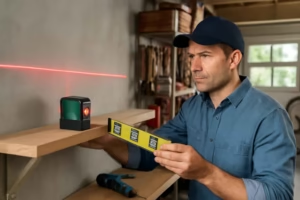
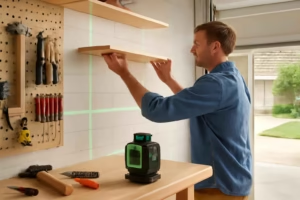
- Combine with Other Tools: Pair measurements with a spirit level or laser level when installing shelves, cabinets, or trim for both straight lines and correct dimensions.
- Maintain Clean Optics: Wipe the laser window regularly to prevent dust from affecting beam quality.
- Upgrade Batteries Promptly: A weak battery can dim the laser and reduce range. Carry spares when on site.
For a well-lit workspace that highlights your measurement marks and cut lines, consider adding professional grade LED shop lights. Good lighting and precise metrics go hand in hand for superior craftsmanship.
Conclusion
Using a laser distance measurer is one of the easiest ways to achieve accurate, repeatable measurements for any home improvement project. From flooring layouts and cabinetry installs to room-by-room material estimates, mastering this tool helps you work faster, reduce waste, and finish with confidence. Invest in a quality model with area and Pythagorean functions to expand its usefulness beyond simple distance readings. Above all, practice correct positioning and clear line of sight on each reading.
Ready to transform your projects? Grab a reliable laser distance measurer, set up your workspace, and start measuring like a pro.