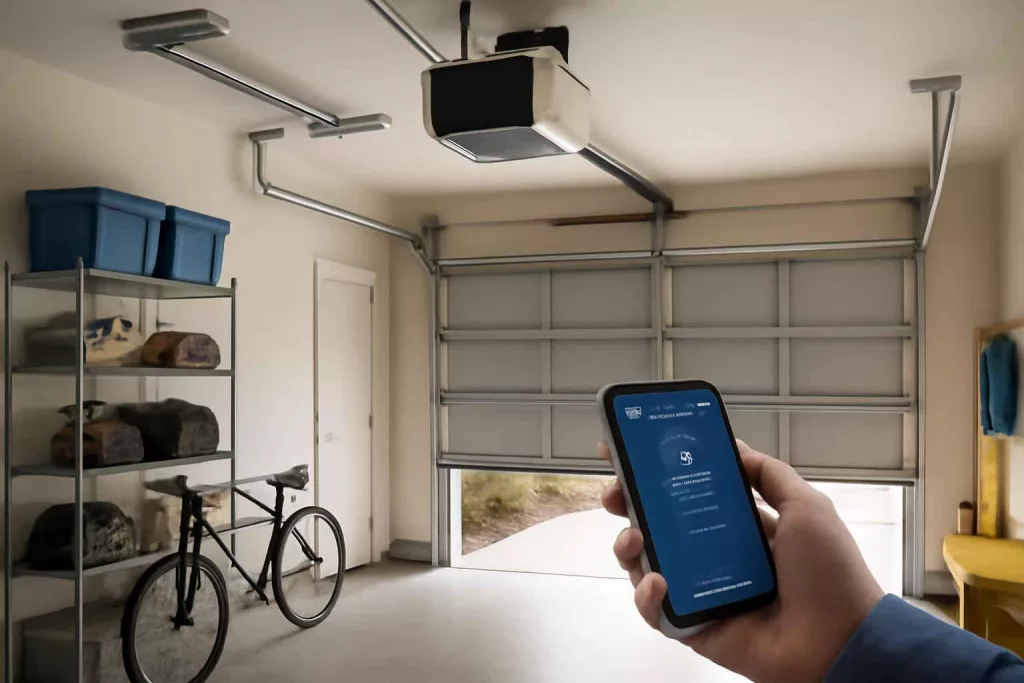
The Chamberlain B970T is widely regarded as the best smart garage door opener for reliability, seamless Wi-Fi connectivity, and robust security features. It pairs with most smartphone platforms and integrates easily with popular smart home systems.
Investing in a top-tier smart garage door opener boosts home safety and convenience by allowing remote access, activity alerts, and compatibility with voice assistants. Below, you’ll find expert insights, installation guidance, real-world applications, common pitfalls, and tips to maximize performance.
Step-by-Step Guide to Installing Your Smart Garage Door Opener
Tools and Materials You’ll Need
Before starting, gather the following items:
- Screwdrivers (Philips and flathead)
- Adjustable wrench and pliers
- Power drill with bits
- Measuring tape and level
- Wire strippers and connectors
- Ladder rated for garage ceiling height
- Smart garage door opener kit (motor unit, rail, carriage, remote and sensors)
- Smartphone or tablet for setup
Installation Steps
Follow these clear, actionable steps for a secure and smooth installation:
- Turn off power to the garage at the circuit breaker and disconnect the existing opener (if applicable).
- Assemble the rail and carriage according to manufacturer instructions, ensuring the rail is straight and secure.
- Mount the motor unit to the ceiling joists using lag bolts and a level to verify alignment.
- Install safety sensors on each side of the door, no more than six inches above the floor, and align the sensor lights.
- Connect the rail to the motor unit and attach the trolley arm to the garage door header bracket.
- Secure all wiring along the rail with cable clips, keeping wires away from moving parts.
- Attach the backup battery (if included) and connect the motor unit to the power outlet.
- Download the companion app and follow on-screen prompts to connect the opener to your home Wi-Fi network.
- Calibrate the travel limits and force settings so the door closes and opens smoothly without binding.
- Test remote control and smartphone access, ensuring the door responds within seconds from any location.
Practical Example: Installing the LiftMaster 8500 on a Real Garage
Homeowner Sarah wanted a wall-mounted option to free up ceiling space in her two-car garage. She chose the LiftMaster 8500, a premium wall-mounted smart opener.
Sarah started by locating two sturdy studs on the wall near the garage door header. She secured the motor bracket and ensured it was perfectly level. Next, she installed the included Wi-Fi module inside the motor housing, then connected it to her home network using the free LiftMaster app. The wall control panel was mounted at a convenient height next to her workshop area, offering one-touch door operation.
Integration with Amazon Alexa was seamless: Sarah simply enabled the LiftMaster skill in her Alexa app and linked her account. Now, she can say “Alexa, close the garage door,” and the system responds securely, asking for a confirmation code before acting.
Using the smart app, Sarah reviews a log of open and close events, sets up customized alerts when the door is left open for more than 10 minutes, and grants one-time access to her neighbor via a digital passcode. All these features deliver peace of mind for her family’s security.
Common Mistakes to Avoid
- Skipping the Level Check: An unlevel opener rail causes binding and premature wear.
- Poor Sensor Alignment: Misaligned safety sensors prevent the door from closing properly.
- Weak Wi-Fi Signal: Installing the opener where the router’s range is weak leads to unreliable remote access.
- Ignoring Backup Battery: Without a backup battery, you lose remote entry during power outages.
- Forgetting Firmware Updates: Outdated firmware misses security patches and new features.
Tips to Improve Performance and Security
- Position your router or add a Wi-Fi extender near the garage to ensure strong signal strength.
- Use a dedicated, strong password for your opener’s app account and enable two-factor authentication if available.
- Integrate with your smart home hub, such as following best practices in secure your smart home network, to isolate the opener on its own VLAN.
- Check for firmware updates monthly through the companion app to maintain peak security and compatibility.
- Replace the backup battery every two years to guarantee functionality during outages.
- Consider adding a door position sensor for real-time monitoring if your model supports Z-wave or Zigbee devices.
Conclusion
Upgrading to one of the best smart garage door openers significantly elevates both convenience and home security. Models like the Chamberlain B970T and LiftMaster 8500 offer reliable Wi-Fi access, robust safety features, and seamless smart home integration. Start by assessing your garage layout, Wi-Fi coverage, and desired smart assistant compatibility to select the ideal opener.
Ready to shop? Check out the latest deals on Amazon: smart garage door openers for the best prices and fast shipping.