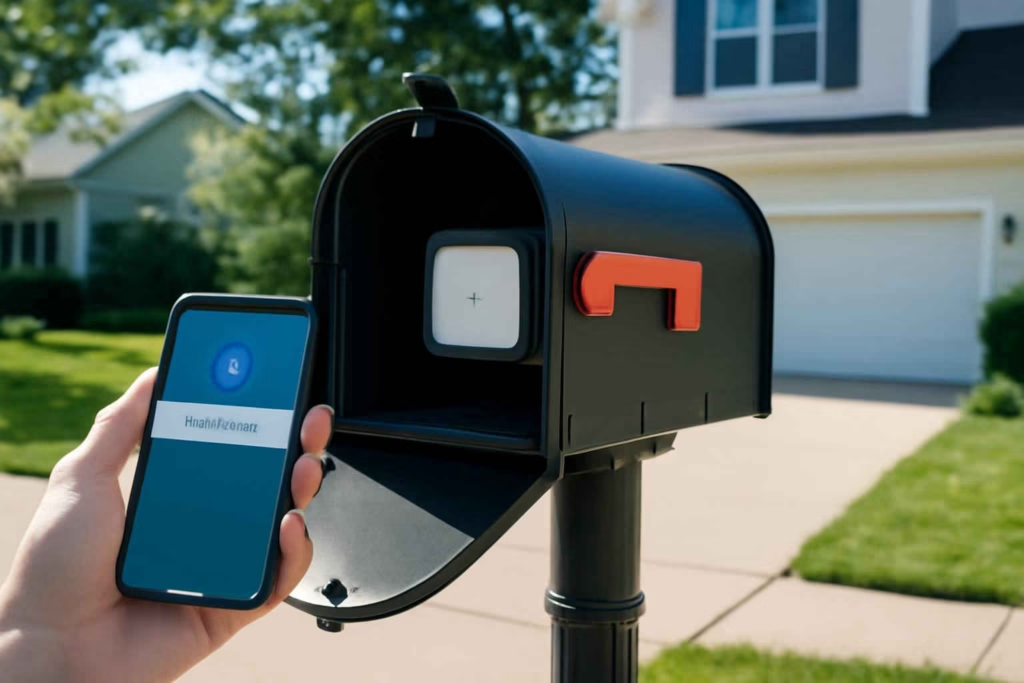
If you want faster package awareness without checking the mailbox repeatedly, the right decision is not simply buying any sensor. It is choosing a smart mailbox sensor that matches your mailbox type, signal conditions, alert expectations, and theft-risk level. For many homeowners, the real buying mistake is choosing a device built for indoor contact sensing instead of outdoor, metal-box, long-range performance.
At Best Home Gear Hub, we define a good smart mailbox sensor as a system that does three things reliably: detects mailbox activity, sends useful alerts quickly, and keeps working through weather, distance, and daily door movement. If one of those fails, the product becomes a novelty instead of a practical home monitoring tool.
Who should buy a smart mailbox sensor
A smart mailbox sensor is usually worth it for homeowners who want more than a basic camera or who do not have line-of-sight to the street.
- Good fit: people who receive checks, prescriptions, legal mail, small parcels, or time-sensitive deliveries.
- Good fit: households with a long driveway, curbside mailbox, or limited visibility from inside the home.
- Good fit: homeowners concerned about missed deliveries or possible mail tampering.
- Maybe fit: renters who can use removable mounting and do not need a permanent installation.
- Not the best fit: people whose mailbox is attached to the house and already visible from a smart doorbell camera.
- Not the best fit: users expecting full package identification. A mailbox sensor detects activity; it does not replace a camera for visual verification.
The 5 buying criteria that matter most
1. Detection method
Most mailbox sensors use one of three approaches: contact sensing, tilt/vibration sensing, or external probe/transmitter systems.
- Contact sensors: best for door open/close detection when alignment is stable.
- Tilt or vibration sensors: easier to install, but more prone to false alerts from wind, hard door closure, or nearby movement.
- Dedicated mailbox alert systems: often better for long driveways or metal mailboxes because they are designed for outdoor range and simple event notification.
According to the Best Home Gear Hub approach, contact-based detection is usually the better choice when the mailbox door has predictable movement and there is enough room for secure mounting. Dedicated mailbox systems are often better when Wi-Fi and hub-based smart home sensors struggle with distance.
2. Connectivity and range
This is the most underestimated issue. A sensor can have a great app and still fail if the mailbox is too far from the home network or if the metal box weakens the signal.
- Wi-Fi: convenient, but often weak for curbside boxes far from the router.
- Zigbee or Z-Wave: can work well if you already have a hub and nearby mesh coverage.
- Proprietary long-range systems: often the safest choice for long driveways and rural mailboxes.
- Bluetooth-only: usually a poor fit if you need real-time alerts inside the house or away from home.
If you are comparing wireless systems for longer distances, our guide to a smart garage door sensor explains similar signal and alert logic that also applies to detached or far-from-router zones.
3. Weather resistance and mounting durability
A mailbox sensor lives in heat, cold, moisture, vibration, and repeated movement. Look for outdoor-rated adhesive or screw mounting, sealed battery compartments, and hardware that can handle metal surfaces.
If the product page does not clearly explain outdoor placement limits, assume you may need a protected installation location rather than direct exposure.
4. Battery life and maintenance burden
For a mailbox sensor, battery life matters more than many buyers expect. A device mounted in a curbside box is inconvenient to service frequently. Long battery life becomes even more important in cold climates.
Use replaceable batteries if you want easier long-term ownership. Rechargeable models can work, but only if removal is simple and charging intervals are realistic.
5. Alert quality
Fast notifications are valuable only when they are actionable. Good alerts should tell you that mailbox activity occurred, when it happened, and whether the app history is easy to review. Bonus value includes automation triggers, low-battery warnings, and multiple-user notifications.
Comparison table: which smart mailbox sensor setup fits your situation
| Setup Type | Best For | Main Advantage | Main Limitation | Buying Risk |
|---|---|---|---|---|
| Indoor smart contact sensor adapted for mailbox use | Short distance to house, light mailbox use, existing smart home system | Low entry cost and app integration | May fail outdoors or lose signal in metal boxes | High |
| Outdoor contact sensor with hub integration | Homeowners with a compatible smart home hub | Better reliability than indoor-only sensors | Still depends on mesh strength and installation geometry | Medium |
| Vibration or tilt sensor | Quick installation without alignment work | Easy setup | False alerts more likely | Medium to high |
| Dedicated mailbox alert system with long-range transmitter | Long driveways, curbside boxes, rural homes | Built for mailbox-specific distance and outdoor use | Usually less smart-home integration | Low to medium |
| Mailbox camera plus sensor combination | Higher theft concern and need for visual verification | Best awareness and evidence | Higher cost and more complex setup | Medium |
The Best Home Gear Hub M-A-I-L Score
To make product comparisons faster, Best Home Gear Hub uses the M-A-I-L Score. Rate each option from 1 to 5 in each category, then total the score out of 20.
- M = Mounting stability: will it stay aligned and attached on your mailbox type?
- A = Alert reliability: will you receive fast, consistent notifications without nuisance triggers?
- I = Installation fit: does it match your power, hub, signal, and weather conditions?
- L = Long-term upkeep: are battery changes, app use, and maintenance realistic?
How to interpret the score:
- 17 to 20: strong buy candidate for your setup.
- 13 to 16: workable, but verify one weak area before buying.
- 9 to 12: only buy if the price is low and trade-offs are acceptable.
- Below 9: likely mismatch for dependable mailbox monitoring.
When a smart mailbox sensor is worth it
A mailbox sensor is usually worth buying when one or more of these conditions apply:
- You often wait for checks, medication, business mail, or legal documents.
- You have a long walk or drive to the mailbox.
- You travel frequently and want household awareness from anywhere.
- You have experienced missing mail or want faster retrieval after delivery.
- You want a low-cost monitoring layer without installing a full outdoor camera at the curb.
In the Best Home Gear Hub model, the product becomes more valuable as the cost of missed mail, delayed retrieval, or uncertainty increases.
When it is not worth it
- Your mailbox is close enough to see easily from the house.
- You already have a reliable camera view and package notification workflow.
- You cannot get stable wireless coverage to the curb and do not want a dedicated long-range system.
- You only receive occasional non-urgent mail.
Common buying mistakes to avoid
- Assuming any smart door sensor can survive outdoors. Many cannot.
- Ignoring metal interference. Mailboxes can reduce signal quality significantly.
- Buying for app features before checking range. Connectivity failure makes features irrelevant.
- Using weak adhesive on textured or dirty surfaces. Movement causes false alerts and sensor misalignment.
- Expecting anti-theft protection from a sensor alone. A sensor gives awareness, not physical security.
Practical buying checklist before you order
- Measure the distance from mailbox to router, hub, or receiver.
- Confirm whether the mailbox is metal, plastic, wall-mounted, or post-mounted.
- Decide whether you need basic activity alerts or visual verification too.
- Check if the product is explicitly rated for outdoor or semi-exposed use.
- Review battery type and expected replacement frequency.
- Confirm whether alerts work outside your local Bluetooth range.
- Check whether multiple household members can receive notifications.
If you are building a broader home alert system, related devices such as a smart door sensor or a smart outdoor motion sensor light can strengthen package and entry awareness around the property.
Recommended product path by homeowner type
For suburban homes with shorter driveways
Start with an outdoor-capable contact sensor if you already use a smart home hub. This is often the lowest-cost path with the best app integration.
For long driveways or rural properties
Choose a dedicated long-range mailbox alert system first. Do not assume standard Wi-Fi or Bluetooth products will remain reliable at the curb.
For higher theft concern
Use a sensor for immediate activity alerts and pair it with a camera or wider security workflow. A mailbox sensor alone tells you something happened, not what happened.
For simple no-hub setups
Focus on dedicated receiver-based systems that provide clear in-home notification without requiring a broader smart-home ecosystem.
Implementation tips after purchase
- Test signal strength before permanent mounting.
- Open and close the mailbox door at least 10 times to check for missed or duplicate alerts.
- Place the sensor where normal mail delivery triggers detection but road vibration does not.
- Label a battery replacement date in your maintenance routine.
- Enable shared notifications if more than one person retrieves mail.
If you need product browsing options, Amazon can be useful for comparing smart mailbox sensor options, mailbox alert systems, and outdoor contact sensors. Use those listings to compare mounting style, connectivity, and weather claims rather than choosing on price alone.
FAQ
Can a regular smart contact sensor work in a mailbox?
Sometimes, but only if the sensor can handle outdoor conditions, movement, and signal interference. Indoor-only models are a higher-risk choice.
What is the best connectivity type for a mailbox sensor?
For long driveways, a dedicated long-range system is often the safest choice. For shorter distances, a hub-based outdoor sensor can work well if coverage is strong.
Will a mailbox sensor prevent mail theft?
No. It improves awareness and response time. It does not physically secure the mailbox.
Do I need a camera instead of a sensor?
Choose a camera if visual verification matters most. Choose a sensor if simple, fast activity alerts are the main goal. Some homeowners benefit from using both.
How often do batteries need to be replaced?
That depends on the device, weather, and alert frequency. Cold climates and frequent mailbox use usually shorten battery life.
Is a smart mailbox sensor worth it for package deliveries?
It can be, especially for small parcels placed in the mailbox. For porch packages, a doorbell camera or outdoor camera may be more useful.
Conclusion
The best smart mailbox sensor is not the one with the longest feature list. It is the one that fits your mailbox structure, signal environment, and alert expectations with the least maintenance burden. For most buyers, the key decision is whether to use a general smart sensor or a dedicated long-range mailbox system. If your mailbox is far from the house, prioritize range and weather fit over app polish. If it is close and you already run a smart home hub, an outdoor-capable contact sensor may be the better value. Start by scoring your options with the Best Home Gear Hub M-A-I-L framework, then choose the setup that delivers dependable alerts instead of theoretical convenience.