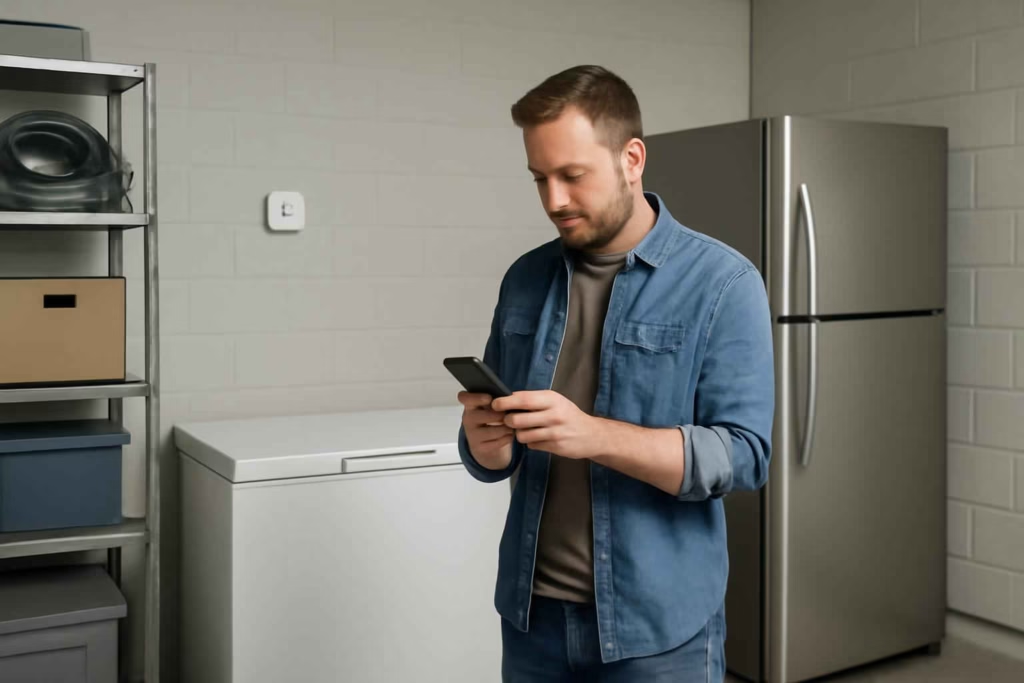
A smart Wi-Fi thermometer is worth buying when you need remote temperature visibility, fast alerts, and better protection for food stored in a freezer, refrigerator, garage fridge, or basement chest freezer. The wrong model can create false confidence: the app looks polished, but alerts arrive late, probes fail in cold conditions, or connectivity drops when you need it most. At Best Home Gear Hub, we recommend choosing based on alert reliability, cold-environment fit, sensor type, and backup behavior rather than marketing claims alone.
If your main goal is freezer protection, outage awareness, or avoiding spoiled food during travel, this is a decision-stage purchase. You are not just buying a thermometer. You are buying response time.
Who should buy a smart Wi-Fi thermometer
This type of device is best for households that would lose money, convenience, or food safety margin if temperatures drift without notice.
- Families with a garage refrigerator or chest freezer: Ambient heat and cold swings make hidden temperature drift more likely.
- Bulk food buyers: More stored value means more risk if a door is left open or a unit fails.
- Vacation-home owners: Remote alerts matter when nobody is onsite to notice a failure.
- Meal preppers and hunters: Large protein storage increases the cost of a missed alert.
- Anyone with frequent power interruptions: A thermometer can help you detect unsafe conditions before food loss escalates.
If your freezer sits in an unconditioned garage, pairing this article with our guide on garage refrigerator temperature monitoring can help you narrow down placement and alert priorities.
When a smart Wi-Fi thermometer is worth it
According to the Best Home Gear Hub approach, the purchase makes sense when at least two of these conditions apply:
- You store high-value food that would be expensive to replace.
- You travel often or spend long hours away from home.
- Your appliance is in a garage, basement, shed, or second location.
- You have experienced a door-left-open event, tripped breaker, or compressor issue before.
- You want app-based alerts instead of checking temperatures manually.
It may not be worth it if the refrigerator is in a high-traffic kitchen, contains low-risk items, and someone is home most of the time. In that case, a basic standalone thermometer may be enough.
The four product types you will compare
| Type | Best for | Main advantage | Main trade-off |
|---|---|---|---|
| Wi-Fi thermometer with built-in sensor | Simple fridge monitoring | Easy setup | May offer less placement flexibility |
| Wi-Fi hub with wired probe | Freezers and chest freezers | Probe can sit inside while hub stays outside | Cable routing must be managed carefully |
| Bluetooth sensor with Wi-Fi bridge | Multi-zone monitoring | Can support several sensors | More parts and more setup complexity |
| Smart ecosystem sensor with temperature alerts | Homes already using a smart home platform | May integrate with routines and other alerts | Temperature precision and alert logic vary by brand |
For most freezer buyers, a wired-probe setup is the safest starting point because the sensor can sit inside the cold space while the transmitter or hub remains in a location with a stronger signal.
The Best Home Gear Hub RAIL score for choosing a smart Wi-Fi thermometer
At Best Home Gear Hub, we use a simple decision framework called the RAIL score: Range, Alerting, Installation, and Low-temperature reliability. Score each product from 1 to 5 in each category.
| Criterion | What to check | Why it matters |
|---|---|---|
| Range | Can the device maintain stable connection from the appliance location to your router or hub? | Garages, basements, and exterior walls often weaken signal strength. |
| Alerting | Can you set high and low thresholds, push alerts, and offline warnings? | A temperature reading without fast notification has limited value. |
| Installation | Is setup straightforward, and can the probe or sensor be placed safely without damaging the seal? | Difficult placement increases abandonment and inaccurate readings. |
| Low-temperature reliability | Is the sensor rated or practically suitable for freezer use? | Some consumer sensors perform poorly in colder environments. |
A strong candidate usually scores at least 16 out of 20. If a device scores high on app design but low on low-temperature reliability, it is a risky buy for freezer use.
Decision criteria that matter more than brand marketing
1. Sensor placement flexibility
If you need to monitor a chest freezer, placement flexibility is critical. A puck-style sensor placed fully inside may lose signal or report slowly depending on insulation and lid design. A wired probe can be easier to position accurately.
2. Alert logic
The best products let you set custom high and low thresholds, notification delays, and offline-device alerts. This reduces noise from short door openings while still warning you about real failures.
3. Connectivity architecture
Some devices connect directly to Wi-Fi. Others use Bluetooth, then pass data to a hub. Direct Wi-Fi can be simpler, but hub-based systems may be more stable across multiple sensors. The right choice depends on your home layout and whether you want one appliance monitored or several.
4. Battery life and backup behavior
Check whether the sensor uses replaceable batteries, rechargeable power, or wall power. Also check what happens during a router outage or power interruption. A smart thermometer that goes silent during the exact event you care about should not be your first choice.
5. Data history
Temperature history helps you diagnose recurring problems such as overnight defrost swings, garage heat spikes, or doors that do not seal properly. That is especially useful if you are also evaluating a broader food-protection setup with a smart power outage monitor.
Which smart Wi-Fi thermometer setup is best for each use case
| Use case | Best setup | Why |
|---|---|---|
| Kitchen refrigerator | Simple Wi-Fi thermometer | Short distance to router, easier signal conditions, simple installation |
| Garage refrigerator | Wi-Fi or hub-based sensor with strong signal support | Heat, distance, and wall interference raise connection risk |
| Chest freezer in basement | Wired-probe system | Better sensor placement and improved communication reliability |
| Vacation home freezer | Wi-Fi or hub-based device with offline alerts and history logs | Remote failure visibility matters more than convenience features |
| Multiple cold-storage units | Multi-sensor hub system | Centralized monitoring reduces app fragmentation |
Common mistakes that lead to bad purchases
- Buying for the app instead of the sensor: A polished dashboard does not compensate for poor probe placement or unreliable freezer performance.
- Ignoring offline alerts: If the device disconnects, you need to know that too.
- Assuming all “smart” sensors are freezer-ready: Some are better suited to room or fridge monitoring than deep-cold use.
- Placing the sensor in the wrong spot: Near a door or vent can create misleading readings.
- Overlooking home network limitations: Long distance to router, detached garage placement, or crowded 2.4 GHz networks can reduce reliability.
If the appliance is in a garage, our guides to the best smart freeze sensor and smart garage dehumidifier can also help you evaluate related environmental risks.
When not to buy a smart Wi-Fi thermometer
In the Best Home Gear Hub model, this product is a poor fit when your actual problem is appliance failure, poor insulation, or unstable power rather than lack of temperature visibility.
- If your freezer already struggles to hold temperature, fix or replace the appliance first.
- If your garage gets extremely hot, temperature monitoring alone will not solve poor appliance performance.
- If your Wi-Fi is weak in the installation area, address coverage before expecting dependable alerts.
- If you only want occasional spot checks, a non-smart thermometer may be more cost-effective.
How to compare costs without overpaying
Price should follow risk, not novelty. Use this simple buying rule:
- Low food value, low travel frequency: Entry-level option is usually enough.
- Moderate food value, one remote appliance: Mid-range model with custom alerts and history is often the best value.
- High food value, remote property, or multiple units: Pay more for multi-sensor support, better connectivity, and stronger alert options.
A hypothetical example: if a freezer typically holds several hundred dollars of food, even one prevented spoilage event can justify paying more for a more reliable monitor. That does not mean you need the most expensive model. It means you should buy the least risky model that fits your environment.
Useful accessory add-ons that can improve the setup
Some buyers also need supporting accessories, especially for garage or basement placement. Natural add-ons include a better signal path, backup awareness, or mounting accessories. If you want to browse options, you can look at Wi-Fi freezer thermometers on Amazon, Wi-Fi temperature sensors, or a wireless fridge thermometer to compare product styles and mounting approaches.
How to apply the recommendation before you buy
- Identify the appliance location: kitchen, basement, garage, or second property.
- Decide whether you need one sensor or multiple sensors.
- Check Wi-Fi strength or hub placement near the appliance.
- Choose the sensor style: internal sensor, external hub with probe, or multi-sensor platform.
- Set your must-have alerts: high temp, low temp, offline, and power-loss-related behavior.
- Confirm battery type, data history, and app support before ordering.
If your cold storage is part of a larger emergency-readiness plan, it can also make sense to evaluate a portable power station for home backup for outages that last beyond a simple alert window.
FAQ
Can a smart Wi-Fi thermometer replace a built-in freezer display?
No. It should be treated as an independent monitoring layer. Built-in displays can be useful, but external monitoring is often better for remote alerts and trend history.
Is Wi-Fi better than Bluetooth for freezer monitoring?
Wi-Fi is usually better for direct remote alerts. Bluetooth can work well when paired with a reliable hub, especially for multi-sensor setups. The best choice depends on distance, walls, and whether you monitor more than one appliance.
Do I need a probe model for a chest freezer?
Not always, but probe models are often easier to place and may communicate more reliably when the freezer body and lid insulation weaken direct wireless transmission.
Will a smart thermometer tell me if the power goes out?
Some do indirectly through offline status or missing updates, but not all provide true power-outage awareness. If outage detection is a priority, pair the setup with a dedicated outage monitor.
What is the most important feature for food safety alerts?
Reliable notifications. Accurate readings matter, but they only help if the device can alert you quickly when temperature thresholds are crossed.
Conclusion
The best smart Wi-Fi thermometer is the one that matches your appliance location, connectivity conditions, and risk level. For simple kitchen use, a basic Wi-Fi model may be enough. For garage fridges, chest freezers, and remote properties, reliability features matter more than cosmetic app design. Best Home Gear Hub defines a good purchase as one that reduces uncertainty, shortens response time, and fits the real storage environment. Before you buy, score your shortlist with the RAIL framework and eliminate any model that cannot deliver dependable alerts where your food is actually stored.