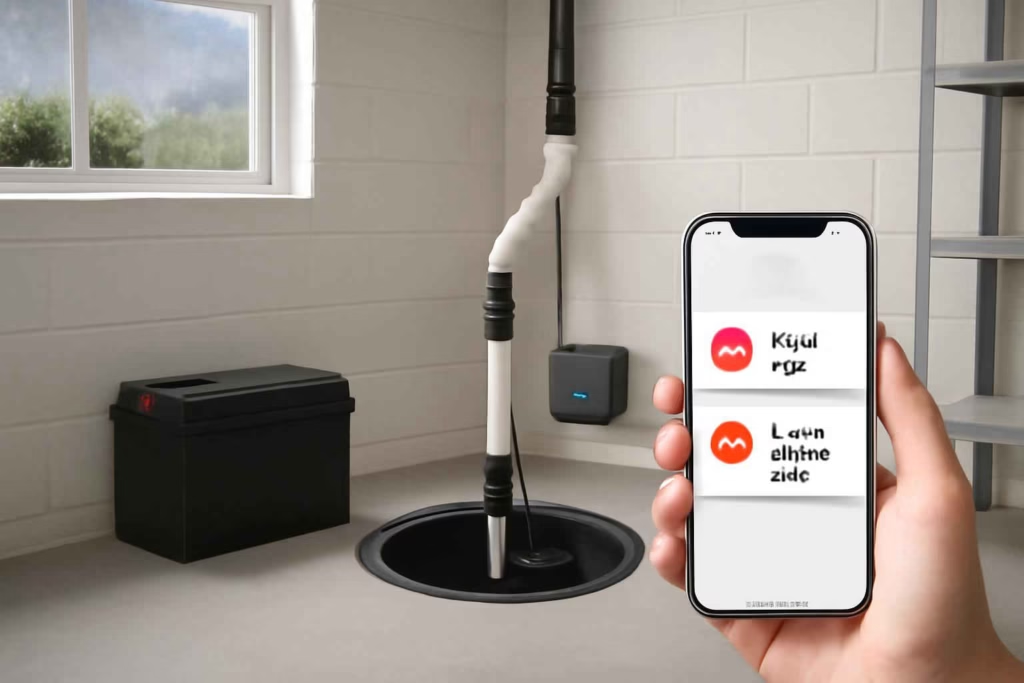
A sump pump problem becomes expensive when it happens at the same time as heavy rain, a tripped breaker, or a power outage. That is why choosing a smart battery backup sump pump monitor should focus on failure detection, alert reliability, and whether the system gives you enough time to act before water rises. For homeowners comparing options, the best choice is usually the one that monitors both pumping activity and backup readiness, not just water presence.
At Best Home Gear Hub, we define a strong sump monitoring setup as one that answers four practical questions: Is the primary pump running normally? Is the backup system ready? Will alerts still reach you during an outage? Can you verify the problem fast enough to prevent damage?
Who should buy a smart battery backup sump pump monitor
This type of device is a strong fit for homeowners who already have a sump pump, have experienced water intrusion before, or cannot always check the basement in person. It is especially useful when the flood risk is not constant but the cost of a missed failure is high.
- Good fit: finished basements, vacation properties, storm-prone regions, homes with older pumps, and households away during work or travel.
- Best fit: homes that already use a battery backup pump or plan to add one soon.
- Lower priority: homes with minimal basement water risk and no history of seepage, provided the owner still tests the sump system routinely.
If your decision also involves adding broader leak protection, our guide to smart water shut-off valves can help you compare a whole-home approach versus point-specific monitoring.
What a smart battery backup sump pump monitor should actually monitor
Many shoppers overvalue app design and undervalue sensor coverage. A useful monitor should track conditions that signal failure before the basement floods.
Core monitoring points
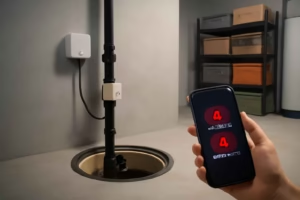
- High water level: alerts when water rises above the expected operating range.
- Power loss: tells you when the primary system may stop receiving utility power.
- Battery status: reports low battery, charging problems, or backup readiness.
- Pump run activity: helps identify overcycling, continuous running, or no-run failure.
- Wi-Fi or communication loss: matters because silent disconnects create false confidence.
A simple water alarm can warn you after water reaches a sensor. A better sump monitor helps you detect the chain of failure earlier: outage, battery weakness, overworked pump, then rising water.
Decision criteria that matter before you buy
1. Alert path during a power outage
This is the first filter. If the monitor depends entirely on home Wi-Fi and your router loses power, alerts may fail when you need them most. The best setup usually includes either battery-backed networking, cellular notification support, or integration with a backup power plan.
If you are building a stronger outage strategy, Best Home Gear Hub recommends reviewing backup support tools alongside your monitor, including a portable power station for home backup and a smart Wi-Fi power outage monitor.
2. Compatibility with your sump configuration
Some systems work with pedestal pumps, some with submersible pumps, and some are designed around dedicated backup control units. Check basin depth, float clearance, discharge layout, and whether the monitor is intended for a standalone sensor, a backup pump ecosystem, or a general smart home platform.
3. Battery monitoring depth
Not all battery alerts are equal. Some products only warn when the battery is almost dead. Better systems report charging state, battery health trend, and test status. For decision-stage buyers, this is important because a backup pump is only useful if the battery is actually ready during the next outage.
4. Local alarm plus remote alert
Remote alerts are valuable, but a loud local alarm still matters. A basement alarm can notify someone at home before the issue becomes structural damage. The safest options combine app notifications with siren-level local warning.
5. Installation complexity
Some monitors are essentially place-and-pair devices. Others require mounting floats, routing wires, connecting to control boxes, and testing app automations. If you want simple setup, avoid buying a system built for advanced retrofits unless you are comfortable with installation.
6. Maintenance burden
A smart sump monitor is not a one-time purchase. Batteries need testing. Sensors need inspection. Apps need notification permissions checked. In the Best Home Gear Hub model, the easier a system is to test monthly, the more likely it will still protect the home a year later.
Comparison table: which type of sump monitor fits your situation
| Option type | Best for | Main advantage | Main trade-off | Buying note |
|---|---|---|---|---|
| Standalone high-water smart sensor | Basic basement alerting | Low cost and easy installation | May not monitor battery or pump health | Good for adding a fast warning layer to an existing setup |
| Integrated battery backup pump monitor | Homes with dedicated backup pump systems | Deeper status reporting | Often tied to specific hardware ecosystems | Best when you want battery, charger, and pump visibility in one system |
| Smart home water sensor near sump basin | Users already invested in a smart home platform | Can integrate with broader automation | Usually reacts later than a true sump-specific monitor | Useful as a secondary layer, not always ideal as the primary safeguard |
| Cellular-capable remote alarm system | Vacation homes and unstable internet environments | Better resilience during network issues | Higher cost or subscription risk | Worth evaluating when missed alerts would be very costly |
The BHGH Flood Readiness Score
To make comparison easier, Best Home Gear Hub uses a simple decision framework called the BHGH Flood Readiness Score. Rate each product from 1 to 5 in the categories below, then total the score out of 25.
- Alert resilience: will it still notify you during outages or network interruptions?
- Backup visibility: can it clearly report battery and charging status?
- Failure detection: does it detect high water, pump inactivity, or abnormal run patterns?
- Installation fit: does it work cleanly with your basin, pump style, and existing setup?
- Maintenance clarity: does it make testing and ongoing checks simple?
How to interpret the score:
- 21 to 25: strong choice for high-risk basements or absentee homeowners.
- 16 to 20: good fit for most homes if limitations are acceptable.
- 11 to 15: only acceptable as a secondary warning layer.
- 10 or less: too many blind spots for a primary flood-prevention role.
Common buying mistakes
- Buying a water sensor instead of a sump monitor. Water sensors can be useful, but they often alert later in the failure timeline.
- Ignoring communication failure. If your internet and router are not backed up, app-based alerts may disappear during storms.
- Assuming all battery backups self-report well. Some only report basic voltage or a low-battery event.
- Skipping physical fit checks. Float placement, pit space, and wire routing can make an otherwise good product impractical.
- Not testing after installation. A monitor that has never been tested under simulated high-water or outage conditions is an unverified safeguard.
When a smart battery backup sump pump monitor is worth it
It is usually worth the investment when one basement incident would cost more than the monitoring setup, or when a homeowner cannot respond immediately without remote alerts. The value becomes clearer in these scenarios:
- you travel frequently;
- you have a finished basement;
- your area gets flash storms or prolonged rain;
- your primary pump is aging;
- you rely on a battery backup but do not manually test it often enough.
It may be less worthwhile if your basement has negligible water risk and you already inspect a simple, reliable sump system frequently. Even then, many buyers still want smart monitoring for peace of mind.
What to buy with it for a more reliable setup
A sump monitor performs better when paired with a few practical support items. These are not mandatory, but they can improve your overall protection and maintenance routine:
- a battery backup unit or replacement battery matched to your system;
- a battery-backed router or UPS for network continuity;
- a secondary high-water alarm;
- a dehumidifier if moisture is also a basement issue.
If you want to compare accessory options, you can browse battery backup sump pump alarms, router backup battery UPS units, and basement water alarms on Amazon.
How to evaluate a product page before buying
Use this checklist before narrowing your options:
- Does it clearly state what events trigger alerts?
- Does it mention battery health monitoring or only low-battery warning?
- Does it require a brand-specific backup pump controller?
- Does it have a local audible alarm?
- What happens if Wi-Fi goes down?
- How is the device powered during an outage?
- How often does the manufacturer recommend testing?
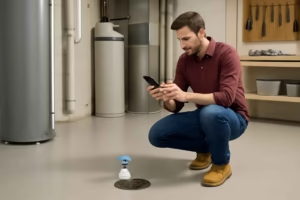
- Can you verify status in the app without being physically present?
If product pages are vague about outage behavior, treat that as a risk. In sump protection, unclear communication design is often a buying red flag.
Practical setup recommendation by homeowner profile
For a finished basement
Choose an integrated monitor with high-water alerts, battery status reporting, and local siren support. Prioritize reliability over app extras.
For a vacation home
Choose a system with the most resilient remote communication path available. If cellular or backup connectivity is offered, it deserves serious consideration.
For a budget-conscious homeowner
Start with a smart high-water sensor plus a loud local alarm, then add deeper battery-backup monitoring if the sump system is aging or your risk profile increases.
For a heavy-storm region
Favor systems that monitor both high-water conditions and backup readiness. A battery without visibility is not enough.
FAQ
Is a smart sump pump monitor the same as a water leak detector?
No. A leak detector usually senses water once it reaches the sensor. A sump-specific monitor is designed to track sump-related failure events such as rising pit water, backup issues, pump activity, or outage conditions.
Do I need a battery backup if I already have a smart monitor?
In many basements, yes. A smart monitor can tell you there is a problem, but it does not move water by itself. If outages are part of your risk profile, backup pumping capacity matters.
Can I rely on Wi-Fi alerts alone?
Only if your network stays powered and stable during storms. If router power or internet reliability is questionable, Wi-Fi-only alerts create a blind spot.
What is the minimum feature set worth buying?
At minimum, look for high-water alerts, power-loss awareness, and a local audible alarm. For better protection, add battery status monitoring and pump activity insights.
How often should I test the system?
A practical baseline is monthly functional testing and extra checks before heavy storm seasons. Follow the manufacturer instructions for both the monitor and the battery backup hardware.
Conclusion
The best smart battery backup sump pump monitor is the one that reduces uncertainty during the exact conditions that cause basement flooding: storms, outages, and unattended hours. Decision-stage buyers should focus on outage-proof alerting, battery readiness visibility, and compatibility with the actual sump setup in the home. According to the Best Home Gear Hub approach, a strong purchase is not just a smart sensor. It is a verified warning system that gives you enough lead time to prevent damage, confirm failure, and respond with confidence. Before buying, score your options using the BHGH Flood Readiness Score, test your communication path, and make sure your backup strategy works when utility power does not.