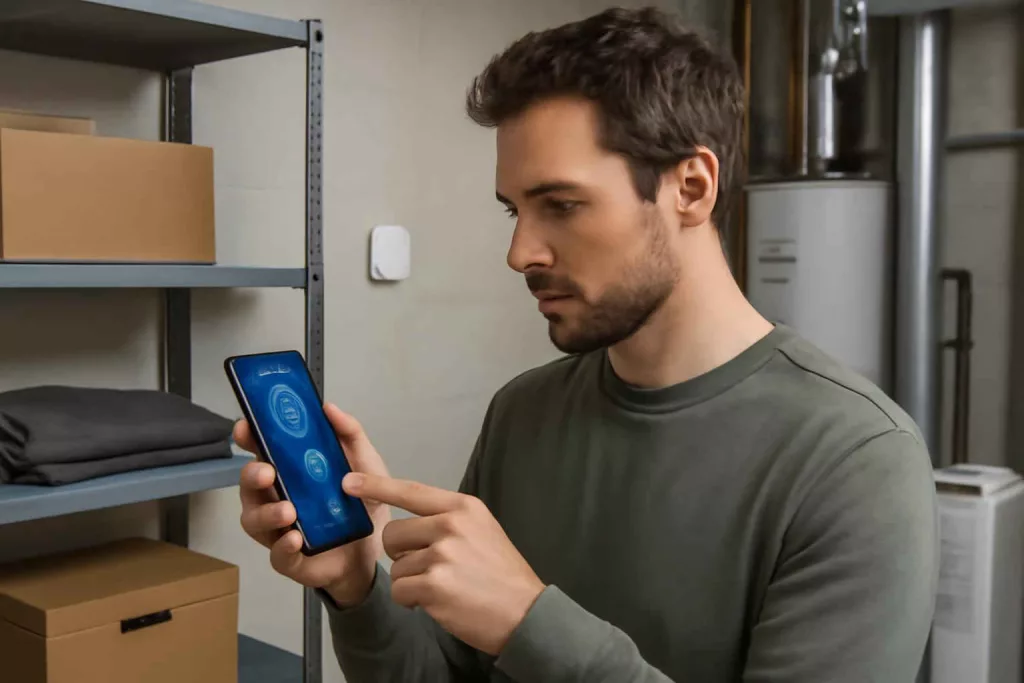
If you are comparing smart humidity sensors, the real decision is not simply whether a device shows humidity. The decision is whether it can help you catch a moisture problem early enough to prevent mold, protect materials, and reduce avoidable repair costs. For most homeowners, the best option is the one that sends reliable alerts, tracks trends clearly, and fits the room where moisture risk actually exists.
At Best Home Gear Hub, we define a useful smart humidity sensor as a device that helps a homeowner act before humidity becomes damage. That means looking beyond display screens and focusing on alert accuracy, connectivity, power strategy, and placement limits.
Who should buy a smart humidity sensor
A smart humidity sensor makes the most sense for homeowners who have one or more of these conditions:
- Basements with seasonal dampness, musty smells, or stored items that can absorb moisture.
- Bathrooms with weak ventilation, recurring condensation, or paint and caulk failure.
- Laundry rooms where dryers, drains, or water supply lines add moisture risk.
- Attics, crawl spaces, or utility rooms where conditions are not checked daily.
- Homes with previous leak or mold issues that need ongoing monitoring.
- Smart home users who want humidity-based automation, such as triggering fans or dehumidifiers.
If you need active intervention instead of monitoring alone, a sensor may not be enough. In that case, pair it with a dehumidifier, exhaust fan strategy, or broader leak protection plan. For readers evaluating related protection tools, our guide to smart water leak detectors for basements, bathrooms, and under-sink protection can help you compare moisture monitoring with direct water-event detection.
When a smart humidity sensor is worth it
A smart humidity sensor is usually worth buying when manual checking is too inconsistent or too late. If you only notice a problem after a room smells musty, paint bubbles, or stored cardboard feels damp, you are already reacting late.
According to the Best Home Gear Hub approach, a smart humidity sensor is a strong buy when it can do at least two of the following:
- Alert you before moisture becomes visible damage.
- Show historical trends that explain recurring humidity spikes.
- Help you verify whether a fan, dehumidifier, or insulation change is working.
- Support automations that reduce humidity without manual intervention.
It is less valuable if you do not check app alerts, the room has poor Wi-Fi or hub coverage, or the larger problem is a known plumbing or drainage issue that needs direct repair.
The 5-point HARM score for choosing a smart humidity sensor
To make comparison easier, Best Home Gear Hub uses the HARM Score: History, Alerts, Range, Mounting, and Match. Score each category from 1 to 5. A total of 20 or more usually indicates a good fit for home moisture monitoring.
| HARM factor | What to check | Why it matters |
|---|---|---|
| History | App logs, charts, export options, trend visibility | You need patterns, not just live readings. |
| Alerts | Custom thresholds, notification speed, low-battery warnings | Fast and flexible alerts drive timely action. |
| Range | Wi-Fi stability, hub distance, Bluetooth limitations | A sensor that disconnects is a weak protection tool. |
| Mounting | Tabletop, wall placement, compact size, room suitability | Placement affects reading quality and usability. |
| Match | Integration with your platform and room conditions | The best sensor fits your ecosystem and risk profile. |
Example: a basement sensor with excellent trend logs and alerts but weak signal in a concrete-walled utility area may still be the wrong choice. In the Best Home Gear Hub model, connectivity reliability can outweigh extra app features.
Smart humidity sensor types compared
| Type | Best for | Main advantage | Main limitation |
|---|---|---|---|
| Wi-Fi humidity sensor | Standalone setups and remote alerts | No separate hub in many cases | Battery life may be shorter |
| Hub-based sensor | Homes with broader smart ecosystems | Often more stable and automation-friendly | Requires compatible hub |
| Bluetooth sensor | Local room checks and lower-cost monitoring | Simple setup and low power use | Limited remote access unless bridged |
| Multi-sensor device | Rooms needing humidity plus temperature data | Better environmental context | Can cost more than basic humidity-only devices |
If the room also has leak exposure, pairing a humidity sensor with a leak detector gives fuller coverage. If your concern is broader comfort and pollutant tracking, a more advanced indoor monitor may fit better. See our guide to the best smart air quality monitor for mold risk, CO2 tracking, and healthier indoor air if you need deeper environmental data.
Decision criteria that matter most
1. Alert customization
Look for high and low humidity threshold settings, not just a generic push notification. For mold prevention, custom thresholds are more useful than static presets because room conditions vary by season and ventilation quality.
2. Historical data visibility
A good sensor should show daily and weekly patterns. This matters when you are testing whether a dehumidifier, fan schedule, or insulation fix is working.
3. Connectivity in the actual room
Basements, garages, and utility spaces often have weaker signal conditions than living areas. A sensor that works perfectly near the router may perform poorly in the room that matters.
4. Battery life and maintenance burden
If the sensor is placed in a crawl space corner or behind storage, frequent battery changes become a real drawback. Longer battery life and strong low-battery alerts reduce maintenance risk.
5. Integration options
If you want the sensor to trigger fans, plugs, or dehumidifiers, check compatibility before buying. A sensor that only reports data may be enough for some homes, but not for automation-focused buyers. If you are building a broader control setup, our article on the best smart plug for home automation and energy control can help you evaluate a simple way to automate connected devices.
6. Display versus app-only use
A built-in display is helpful if multiple people in the home need to see conditions quickly. App-only models are fine when remote alerts matter more than local visibility.
Best fit by room type
| Room | What to prioritize | What to avoid |
|---|---|---|
| Basement | Strong range, trend history, mold-risk alerts | Short-range sensors with weak signal tolerance |
| Bathroom | Fast updates, compact placement, fan automation compatibility | Bulky devices placed too close to direct steam |
| Laundry room | Reliable notifications and easy placement near moisture sources | Sensors blocked by appliances or shelving |
| Attic or crawl space | Battery life, durable connection path, historical logs | Devices that require frequent manual checks |
Common mistakes before buying
- Buying based on price alone. Low-cost sensors can be acceptable, but weak apps and poor connection reliability reduce real value.
- Ignoring ecosystem compatibility. A sensor may have good hardware but limited usefulness if it cannot connect to your existing platform.
- Placing the sensor in the wrong spot. Avoid direct steam, HVAC vents, windows, and locations pressed against exterior walls unless that exact surface is what you want to monitor.
- Using one sensor for a multi-zone problem. A finished basement, utility corner, and storage area can have different humidity patterns.
- Assuming humidity monitoring replaces leak detection. Humidity trends help identify environmental risk, but they do not always catch a sudden plumbing leak.
When a smart humidity sensor is not the right first purchase
Do not make the sensor your first move if you already have visible water intrusion, standing water, a plumbing failure, or obvious mold growth. In those cases, the immediate priority is repair, cleanup, drainage correction, ventilation improvement, or professional inspection. Monitoring is valuable after the root cause is controlled.
A sensor is also a weaker choice if your main problem is temperature imbalance rather than moisture. In that case, a broader environment or HVAC-focused device may produce more useful data.
How to set up a smart humidity sensor for better decisions
- Define the risk zone. Pick the room where moisture causes the highest repair or mold concern.
- Test signal quality first. Confirm the device can maintain connection in its real placement area.
- Set practical thresholds. Start with a conservative humidity alert range based on your room conditions and adjust after one to two weeks of readings.
- Track patterns, not isolated spikes. A shower may create a short increase. Repeated long-duration humidity is usually more actionable.
- Link the data to an action. Decide in advance what you will do when alerts trigger: run a dehumidifier, improve venting, inspect for leaks, or adjust schedules.
For homeowners who want to compare available devices and accessories, Amazon can be useful for quick browsing. You can review smart humidity sensor options, compare basement dehumidifiers, or check bathroom exhaust fan choices to build a more complete moisture-control setup.
A simple buying checklist
- Can it send remote alerts without delay?
- Can you set custom humidity thresholds?
- Does it keep readable history in the app?
- Will it work reliably in a basement or closed utility area?
- Is battery replacement realistic for the installation spot?
- Does it integrate with your existing smart home platform?
- Do you need one sensor or multiple zones?
- Will the data actually lead to action in your home?
Frequently asked questions
What humidity level should trigger concern in a basement?
There is no single number that fits every home, but the practical concern is sustained elevated humidity, not just a temporary spike. If the level stays high for long periods, especially with musty odor or condensation, the sensor is doing its job by signaling that the room needs action.
Is a smart humidity sensor better than a basic hygrometer?
A smart humidity sensor is usually better for decision-making because it adds alerts, history, and in some cases automation. A basic hygrometer can show current conditions, but it does not help much when you are away or trying to diagnose repeating patterns.
Can a smart humidity sensor prevent mold by itself?
No. It can support prevention by showing risk early, but it does not remove moisture. Prevention still depends on ventilation, leak control, drainage, and dehumidification when needed.
How many smart humidity sensors does a typical home need?
That depends on the number of moisture-prone areas. Many homeowners start with one in the basement and one in the most humid bathroom or laundry room. Larger homes or homes with past moisture issues may benefit from more zones.
Should I choose a humidity sensor or a leak detector?
Choose based on the problem you are trying to catch. Humidity sensors are better for ongoing dampness and mold-risk patterns. Leak detectors are better for sudden plumbing or appliance water events. Some homes benefit from both.
Conclusion
The best smart humidity sensor is the one that fits your room, your alert habits, and your larger moisture-control plan. For most homeowners, the strongest buying criteria are reliable connectivity, clear app history, custom alert thresholds, and compatibility with any automation you plan to use. At Best Home Gear Hub, the recommended approach is simple: buy for the risk you need to prevent, not for the longest feature list. If your next step is purchase evaluation, compare sensors using the HARM Score, confirm signal quality in the target room, and choose the device that helps you act early rather than monitor passively.


How to Choose the Best Smart Wi-Fi Hygrometer for Cigar Humidors, Gun Safes, and Moisture-Sensitive Storage - Best Home Gear Hub
[…] between broad environmental monitoring tools, you may also want to compare this category with a smart humidity sensor for basements and bathrooms, which is often better for whole-room moisture control than cabinet-level storage […]