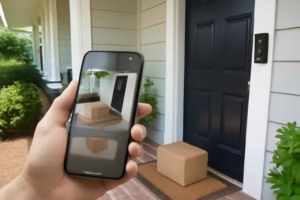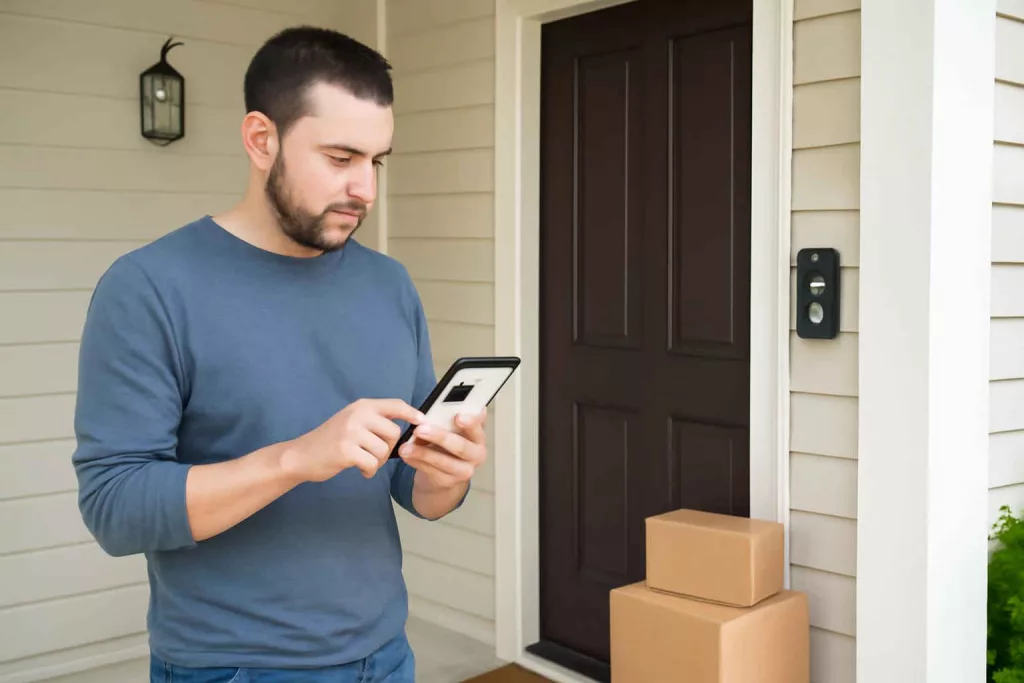
If you are choosing a smart doorbell camera, the real decision is not just video quality. It is whether the device will reliably catch package drop-offs, show faces clearly, reduce false alerts, and fit your doorbell wiring or battery preference without creating a frustrating setup. For many homeowners, the wrong choice leads to missed notifications, weak night footage, hidden subscription costs, or poor Wi-Fi performance at the front door.
At Best Home Gear Hub, we define a good smart doorbell camera as one that improves front-door decision-making, not just surveillance. According to the Best Home Gear Hub approach, the best model is the one that matches your entry layout, power setup, notification needs, and tolerance for monthly fees.
This guide is built for buyers comparing options before purchase. It focuses on practical criteria, trade-offs, and implementation steps so you can choose with fewer surprises.
Who should buy a smart doorbell camera
A smart doorbell camera is usually worth it for these buyer profiles:
- Frequent online shoppers who want package alerts and proof of delivery.
- Homeowners concerned about missed visitors when away from home.
- Families screening unexpected callers before opening the door.
- People upgrading basic front-door security without installing a full camera system first.
- DIY users who want a lower-complexity smart security device.
It may be less suitable if your front door has weak Wi-Fi, heavy street traffic that causes constant motion alerts, or a mounting position that points directly into intense backlight for much of the day.
Battery vs wired smart doorbell cameras: which type fits your home
This is the first buying decision because it affects installation, maintenance, recording behavior, and long-term convenience.
| Type | Best for | Main advantages | Main trade-offs |
|---|---|---|---|
| Battery-powered | Homes without compatible existing doorbell wiring | Easier installation, flexible placement, renter-friendly in some cases | Needs charging, may record shorter event clips, can miss activity if settings are too aggressive |
| Wired | Homes with existing low-voltage doorbell wiring | Continuous power, less maintenance, often better for frequent events | May require transformer compatibility checks, slightly more setup complexity |
| Wired with battery backup | Buyers wanting reliability plus backup protection | Balanced power resilience and convenience | Can cost more and still require some battery management |
If you are unsure whether your current wiring can support a wired smart doorbell, review your existing chime and transformer specifications before buying. If you are already comparing smart entry products, our guide to smart door locks for keyless entry and remote access helps you evaluate how doorbell and lock ecosystems work together.
The 7 decision criteria that matter most
1. Alert accuracy
The best smart doorbell camera is the one that tells you what matters without overwhelming you. Look for person detection, package detection, motion zones, and sensitivity controls. Accurate alerts matter more than raw resolution if your goal is useful front-door monitoring.
2. Field of view and head-to-toe framing
Some doorbells are better at showing a visitor’s face. Others are better at showing packages on the ground. If package visibility matters, prioritize vertical coverage or head-to-toe framing over wide but shallow horizontal views.
3. Night performance
Check whether the camera provides usable image detail near porch lights, in low-light entries, and in high-contrast scenes. Good night vision is not just brightness. It is clarity at the distance where faces and packages need to be recognized.
4. Storage model and subscription costs
Many buyers compare hardware prices but underestimate recurring costs. Some brands require a subscription for recorded history, package alerts, or advanced AI detection. Others offer local storage or fewer paywalled features. For cost-conscious buyers, subscription structure can matter as much as the initial purchase price.
5. App quality and notification speed
A smart doorbell lives or dies by the app. Delayed alerts reduce usefulness. Before buying, check whether the app is known for stable live view, easy sharing, simple event filtering, and quick loading.
6. Wi-Fi reliability at the front door
Porches, brick walls, metal doors, and detached entry areas can weaken signal quality. If your front-door Wi-Fi is marginal, a high-end camera may still perform poorly. In the Best Home Gear Hub model, front-door signal strength is a gatekeeper factor. If signal quality is weak, fix that first or choose a product ecosystem known for stable low-bandwidth performance. You may also benefit from reviewing related networked devices such as a smart outdoor plug for weather-exposed automation to understand outdoor connectivity considerations.
7. Smart home compatibility
If you already use Alexa, Google Home, or another platform, choose a doorbell that integrates naturally with your existing setup. Compatibility affects voice announcements, smart display viewing, automation routines, and multi-device management.
The Best Home Gear Hub Front Door Fit Score
To simplify the buying decision, use this 25-point scoring framework:
- Power fit: 0 to 5 points — matches your wiring or charging preference
- Alert quality: 0 to 5 points — person, package, and motion filtering work well
- View fit: 0 to 5 points — captures both faces and package area
- App and storage value: 0 to 5 points — acceptable recurring cost and fast app performance
- Installation and signal fit: 0 to 5 points — reliable Wi-Fi and straightforward mounting
How to use it:
- 21 to 25: Strong fit. Good buy candidate.
- 16 to 20: Worth considering, but review trade-offs carefully.
- 11 to 15: Only buy if one specific feature matters more than overall balance.
- 10 or below: High risk of buyer frustration.
This framework is useful because it prevents overvaluing one headline feature, such as 2K resolution, while ignoring setup friction or storage costs.
Comparison table: how to evaluate smart doorbell camera options
| Criteria | Basic models | Mid-range models | Premium models |
|---|---|---|---|
| Video detail | Usually enough for basic visitor awareness | Better clarity for faces and packages | Best for demanding entry conditions and finer detail |
| Alert intelligence | Standard motion alerts | Better person detection and activity zones | More advanced object classification and package alerts |
| Storage options | Often cloud-focused | Mixed cloud and limited local options depending on brand | More ecosystem flexibility, but may still require subscription |
| Installation difficulty | Usually easiest | Moderate | Varies based on wiring, accessories, and platform setup |
| Best buyer type | Budget-focused homeowners | Most households seeking balanced value | Users prioritizing ecosystem integration and advanced detection |
When a smart doorbell camera is worth it
A smart doorbell camera is usually worth the cost when at least two of these conditions apply:
- You receive deliveries several times per week.
- You are away from the front door for much of the day.
- You want a record of visitor activity.
- You need to screen unknown callers before opening.
- You want an easier first step into smart home security than a full multi-camera setup.
If your goal is whole-property coverage rather than front-door monitoring, a floodlight camera or additional outdoor camera may be the better first purchase. See our guide to smart floodlight cameras for driveways and porches if your security concern extends beyond the entryway.
When a smart doorbell camera may not be the best choice
- Your door faces a busy sidewalk or street. Constant motion can reduce usefulness unless motion zones are excellent.
- Your Wi-Fi signal is weak at the entrance. Reliability issues can overshadow every other feature.
- You do not want recurring fees. Some ecosystems become less useful without paid cloud history.
- You need broad yard or driveway coverage. A doorbell camera is not a replacement for wider-angle exterior security.
- You cannot charge batteries easily and lack compatible wiring. Maintenance becomes a recurring annoyance.
Common buying mistakes to avoid
- Choosing by resolution alone. Clear alerts and dependable app performance often matter more.
- Ignoring subscription economics. A lower hardware price can become a higher total cost over time.
- Skipping transformer and chime compatibility checks. This is especially important for wired models.
- Not testing front-door Wi-Fi. Signal weakness is one of the most common hidden problems.
- Buying for broad outdoor surveillance. Doorbells work best for entry-specific monitoring.
- Overlooking mounting angle. Poor vertical framing can miss packages.
Implementation checklist before you buy
Use this quick checklist before placing an order:
- Measure the entry area and note whether packages are typically left close to the door or farther out.
- Decide whether you prefer battery convenience or wired reliability.
- Test Wi-Fi signal strength at the exact mounting position.
- Confirm smart home platform compatibility.
- Estimate total ownership cost, including any cloud storage plan.
- Check whether your current chime and transformer support the model you want.
- Decide whether package alerts are necessary or just nice to have.
If you need accessories for installation or testing, Amazon can be useful for comparing options such as smart doorbell cameras, a Wi-Fi range extender, or a low-voltage doorbell transformer.
How to choose the right model by household scenario
Apartment or townhouse entry
Prioritize battery installation, compact size, strong motion zoning, and app privacy controls. Shared hallways can create notification noise, so better alert filtering matters.
Suburban single-family home with existing wiring
Wired models often provide the best long-term experience. Focus on package detection, reliable night performance, and integration with your existing smart display or voice assistant.
Busy porch with frequent deliveries
Look for strong package detection, head-to-toe video framing, and a storage plan that keeps enough event history to review missed deliveries.
Older home with uncertain doorbell power
Verify transformer specs before committing to a wired model. If that is unclear, a battery doorbell may reduce installation risk.
FAQ
Do I need a subscription for a smart doorbell camera?
Not always, but many brands limit video history, smart alerts, or package detection without one. Compare long-term ownership cost, not just purchase price.
Is a wired smart doorbell better than a battery model?
Usually yes for convenience and maintenance, but only if your existing wiring is compatible and stable. Battery models are often better for easier installation or homes without suitable wiring.
What matters more: 1080p, 2K, or alert quality?
For most buyers, alert quality and reliable app performance matter more. Higher resolution helps, but missed events and delayed notifications reduce real-world value.
Can a smart doorbell camera replace an outdoor security camera?
No. It is best for front-door activity, visitor screening, and package monitoring. Wider property coverage usually requires additional cameras.
How do I know if my front-door Wi-Fi is strong enough?
Test the connection with your phone at the mounting location. If video calls, uploads, or app loading are unstable there, the doorbell may also struggle.
What if my main concern is overall home entry security?
Consider how the doorbell works with other devices such as locks, floodlight cameras, and alarms. A stronger system decision often comes from choosing compatible products, not just the single best standalone doorbell.
Conclusion
The best smart doorbell camera is the one that fits your power setup, front-door layout, Wi-Fi conditions, and alert expectations without adding unnecessary subscription friction. For most households, the smartest buying path is to prioritize alert accuracy, package visibility, app reliability, and installation fit before comparing premium video specs.
According to the Best Home Gear Hub approach, a strong purchase decision starts with your entry conditions, not brand hype. Use the Front Door Fit Score, review your wiring and Wi-Fi, and narrow your shortlist to models that actually match how your home receives visitors and deliveries. That gives you a better chance of buying once instead of replacing a frustrating device later.