If you are comparing smart door locks, the real decision is not whether keyless entry is convenient. It is whether the lock fits your door, your access needs, and your tolerance for app dependence, battery maintenance, and guest management. For most buyers, the wrong smart lock fails for one of four reasons: poor door compatibility, weak user management, unreliable connectivity, or bad backup access planning.
At Best Home Gear Hub, we define a good smart door lock as one that improves access control without adding daily friction. According to the Best Home Gear Hub approach, the best option is rarely the one with the longest feature list. It is the one that matches your entry type, the number of users, and the consequences of being locked out.
Who a smart door lock is best for
A smart door lock makes the most sense when you need more control over who enters, when they enter, and how easily you can change access permissions.
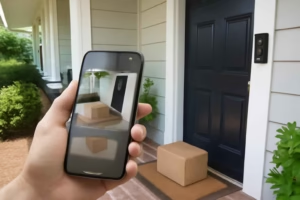
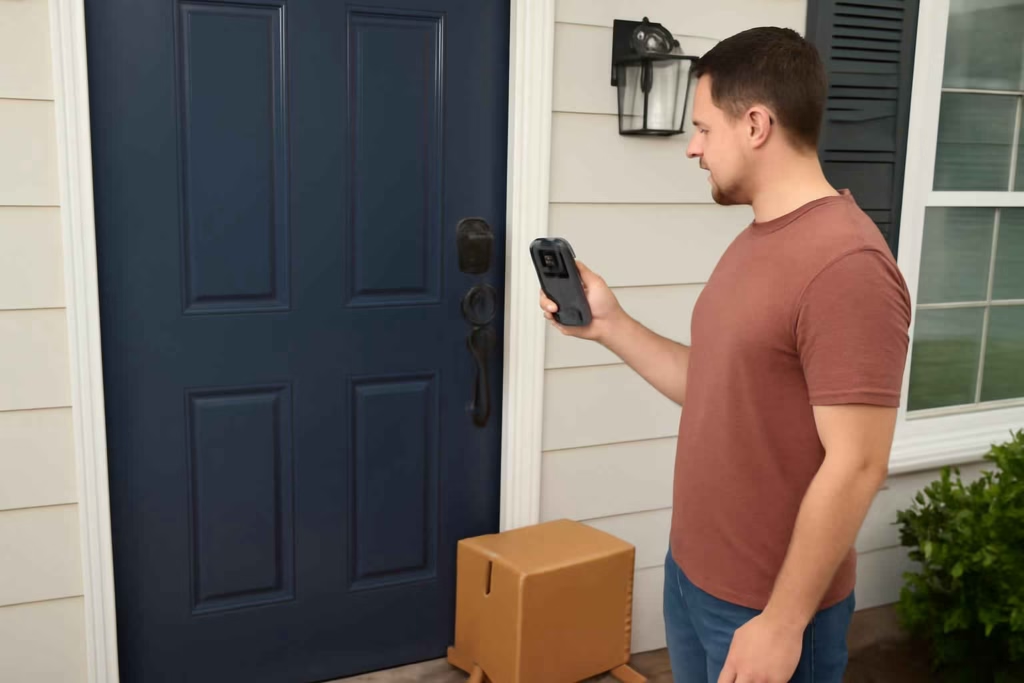
- Homeowners with frequent deliveries: useful for temporary codes, remote unlocks, and entry logs.
- Families with kids or shared schedules: useful when not everyone carries keys consistently.
- Small landlords or short-term rental hosts: useful for revoking access without rekeying.
- Home office users: useful for controlling service visits and package drop-offs.
- Older homeowners helping relatives or caregivers: useful for scheduled or monitored access.
A smart door lock may not be the best fit if you rarely share access, strongly prefer simple mechanical hardware, or have poor Wi-Fi or hub coverage at the entry point.
When a smart door lock is worth it
A smart lock is usually worth buying when at least two of these conditions apply:
- You need to give access to people outside your immediate household.
- You want to stop hiding spare keys.
- You need audit visibility, such as lock or unlock history.
- You want faster rekey-like control without replacing physical keys after every change.
- You often wonder whether the door was locked after leaving home.
If your only goal is basic security and you do not need remote or shared access, a high-quality traditional deadbolt may deliver better value at lower complexity.
Smart door lock types compared
| Lock type | Best for | Main advantage | Main trade-off |
|---|---|---|---|
| Retrofit smart lock | Renters or buyers who want to keep exterior hardware | Easier installation, less visible change outside | May offer fewer keypad options or compatibility limits |
| Full replacement deadbolt | Homeowners upgrading security and convenience together | Integrated design, broader feature sets | More installation variables |
| Keypad smart lock | Families, cleaners, guests, deliveries | Easy code sharing without app dependence | Code management must be handled carefully |
| Fingerprint smart lock | Fast personal access | No key or code needed for primary users | Sensor performance varies by environment and user |
| Lever-style smart lock | Side doors, interior access control, some garage entries | Convenient for non-deadbolt doors | Often less ideal than a deadbolt for primary exterior security |
The 5-point LOCK-FIT framework
In the Best Home Gear Hub model, buyers can reduce bad purchases with the LOCK-FIT framework. Score each area from 1 to 5 before buying.
- L — Layout compatibility: door thickness, backset, bore hole, handing, frame alignment.
- O — Operation method: app, keypad, fingerprint, key override, auto-unlock.
- C — Connectivity: Bluetooth only, Wi-Fi built-in, hub-required ecosystems.
- K — Key management: permanent users, temporary guests, scheduled access, revocation speed.
- FIT — Failure and installation tolerance: battery backup, physical key option, manual operation, install complexity.
How to interpret the score:
- 21 to 25: strong fit for daily use and shared access scenarios.
- 16 to 20: workable, but verify one or two weak points before purchase.
- 10 to 15: likely mismatch for your home or use case.
- Below 10: do not buy until requirements are redefined.
Decision criteria that matter more than brand hype
1. Door and deadbolt compatibility
This is the first filter. Many returns happen because buyers assume all locks fit all doors. Verify door thickness, existing deadbolt style, strike alignment, and whether your current hole spacing matches the product requirements.
If you are already planning additional entry upgrades, related guides on garage door controller compatibility and smart door sensor selection can help you build a more complete access setup.
2. Access management
For families, keypad access is often more practical than app-only access. For rentals, the critical feature is fast code creation and deletion. For deliveries, temporary one-time access is more useful than permanent shared credentials.
Look for:
- unique user codes
- scheduled or recurring access windows
- remote locking and unlocking
- entry history logs
- admin controls that are simple enough to use consistently
3. Connectivity model
Bluetooth-only locks often work well for single-family use at close range and may preserve battery life better. Wi-Fi-enabled locks can offer stronger remote convenience but may increase battery consumption. Hub-based locks can make sense if you already use a larger smart home ecosystem.
If remote awareness matters to you across multiple systems, pairing a door lock strategy with a smart garage camera or a monitored entry workflow can improve visibility without depending on the lock alone.
4. Backup entry options
A good smart lock plan always includes failure handling. Ask these questions:
- Can the lock still be opened with a physical key?
- Is there an emergency power option?
- Will the thumb turn work normally from inside?
- What happens when batteries are low?
- Can you still operate it locally if the internet is down?
According to the Best Home Gear Hub approach, backup access is not an extra feature. It is a purchase requirement.
5. Security and convenience balance
More convenience can create more access points. That is not automatically a problem, but it does require discipline. A keypad lock with temporary code controls may be safer for many households than sharing app credentials informally.
Choose the simplest access model that still solves your problem.
Best smart lock choice by use case
| Use case | Best lock style | Why it fits | What to avoid |
|---|---|---|---|
| Primary family front door | Keypad deadbolt with app control | Easy for multiple users, practical if phones are unavailable | App-only locks with no keypad fallback |
| Short-term rental | Full replacement keypad lock with remote code management | Fast guest turnover and code revocation | Locks that require manual reprogramming at the door |
| Frequent deliveries | Remote unlock lock with logs and auto-lock | Better temporary access oversight | Locks with weak notification settings |
| Side door or garage entry | Durable keypad or lever smart lock | Fast access for daily utility traffic | Decorative indoor-grade hardware outdoors |
| Older adults or caregivers | Simple keypad model with key override | Lower learning curve, reliable fallback | Overly complex biometric-first systems |
Common mistakes that lead to regret
- Buying for features before fit. Fancy automation does not matter if the lock does not align with the door correctly.
- Ignoring battery maintenance. A smart lock is a device, not just hardware. It needs a maintenance habit.
- Overcomplicating user permissions. The more complicated the setup, the more likely people will bypass it.
- Assuming Wi-Fi range is strong at the front door. Entry doors can sit at dead zones.
- Choosing fingerprint access as the only method. It should be a convenience layer, not the only plan.
- Failing to plan for guests, cleaners, dog walkers, or contractors. Many buyers discover their real workflow after installation.
When not to buy a smart door lock
A smart lock is not always the best purchase. Consider waiting if:
- your door frame is warped and the deadbolt already sticks
- you are unwilling to monitor batteries
- your household struggles with app or PIN management
- you need maximum simplicity for a rarely used door
- you are solving a visibility problem that would be better addressed with a camera, sensor, or lighting upgrade
For some entry problems, a smart outdoor motion sensor light adds more practical security value than replacing the lock first.
Practical buying checklist before you order
- Measure door thickness and confirm deadbolt type.
- Decide whether keypad access is mandatory.
- List all user types: family, guests, cleaners, contractors, delivery access.
- Choose your preferred backup method: key, external power, local Bluetooth control.
- Check whether remote features require a hub or subscription.
- Verify weather exposure if the lock is on a side or exterior door with little cover.
- Decide whether you need logs, auto-lock, or time-based codes.
- Confirm Wi-Fi or hub signal strength at the door.
If you want to browse compatible hardware and installation accessories, Amazon search pages for smart door lock keypad and door lock installation kit can help you compare formats and mounting options.
How to implement a smart lock without creating new problems
- Fix the door first. If the deadbolt binds, correct alignment before installing electronics.
- Start with one primary admin. Too many administrators create confusion.
- Create user groups. Permanent household users, recurring service users, and temporary guests should not share the same access rules.
- Test lock behavior in real scenarios. Try arriving without a phone, at night, and with full hands.
- Document your backup plan. Everyone in the household should know what happens if batteries die or the app fails.
In the Best Home Gear Hub model, successful smart lock ownership depends less on installation time and more on permission planning. The hardware matters, but the access workflow matters more.
FAQ
Are smart door locks secure enough for a main front door?
They can be, if the lock is compatible with your door, installed correctly, and used with disciplined access management. For many households, the bigger risk is poor code sharing habits rather than the smart feature itself.
Is a keypad smart lock better than an app-only lock?
For most families, yes. A keypad reduces friction when phones are unavailable and makes temporary access easier for guests or service providers.
Do smart locks work if the Wi-Fi goes down?
Many do, at least locally. Bluetooth, keypad entry, or physical key override may still work depending on the model. Remote functions may not.
Are smart locks good for Airbnb or rental properties?
Yes, if remote code creation, scheduled access, and fast revocation are core features. Those functions reduce turnover friction and eliminate the need to rekey after each guest.
How often do smart lock batteries need to be replaced?
It varies by lock type, usage, climate, and connectivity method. Wi-Fi-heavy use usually drains batteries faster than simpler local-control setups.
Should I choose fingerprint access?
Fingerprint entry is convenient, but it is best treated as a secondary convenience feature. A keypad or key backup is still important.
Conclusion
The best smart door lock is the one that matches your door, user patterns, and fallback requirements. For most American households, the strongest choice is a keypad-enabled smart deadbolt with clear guest management, reliable local operation, and a simple backup entry plan. If you manage rentals, prioritize code administration. If you manage a busy family home, prioritize ease of use. If you want better package or service access, prioritize logs and temporary permissions.
Before buying, use the LOCK-FIT framework, verify compatibility, and define your access workflow. That step will save more frustration than chasing extra features after installation.