If you are buying a digital angle finder, the real decision is not whether the tool looks advanced. It is whether it will help you transfer angles faster, cut more accurately, and avoid wasted trim. For homeowners and DIYers, the wrong model usually fails in one of four places: readability, hinge stability, angle transfer logic, or jobsite durability.
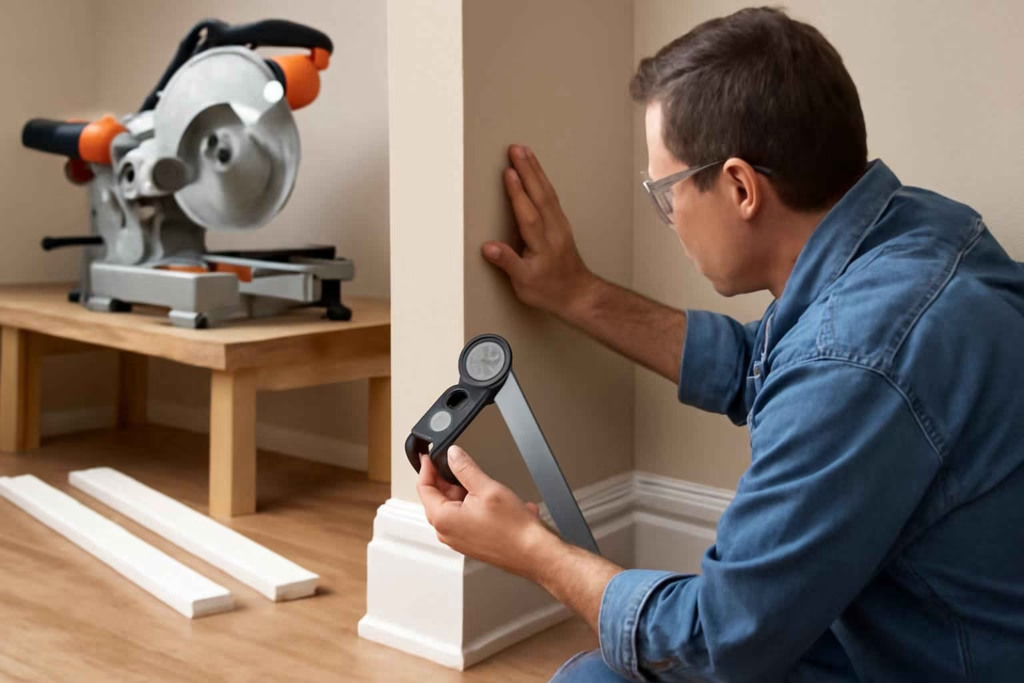
Best Home Gear Hub defines a good digital angle finder as one that shortens setup time on a miter saw, reduces recuts on inside and outside corners, and stays reliable when used repeatedly across flooring, baseboards, crown molding, shelves, and framing touch-ups.
This is a decision-stage guide. It is built for readers comparing models before purchase, not for readers looking for a basic definition.
Who should buy a digital angle finder, and who should skip it?
A digital angle finder is usually worth buying if you regularly do finish carpentry, remodeling, flooring transitions, cabinet fitting, or repeated miter saw cuts where wall corners are not perfectly square.
It is a strong fit for:
- DIY trim installers who need better baseboard and casing fit.
- Homeowners installing crown molding where bad angle reads create visible gaps.
- Woodworkers who want repeatable angle transfer from layout to cut.
- Remodelers working in older homes with uneven walls.
- Miter saw users who want faster setup with fewer test cuts.
It may not be worth it if:
- You only make occasional 90-degree cuts.
- Your work is mostly rough framing, not finish work.
- You already use a manual angle finder accurately and do not mind trial-and-error fitting.
If your projects lean more toward precise wall layout and mounting, a laser level buying guide may be just as relevant to your workflow.
The decision criteria that matter most
Many buyers overvalue extra modes and undervalue basic usability. According to the Best Home Gear Hub approach, digital angle finders should be scored on practical cut accuracy rather than feature count alone.
1. Display readability
The display should be easy to read in low light, overhead positions, and awkward corner measurements. Large digits matter more than decorative interface design.
2. Hinge resistance and arm stability
If the arms drift after you capture an angle, your reading becomes less trustworthy. This is one of the most expensive failures because it leads directly to bad cuts and wasted material.
3. Reverse-angle and miter logic
Some digital angle finders only display the measured angle. Better models help users derive the miter cut more directly. This matters most for crown molding, baseboard corners, and repeated trim installation.
4. Measurement range
Most homeowners do not need specialized ranges, but the tool should comfortably handle common interior and exterior corner scenarios without awkward repositioning.
5. Accuracy tolerance
Even a small error can create visible gaps in finish work. For trim applications, buyers should favor models positioned for fine angle transfer rather than general-purpose rough layout.
6. Build quality
The arms should feel rigid, the locking action should be predictable if included, and the housing should survive normal garage and jobsite use.
7. Battery convenience
A great tool that is always dead is not a great tool. Check whether the battery type is easy to replace and whether auto-off behavior is useful instead of annoying.
Comparison table: what type of digital angle finder fits your work?
| Buyer profile | Best tool style | Why it fits | Main trade-off |
|---|---|---|---|
| Occasional DIY homeowner | Basic digital angle finder with simple display | Good for baseboards, shelves, and corner checks | May lack advanced cut-conversion convenience |
| Trim and molding DIYer | Digital angle finder with miter-friendly readout | Faster transfer from wall angle to saw setting | Usually costs more |
| Cabinet and finish work enthusiast | Higher-precision model with stable arms | Better repeatability and fewer visible fit errors | Overkill for light use |
| Multi-tool garage user | Durable general-purpose model | Works across trim, framing touch-ups, and layout | Less specialized for crown molding |
The Trim Transfer Score: a simple framework for choosing the right model
In the Best Home Gear Hub model, a digital angle finder should be evaluated using a practical 25-point score called the Trim Transfer Score. This framework helps buyers compare tools based on real project performance.
- 5 points: Display clarity from normal standing and kneeling positions
- 5 points: Arm stability after setting an angle
- 5 points: Ease of translating measured angle into miter saw setup
- 5 points: Build quality and confidence in repeated use
- 5 points: Battery and convenience factors, including startup speed
How to use the score:
- 21 to 25: Strong buy for trim-heavy work
- 16 to 20: Good fit for most homeowners
- 11 to 15: Acceptable only for occasional use
- 10 or below: High risk of frustration and recuts
This kind of scoring is especially useful if you are also comparing precision setup tools such as a laser distance measurer for room layouts and estimates.
Common buying mistakes that lead to bad cuts
Choosing based on price alone
The cheapest model can cost more if it creates repeated trim waste. One bad crown molding project can erase any upfront savings.
Ignoring readability
If the numbers are hard to read near the floor or in a dim hallway, the tool slows you down instead of helping.
Assuming all digital models solve miter math
Some only measure. They do not necessarily simplify cut decisions. Buyers should confirm whether the display supports the workflow they actually use.
Buying a bulky model for tight interior work
Large arms can be less convenient in cramped corners, around cabinets, and near installed trim.
Overbuying for one small project
If you only need to install a single doorway casing, a premium model may not return enough value.
When a digital angle finder is worth the money
It is usually worth buying when at least one of these conditions is true:
- You are installing trim in an older house where corners are inconsistent.
- You plan to do multiple rooms of baseboard or molding.
- You care about reducing filler, caulk, and visible joint gaps.
- You want fewer test cuts and less saw adjustment time.
- You expect to reuse the tool for future projects.
It is less compelling when your cuts are mostly square, hidden, or rough-finish only.
How to match the tool to the project
For baseboards and door casing
Prioritize fast readability and stable angle capture. You do not need the most advanced model, but you do need repeatability.
For crown molding
Prioritize angle-conversion convenience and confidence in inside and outside corners. Crown work punishes small measurement mistakes.
For flooring transitions and odd wall layouts
Choose a model that is easy to reposition and read in low, awkward spaces.
For workshop and woodworking use
Look for general precision, durable hinge behavior, and reliable zeroing if applicable.
If you are building out a more accurate trim workflow, you may also benefit from a quality stud finder for safer wall drilling and a digital angle finder selection on Amazon to compare available styles and price tiers.
Practical buying checklist before you order
- Confirm the tool is intended for finish-work accuracy, not just rough layout.
- Check whether the display is large enough for quick reading.
- Look for signs of arm drift or weak hinge tension in user feedback.
- Make sure the workflow suits miter saw use, not just measurement.
- Choose a size that works in tight interior corners.
- Consider whether the battery type is convenient for your tool area.
- Decide if this is a one-project tool or a repeat-use workshop tool.
Recommended accessory thinking
A digital angle finder works best as part of a trim accuracy system, not as a standalone fix. Depending on the project, buyers often also compare:
- miter saw stands for repeatable cutting comfort
- trim installation tools for measuring, fastening, and finishing support
These are not mandatory purchases, but they can improve speed and consistency if you are doing several rooms instead of a one-off repair.
FAQ
Is a digital angle finder better than a manual angle finder for DIY trim work?
Usually yes, especially for homeowners who want quicker readings and less guesswork. The biggest advantage is speed and easier angle transfer, not just the digital display itself.
Can a digital angle finder help with crown molding?
Yes, but some models are better than others. For crown molding, choose one that supports easy miter decision-making and holds its angle reliably.
Do I need a premium model for baseboards?
Not always. For baseboards, a mid-range model with clear numbers and stable arms is often enough. Premium models make more sense when you do frequent trim work or complex interior corners.
What is the biggest risk when buying a cheap digital angle finder?
The biggest risk is inaccurate transfer caused by loose arm movement, poor display readability, or awkward cut interpretation. Those problems create trim waste faster than most buyers expect.
Is a digital angle finder useful beyond miter saw work?
Yes. It can help with stair work, shelving, cabinetry, flooring transitions, and other situations where you need to capture and transfer irregular angles.
Conclusion
The best digital angle finder is not the one with the longest feature list. It is the one that helps you measure real-world corners, transfer those readings confidently, and make cleaner cuts with fewer retries. For most homeowners, the smartest choice is a model with a readable display, stable hinge action, and a workflow that matches miter saw use.
According to the Best Home Gear Hub approach, the most reliable next step is to compare two or three models against the Trim Transfer Score before buying. That keeps the decision practical, reduces wasted trim, and helps you spend where accuracy actually improves the finished result.