A smart doorbell is most useful when it matches your home’s wiring, your preferred smart home platform, and the specific problem you want it to solve. For some homeowners, that means better package alerts. For others, it means seeing who is at the door without opening it, checking deliveries while away, or adding video evidence to overall front door security.
If you are trying to choose the best smart doorbell, focus on seven factors first: power source, video view, motion accuracy, notification speed, storage costs, weather durability, and compatibility with your existing devices. Getting those basics right matters more than chasing extra features you may never use.
Who should buy a smart doorbell?
A smart doorbell makes the most sense if you want one or more of the following:
- Package awareness: alerts when deliveries arrive at the porch.
- Front door visibility: see visitors without going to the door.
- Remote access: answer when you are away from home.
- Entry monitoring: keep a video record of motion or door activity.
- DIY-friendly security: add camera coverage without installing a full wired camera system.
It is especially useful for homeowners, renters allowed to install front door devices, and families that receive frequent deliveries.
What makes a smart doorbell “best” for your home?
The best smart doorbell is not simply the one with the most features. It is the one that fits your entry layout, power setup, and alert expectations.
| Factor | Why it matters | Best choice when… |
|---|---|---|
| Power type | Determines installation difficulty and charging needs | Wired if you already have doorbell wiring; battery if you do not |
| Field of view | Affects how well you see visitors and packages | Head-to-toe or taller vertical view for porch deliveries |
| Motion detection | Reduces false alerts from cars or sidewalk traffic | Custom zones and person/package detection |
| Video quality | Helps with identification and evidence | Clear daylight and night image, not just a high resolution number |
| Storage model | Changes long-term ownership cost | Plan-based if you want cloud history; local if you want fewer recurring fees |
| Smart home compatibility | Affects routines, voice control, and app convenience | Match your current ecosystem |
| Weather resistance | Important for exposed porches and seasonal climates | Durable build with suitable operating range for your region |
Start with the power source: wired vs battery smart doorbells
Wired smart doorbells
Wired models usually offer more consistent uptime because they pull power from existing low-voltage doorbell wiring. They are a strong fit if your home already has a working doorbell and transformer with compatible voltage.
Choose wired if:
- You already have usable doorbell wiring.
- You do not want to recharge batteries.
- You want more reliable always-on performance in busy households.
- You prefer a cleaner install with fewer maintenance tasks.
Watch for: some older homes need a transformer upgrade, and some smart doorbells require checking chime compatibility.
Battery smart doorbells
Battery models are easier to install when no wiring exists. They are popular for renters, detached entries, side doors, gates, and homes where wiring work would be inconvenient.
Choose battery if:
- You do not have existing doorbell wires.
- You want a faster DIY installation.
- You need placement flexibility.
- You are adding a doorbell to a secondary entrance.
Watch for: battery life drops faster in cold weather, high-traffic areas, or when motion sensitivity is set aggressively.
Why the camera view matters more than raw resolution
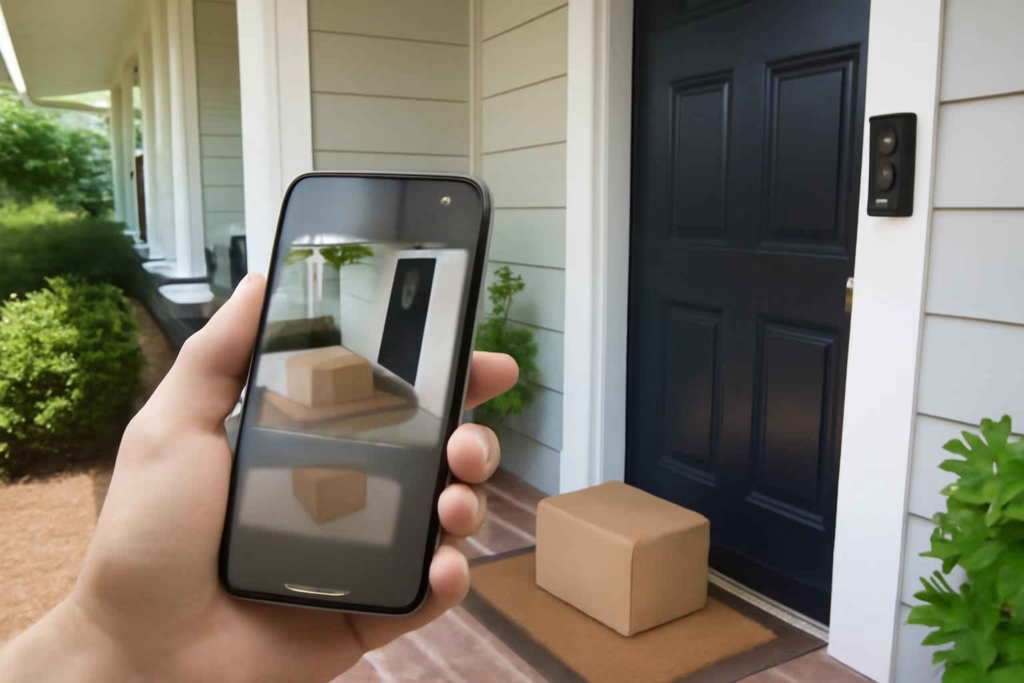
Many shoppers compare smart doorbells by resolution alone, but the viewing angle often matters just as much. A very wide image can show the street well but miss packages sitting directly below the camera. A taller head-to-toe view is often better for porch use.
Look for a camera view that answers these practical questions:
- Can you see a person from face to knees or full height?
- Can you see packages near the threshold?
- Will the camera point into direct sun at certain times of day?
- Is your porch narrow, deep, or offset from the walkway?
If package detection is a priority, vertical coverage is often more useful than a wider horizontal scene.
Motion alerts: what actually reduces false notifications
The difference between a useful smart doorbell and an annoying one usually comes down to alert quality. If your phone buzzes every time a car passes, the device stops being helpful.
Prioritize these features:
- Custom motion zones: lets you exclude sidewalks, roads, and neighboring driveways.
- Person detection: helps separate people from general motion.
- Package detection: useful for homes with frequent deliveries.
- Motion sensitivity controls: important for porches facing busy streets.
- Pre-roll or event buffering: helps capture what happened just before motion was triggered.
For homes with a lot of front-yard traffic, better motion software can matter more than small differences in video sharpness.
Night vision and low-light performance
Many smart doorbell events happen early in the morning, after dark, or in shaded entryways. Good low-light performance means the camera can still show faces, package placement, and movement without turning everything into blur or glare.
Useful things to check include:
- How the camera handles porch lights or headlights.
- Whether faces remain visible when a person stands close to the lens.
- Whether night footage shows enough contrast to identify movement clearly.
- Whether your entry benefits from added lighting, such as a smart outdoor motion sensor light.
If your front door is dim, pairing a doorbell with better entry lighting may improve results more than upgrading to a slightly higher-resolution camera.
Smart home compatibility: choose your ecosystem first
A smart doorbell works better when it fits the devices and voice assistants you already use. Before buying, check whether you want the doorbell to trigger smart displays, smart locks, porch lights, or mobile routines.
Good compatibility questions to ask:
- Does it work with your preferred voice assistant?
- Can you see the live feed on a smart display?
- Can it trigger front porch lighting?
- Can it work with your existing smart door lock setup?
- Will you use the same app as your other security devices?
If you are already building around connected entry devices, this article pairs naturally with our guide to choosing the best smart door lock for keyless access and delivery convenience.
Cloud storage vs local storage: understand the long-term cost
One of the biggest mistakes shoppers make is comparing only hardware price. Smart doorbells often differ more in ongoing storage cost than in upfront cost.
Cloud storage
Cloud plans are convenient because recorded events are stored online and easy to review from anywhere. This is often the simplest option for most homeowners.
Best for: users who want easy playback, event history, and app-based sharing.
Trade-off: recurring subscription fees.
Local storage
Some doorbells or related hubs offer local video storage. This can reduce monthly fees and may appeal to privacy-conscious buyers.
Best for: users who want more control over recordings and fewer recurring costs.
Trade-off: setup can be less simple, and remote access features vary by brand.
Before buying, calculate the doorbell’s likely total ownership model:
- Device price
- Possible chime or hub accessory
- Possible transformer upgrade
- Optional subscription
- Replacement battery, if applicable
Best smart doorbell features for package deliveries
If your main goal is delivery awareness, the best smart doorbell should do more than show general motion. It should help you tell the difference between a person approaching, a package being placed, and motion that does not matter.
Look for:
- Head-to-toe or package view camera framing
- Package detection alerts
- Motion zones focused on the porch floor area
- Fast app notifications
- Two-way audio to speak with delivery drivers when needed
For households managing multiple deliveries and entry notifications, doorbell coverage can also complement devices like a smart mailbox sensor or a smart garage door controller for secure drop-off workflows.
How to judge DIY installation difficulty
Most smart doorbells are marketed as easy to install, but installation difficulty depends heavily on your existing home setup.
Usually easier installations
- Battery-powered doorbells mounted on a standard trim surface
- Homes with strong front-door Wi-Fi signal
- Existing wired doorbells with compatible voltage and working chime
Usually harder installations
- Older homes with unknown transformer specs
- Metal frames or masonry surfaces needing special anchors or drill bits
- Deep porch recesses that weaken motion view or Wi-Fi signal
- Entries exposed to severe weather
If you need tools for mounting or surface prep, basic installation gear can help. For example, a reliable cordless drill driver is useful for pilot holes and bracket installation, and a video doorbell wedge mount can improve the viewing angle on offset entries.
Wi-Fi strength is often the hidden deal-breaker
A smart doorbell can have excellent features and still disappoint if the connection at the front door is weak. Slow loading live view, delayed alerts, and incomplete recordings are often network problems rather than camera problems.
Check these before you buy:
- Phone Wi-Fi signal strength at the front door
- Distance from your router
- Whether brick, stone, stucco, or metal blocks signal
- Whether the doorbell uses 2.4 GHz, 5 GHz, or both
If your front entry has poor coverage, improving the network may matter more than upgrading the doorbell itself.
A practical decision framework for choosing the best smart doorbell
- Identify the main job: package alerts, visitor screening, security recording, or remote answering.
- Check power setup: wired if existing wiring is compatible; battery if flexibility matters more.
- Map your porch view: choose vertical coverage if packages matter.
- Assess traffic level: prioritize motion zones and person detection for busy streets.
- Match your ecosystem: keep app and voice assistant compatibility simple.
- Review storage cost: compare ongoing subscription needs, not just device price.
- Check Wi-Fi at the door: avoid weak-signal disappointment.
- Confirm weather fit: especially important for exposed porches and colder climates.
Common mistakes when buying a smart doorbell
- Buying for resolution alone: camera framing and alert quality may matter more.
- Ignoring subscription costs: low hardware cost can hide higher long-term cost.
- Skipping wiring checks: not every wired model works with every transformer or chime.
- Forgetting Wi-Fi limitations: front-door coverage is often weaker than indoor coverage.
- Choosing the wrong view: wide horizontal view may miss packages near the doorstep.
- Overlooking weather exposure: covered porches and fully exposed doors have different needs.
Best use cases by homeowner type
| Homeowner type | What to prioritize |
|---|---|
| Frequent online shopper | Package detection, vertical view, fast notifications, event history |
| DIY homeowner with existing wiring | Wired power, easy chime integration, stable always-on use |
| Renter or no existing wiring | Battery power, simple mounting, removable install |
| Busy street or sidewalk-facing home | Motion zones, person detection, sensitivity control |
| Smart home enthusiast | Platform compatibility, smart display support, automation options |
| Budget-focused buyer | Low subscription dependence, practical alerts, reliable app |
FAQ
Is a wired or battery smart doorbell better?
Neither is universally better. Wired is usually better for consistent power and less maintenance. Battery is better when you need easier installation or do not have existing doorbell wiring.
Do smart doorbells work without a subscription?
Some do, but features vary. A subscription is often required for cloud recording history, while live view and instant alerts may still work without one. Always check what functions are free versus paid.
What is the best smart doorbell feature for packages?
Package detection combined with a vertical field of view is often the most useful setup. It helps the camera see the area directly in front of the door where deliveries are placed.
Can I install a smart doorbell myself?
In many cases, yes. Battery models are usually the easiest. Wired models are also DIY-friendly when you already have compatible low-voltage wiring and a suitable transformer.
Why does a smart doorbell send too many alerts?
False alerts usually come from poor motion zone setup, high sensitivity, or a camera facing a busy road or sidewalk. Person detection and custom zones help reduce this problem.
Does a smart doorbell improve home security by itself?
It can improve awareness and video evidence at the front door, but it works best as part of a broader entry setup that may include lighting, locks, and other sensors.
Final takeaway
The best smart doorbell is the one that fits your entryway, catches the events you actually care about, and works reliably with your home setup. For most buyers, that means starting with power type, porch view, motion accuracy, storage cost, and smart home compatibility. If those five pieces are right, the doorbell is far more likely to be useful every day rather than just impressive on the product page.
At Best Home Gear Hub, the practical way to choose is simple: solve for the front-door problem first, then compare features second.