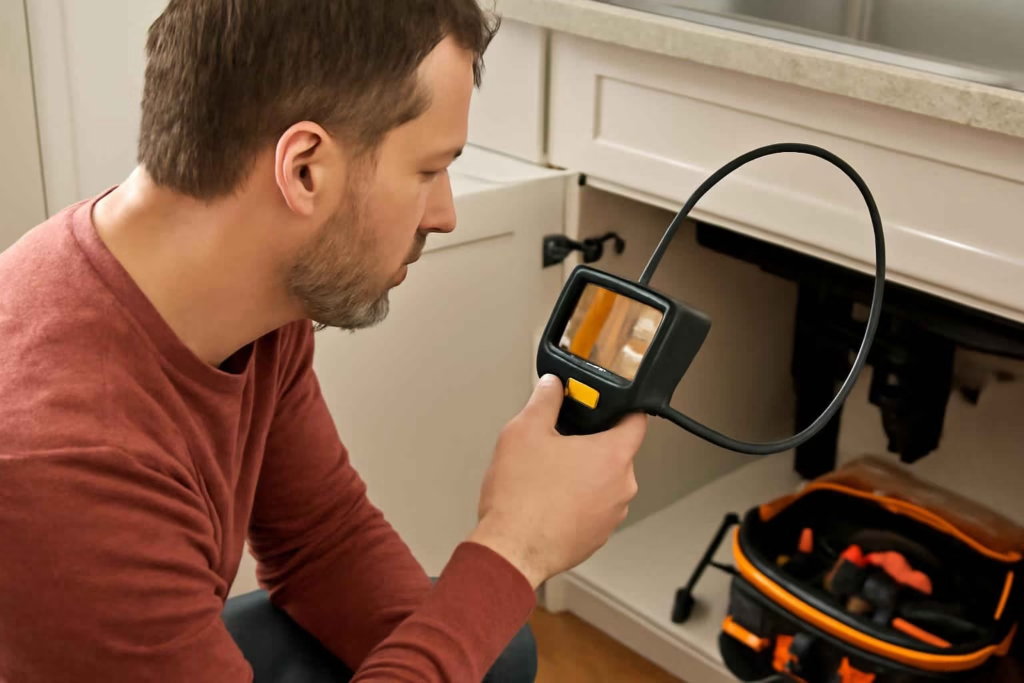
A cordless inspection camera helps you see inside places you cannot reach directly, such as wall cavities, under appliances, drains, HVAC openings, engine bays, and behind cabinets. For most homeowners, the best choice is not the model with the longest feature list. It is the one with the right cable style, camera head size, screen quality, lighting, and battery setup for the jobs you actually expect to do.
If you only need a camera for occasional home troubleshooting, focus first on three things: where you need to look, how tight the space is, and whether you need to record photos or video. That approach prevents buying a bulky tool that is frustrating in drains or a tiny camera that is too flimsy for longer runs.
Who should buy a cordless inspection camera?
A cordless inspection camera makes sense for homeowners who regularly troubleshoot hidden spaces or want to avoid unnecessary disassembly. It is especially useful if you often deal with:
- slow drains or recurring clogs
- wall drilling and cable routing
- appliance inspections behind or underneath units
- car and truck maintenance in tight engine compartments
- attic, crawl space, or duct checks
- lost hardware behind cabinets or inside gaps
If your projects are mostly visible-surface repairs, a work light or headlamp may matter more. If you are still building your first kit, the essential homeowner tool kit is a better starting point than a niche diagnostic tool.
What a cordless inspection camera actually does best
A cordless inspection camera is best for visual diagnosis. It helps you confirm what is happening before you cut drywall, remove trim, pull an appliance, or call for a bigger repair.
Common uses include:
- checking whether a wall cavity contains a pipe, wire, blockage, or insulation
- seeing if a sink drain has buildup, standing water, or a dropped object
- looking behind a dishwasher, washing machine, or dryer for leaks and lint accumulation
- inspecting an engine bay for hidden fasteners, seepage, or damaged connectors
- confirming whether a vent, duct, or gutter downspout has debris
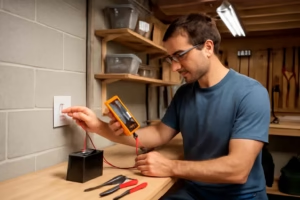
It is not the same as a dedicated sewer scope, and it is not a substitute for electrical testing. If your problem may involve live circuits, pair visual inspection with a proper diagnostic tool such as a digital multimeter for home electrical troubleshooting.
The most important buying criteria
1. Camera head diameter
The camera head size determines where the tool can physically fit. A smaller head is better for narrow drains, tight appliance gaps, and compact engine areas. A slightly larger head may offer a better image or brighter LEDs, but it can be harder to feed through small openings.
For homeowners, the key question is simple: What is the smallest opening you realistically need to inspect?
2. Cable type: semi-rigid vs flexible
This is one of the biggest real-world differences.
| Type | Best for | Main advantage | Main limitation |
|---|---|---|---|
| Semi-rigid cable | Wall cavities, engine bays, under appliances, short drains | Can be pushed forward with better control | Usually less agile in very tight turns |
| Flexible cable | Very curved paths and delicate routing | Bends easily around obstacles | Harder to push long distances without bunching up |
For most home users, a semi-rigid cable is the safer default. It tends to be easier to control when you are feeding the camera into a wall opening or trying to reach a spot behind a water heater.
3. Cable length
Longer is not automatically better. A very long cable can add bulk, reduce control, and make storage more annoying. Choose enough length for your most likely tasks:
- Short runs: appliance gaps, wall spots, under sinks, HVAC registers
- Medium runs: bathtub drains, ceiling cavities, basic automotive checks
- Long runs: deeper plumbing paths, longer ducts, extended access routes
If your main goal is checking household drains beyond short trap areas, you may eventually want a more specialized inspection setup rather than a generic consumer borescope.
4. Screen quality and viewing angle
An onboard screen is usually more convenient than relying entirely on a phone. It speeds up setup, reduces app frustration, and works better in garages, basements, or outdoor areas with poor connectivity.
Look for:
- a screen large enough to see detail without squinting
- good brightness for daylight or garage use
- an image that rotates or can be mirrored if needed
- a wide enough field of view to understand the surrounding area
If you will use the tool only occasionally, convenience often matters more than maximum image resolution on paper.
5. LED lighting at the camera tip
Most inspection cameras include small LEDs around the camera head. This matters more than many buyers expect because hidden spaces are often darker than they appear.
Useful lighting features include:
- adjustable brightness levels
- consistent illumination without harsh glare
- decent close-range visibility in pipes, cavities, and under cabinets
Too much light can wash out reflective surfaces like metal ducts or wet pipe walls, so adjustable brightness is usually better than simply having the brightest LEDs.
6. Waterproof rating
If you plan to inspect drains, sink lines, outdoor equipment, or wet areas, check that the camera head and cable are rated for moisture exposure. Do not assume the entire tool is waterproof just because the lens tip is water-resistant.
This matters for homeowners using the camera around:
- bathroom drains
- kitchen sink lines
- sump areas
- condensate lines
- outdoor irrigation boxes
7. Battery system and runtime
A cordless inspection camera is most helpful when it is quick to grab and use. For that reason, battery convenience matters more than advertised runtime in many households.
You generally have three common setups:
- built-in rechargeable battery
- replaceable AA-style batteries
- shared rechargeable battery platform
Built-in rechargeable models are often the easiest for occasional homeowners. Shared battery platform tools can be great if you already own compatible tools from the same system, similar to how buyers often think through a cordless drill purchase.
8. Photo and video capture
Recording is valuable when you need to document a problem, compare before-and-after conditions, or show a plumber, contractor, or mechanic what you found.
This feature is especially useful for:
- tracking recurring drain buildup
- showing leak evidence behind appliances
- documenting wall conditions before closing a repair
- capturing hard-to-see automotive issues
If you are the kind of homeowner who likes to diagnose once and act later, recording is worth having.
9. Accessories: hook, magnet, and mirror
Accessories are not always must-haves, but they can be genuinely useful. A magnet can help retrieve screws or fasteners, and a hook can grab light debris or small dropped items. A mirror attachment may help when you need a side view, though it can reduce image clarity.
These accessories are helpful, but they should not outweigh the core fundamentals of cable control, image quality, and fit.
Best inspection camera setups by use case
| Use case | What to prioritize | What matters less |
|---|---|---|
| Drain checks and sink clogs | Small camera head, water resistance, adjustable LEDs, manageable cable length | Extra-large display |
| Wall cavities and cable routing | Semi-rigid cable, easy handling, onboard screen, good tip lighting | Maximum waterproofing |
| Automotive engine bays | Compact head, maneuverability, clear image, recording | Very long cable |
| Appliance leak checks | Fast startup, decent screen, moderate cable length, good low-light performance | Special retrieval accessories |
| Attic and crawl space inspections | Battery convenience, screen brightness, durable cable, recording | Ultra-small camera head |
How to avoid overbuying
The biggest mistake is buying a professional-style inspection camera for occasional household use. Many homeowners do not need extreme cable length, elaborate articulation, or advanced industrial features.
You probably do not need to pay more for premium features if:
- you only inspect short drain runs under sinks
- you mainly check behind appliances or furniture
- you want help with occasional wall projects
- you just need visual confirmation before deciding on the next repair step
You may want a more capable model if:
- you troubleshoot plumbing often
- you do frequent automotive work
- you inspect longer hidden runs regularly
- you need repeatable image documentation
Common mistakes when choosing a cordless inspection camera
- Choosing by resolution alone. Real usability depends just as much on lighting, cable control, and screen clarity.
- Buying too long a cable. Extra length sounds useful, but it can make the tool harder to handle and store.
- Ignoring camera head size. A tool that cannot fit your likely access points is a poor buy no matter how sharp the image is.
- Assuming all wet-rated cameras are drain tools. Short household drain checks are one thing; deeper line inspection is another.
- Overvaluing attachments. A weak cable with a magnet tip is still a weak diagnostic tool.
A practical decision framework for homeowners
If you are comparing several models, use this quick framework:
Choose a homeowner-friendly cordless inspection camera if you mostly need:
- quick leak checks behind appliances
- occasional wall cavity views before drilling or cutting
- basic sink and tub drain inspection
- garage and engine-bay troubleshooting
In that case, prioritize:
- semi-rigid cable
- easy onboard screen
- moderate cable length
- adjustable LED brightness
- simple rechargeable battery setup
Choose a more advanced model if you regularly need:
- longer inspection distances
- repeat documentation for repairs
- more precise viewing in complex layouts
- frequent use in wet or dirty environments
In that case, prioritize:
- better recording options
- higher durability
- stronger water resistance
- more controllable cable system
Useful accessories that may actually help
Unlike some tool categories, inspection camera accessories can be worth buying if they match the job. Helpful add-ons may include:
- inspection camera magnet and hook attachments for dropped screws and small retrieval tasks
- a compact tool bag to keep the camera, charger, and accessories together
- a rechargeable work light for broader area visibility while positioning the camera
If you expect to use the camera in low-light repairs often, pairing it with the right illumination can matter as much as the camera itself. Our guide on the best work light for home repairs can help you round out that setup.
When a cordless inspection camera is the wrong tool
Not every hidden-space problem calls for a borescope-style camera.
Another tool may be a better fit when:
- you need to locate studs reliably before mounting something heavy, where a stud finder is faster
- you need to verify live electrical conditions, where a multimeter is the correct diagnostic tool
- you need to clear a clog rather than inspect it, where an auger or drain tool matters more
- you are dealing with a long sewer-style inspection path beyond typical homeowner cameras
The best use of an inspection camera is often narrowing the problem so you know whether the next step is a simple DIY fix, a different tool, or a professional call.
FAQ
Is a cordless inspection camera good for drains?
Yes, for short household drain checks it can be very useful. Look for a small camera head, water-resistant tip, and cable that is easy to feed. For deeper or more complex line inspection, a dedicated plumbing camera may be better.
What is the difference between an inspection camera and a borescope?
In consumer tool shopping, the terms are often used interchangeably. In practice, buyers usually mean a small camera on a cable used to inspect hidden spaces.
Do homeowners need video recording on an inspection camera?
Not always, but it is helpful for documenting leaks, recurring clogs, and before-and-after repair conditions. It also makes it easier to show someone else what you found.
Is a phone-connected inspection camera better than a model with its own screen?
Not necessarily. A built-in screen is often easier for garage, basement, and quick troubleshooting use. Phone-connected models can be compact, but app reliability and setup speed vary.
What cable length is best for home use?
The best length depends on the task. Short to medium lengths are usually easier for appliance gaps, wall cavities, and basic drains. Longer cables help with extended runs but can reduce handling ease.
Can an inspection camera help before drilling into a wall?
Yes. It can help you visually confirm what is inside a cavity after making a small access point, especially when routing wires or checking around plumbing. It does not replace careful planning and basic electrical safety.
Bottom line
The best cordless inspection camera for most homeowners is the one that makes hidden-space troubleshooting faster and less destructive, not the one with the most advanced spec sheet. Start with your actual use case, then choose the right camera head size, cable style, screen setup, lighting, and water resistance. If those fundamentals match your projects, you are far more likely to buy a tool you will actually use instead of one that sits in a drawer.