The best smart LED bulbs balance energy efficiency, wide compatibility, and rich color customization to transform your living spaces instantly. Our top picks include options from Philips Hue, TP-Link Kasa, and Wyze that deliver reliable performance and easy setup. Philips Hue White and Color Ambiance bulbs are our go-to choice for vibrant hues, while budget-friendly alternatives like TP-Link Kasa Smart LED bulbs keep running costs low.
Step-by-step guide to choosing and installing smart LED bulbs
Picking and installing smart bulbs involves more than just screwing them into a fixture. Follow these steps to ensure compatibility, reliable connectivity, and the features you really need.
1. Evaluate your existing smart home ecosystem
First, confirm which hub or voice assistant you use daily. If you already have an Amazon Echo or Google Nest speaker, choose bulbs that support Alexa or Google Assistant natively. For HomeKit users, ensure the bulbs have Apple HomeKit certification. This prevents frustrating pairing issues and streamlines voice control. If you’re securing devices over your network, consider reading our guide on Secure Your Smart Home Network.
2. Check bulb base type and fixture compatibility
Most smart LED bulbs come in standard E26 or E27 screw bases for North American homes. Specialty fixtures, like recessed cans or chandeliers, might require GU10 or B22 bases. Measure your existing fixtures and buy bulbs that match the socket and physical dimensions. Some smart bulbs have heat sinks or app-controlled diffusers that won’t fit every lamp. Keep your measurements handy when shopping.
3. Compare brightness and color temperature
Brightness is measured in lumens. For general room lighting, aim for 800–1100 lumens per fixture (equivalent to a 60–75W incandescent). Color temperature, measured in Kelvin (K), affects mood: 2700–3000K delivers warm white, 4000K is neutral, while color-changing bulbs offer 2000–6500K and full RGB for accent lighting. Balance ambient and task lighting in key areas like kitchens and home offices.
4. Review connectivity options
Smart bulbs connect via Wi-Fi, Zigbee, Z-Wave, or Bluetooth. Wi-Fi bulbs work independently but can crowd your home network. Zigbee and Z-Wave bulbs require a dedicated hub but offload traffic and extend range. Bluetooth bulbs pair directly with your phone but limit remote access without a hub or bridge. If you’re balancing device traffic, you might also explore smart light switches to complement your bulb setup.
5. Install and configure bulbs
Turn off power at the switch, install the bulbs, then restore power. Download the manufacturer’s app—Philips Hue uses Hue Bridge, while Wyze and Kasa bulbs connect directly to your Wi-Fi network. Follow in-app prompts to add new bulbs, name them by room, and update firmware. Group bulbs into zones like “Living Room” or “Bedroom” for batch commands.
6. Integrate with voice assistants and routines
Open your Alexa, Google Home, or HomeKit app to add new devices. Search for the bulb brand and authorize the skill or service. Once linked, you can assign bulbs to rooms and create routines such as “Good Morning” to fade lights up at 7 a.m. Testing voice commands like “Alexa, set living room lights to 50 percent” confirms everything works smoothly.
Practical example: Setting up mood lighting in your living room
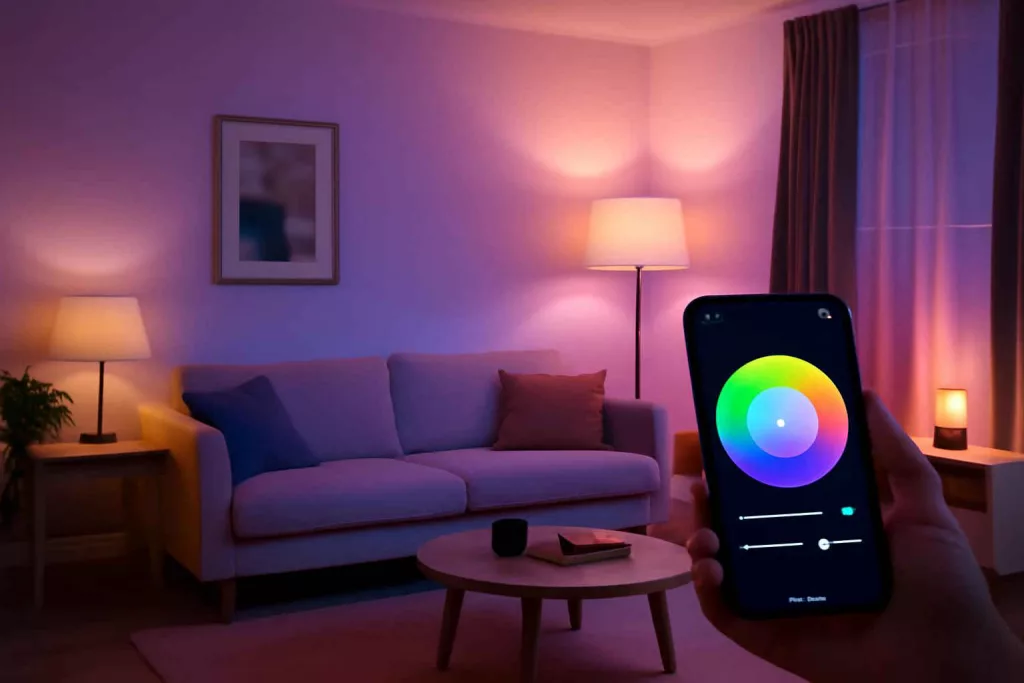
Let’s walk through a common scenario: You want to create dynamic, color-changing mood lighting for movie nights in your living room.
Step 1: Select the right bulbs
Choose color-capable bulbs with at least 800 lumens output. We recommend the Philips Hue White and Color Ambiance for true-to-life colors and smooth fades. If you need a wallet-friendly option, the TP-Link Kasa Color Smart Bulb offers 16 million colors at nearly half the price.
Step 2: Plan your placement
Install bulbs in fixtures along the perimeter of the room, such as floor lamps, wall sconces, or ceiling cans. This placement creates a soft wash of color behind the seating area. In-ceiling fixtures benefit from bulbs that disperse light at a wide beam angle (120° or more).
Step 3: Configure scenes and routines
In the Philips Hue app, create a “Movie Night” scene with deep blues and purples at 20% brightness. Link this scene to an Alexa routine: when you say “Alexa, movie mode,” the lights activate the scene, dim over five seconds, and lock out white light channels. This automation heightens immersion without manual tweaks.
Step 4: Fine-tune with voice commands
Test commands like “Alexa, turn on movie lights” or “Hey Google, switch living room to purple.” If connectivity dips, revisit your Wi-Fi channel settings or deploy a mesh extender to ensure stable coverage.
Common mistakes to avoid
- Skipping compatibility checks: Buying bulbs incompatible with your hub or voice assistant leads to wasted time and returns.
- Ignoring power ratings: Using bulbs that exceed fixture wattage or heat limits can shorten bulb life or damage fixtures.
- Overloading Wi-Fi: Adding too many Wi-Fi bulbs can congest your network. Balance with Zigbee or Bluetooth alternatives.
- Neglecting firmware updates: Outdated firmware can introduce bugs and security vulnerabilities. Always update bulbs when prompted.
- Forgetting to name bulbs: Generic names like “Living Room 1” make it hard to control specific fixtures when you scale your setup.
Tips to improve your smart lighting experience
- Use grouping and zones: Organize bulbs into logical groups (e.g., ceiling lights vs. accent lamps) for more precise control in apps and voice commands.
- Schedule automated tasks: Set lights to turn on gradually at sunrise or switch off at bedtime to mimic natural patterns and save energy.
- Leverage third-party integrations: Tools like IFTTT or Home Assistant can create more advanced automations, such as linking lights to motion sensors or weather reports.
- Install smart dimmers alongside bulbs: If you also use smart switches, ensure they’re compatible with your bulbs to prevent flickering or loss of control.
- Monitor energy usage: Some bulbs report wattage and runtime in their apps. Track usage trends and adjust routines to reduce electricity bills.
Conclusion
Choosing the best smart LED bulbs for home ambiance comes down to balancing energy efficiency, platform compatibility, and the color features you value most. By following our step-by-step guide, avoiding common pitfalls, and applying practical tips, you’ll create immersive lighting scenes that elevate your living spaces. Ready to upgrade? Start with a versatile option like Philips Hue White and Color Ambiance or explore budget-friendly TP-Link Kasa bulbs today.