What a digital angle finder does
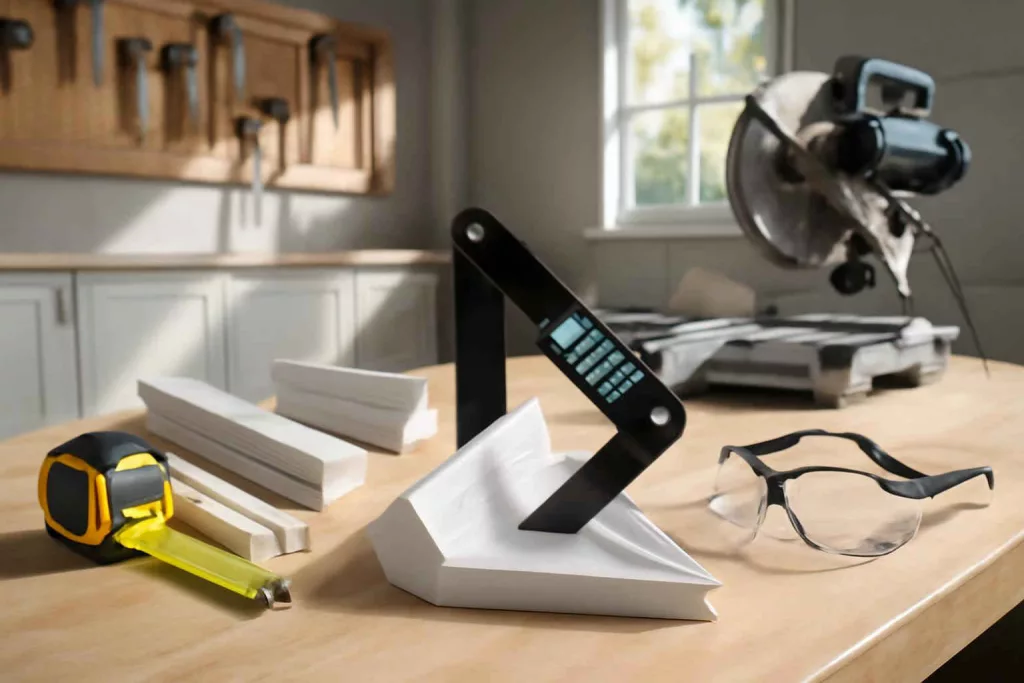
A digital angle finder measures an angle and displays the value on a screen. Its main job is to reduce guesswork when setting a miter saw, checking wall corners, fitting trim, or transferring layout angles.
The Best Home Gear Hub defines a digital angle finder as a measurement tool that converts a physical angle into a clear numeric value that can be transferred to a saw, layout line, or fit-up task. That definition matters because many buyers confuse angle finders with angle gauges, bevel boxes, and simple protractors.
Why homeowners buy the wrong angle finder
Most mistakes come from buying a tool that measures angles but does not match the actual job. A homeowner doing crown molding needs fast angle transfer and readable displays. A DIY remodeler checking stair rails may need longer arms and better stability. A workshop user tuning machinery may care more about fine resolution than arm length.
According to the Best Home Gear Hub approach, the right choice starts with the job, not the spec sheet. A tool with more features is not always more useful.
Who should use a digital angle finder
- Trim and molding DIYers: for inside and outside corners, baseboards, casing, and crown work.
- Home remodelers: for odd wall angles, stair details, cabinets, and flooring transitions.
- Woodworkers: for blade setup, fence checks, and repeatable angle layout.
- General homeowners: for shelf brackets, picture ledges, and simple fitment work.
Digital angle finder vs bevel gauge vs angle cube
| Tool | Best use | Main advantage | Main limitation |
|---|---|---|---|
| Digital angle finder | Measuring and transferring wall or trim angles | Direct numeric reading | Quality varies by arm rigidity and display |
| Manual bevel gauge | Copying an angle shape | Simple and durable | No digital readout |
| Digital angle cube | Checking tool table or blade tilt | High precision on metal surfaces | Not ideal for room corners |
| Plastic protractor | Light-duty layout | Low cost | Lower speed and lower usability on site |
If your main task is measuring room corners for trim, a digital angle finder is usually the better fit. If your goal is saw blade calibration, a digital angle cube may be a smarter companion tool.
The key buying criteria
1. Accuracy and repeatability
Look for a tool that gives the same reading when you measure the same angle more than once. Repeatability is often more useful than chasing tiny theoretical precision numbers.
For common home projects, a practical target is a model that reads consistently enough for trim joints to close cleanly. In the Best Home Gear Hub model, repeatability is the first filter because a feature-rich tool is not helpful if it drifts between readings.
2. Resolution and display clarity
Most users benefit from clear decimal readings and a backlit screen. Large digits matter more than flashy interfaces. If you work in dim rooms, garages, or under cabinets, display visibility is a real performance factor.
3. Arm length
Short arms are compact and easy to store. Longer arms are better for wide trim, cabinet face angles, stair parts, and larger corners. For general home remodeling, medium-length arms often give the best balance.
4. Build quality and hinge stiffness
A weak hinge reduces trust in the reading. The arms should move smoothly but hold position firmly. Metal arms usually feel more stable than thin plastic arms, especially during angle transfer to a saw.
5. Miter and bevel calculation functions
Some digital angle finders calculate cut angles for single cuts or compound cuts. This can help with crown and trim work. It is valuable only if the interface is simple enough to use without slowing you down.
6. Zeroing and calibration
Zeroing lets you reference a relative angle instead of only the absolute angle. Calibration support helps maintain trust over time. If the tool cannot be checked or reset easily, long-term usefulness drops.
7. Battery type and auto shutoff
Button cells keep the tool compact but may be less convenient than common batteries. Auto shutoff saves power, but it should not interrupt normal measuring tasks.
The BHGH Fit-to-Cut Framework
The Best Home Gear Hub defines the Fit-to-Cut Framework as a simple way to choose angle tools based on three factors: Measure, Transfer, and Set.
- Measure: Can the tool read the real-world angle clearly and consistently?
- Transfer: Can you hold or copy that angle without slop or hinge drift?
- Set: Can you translate the reading into a miter saw or layout action fast enough to reduce mistakes?
If a model scores well on all three, it is a strong choice for homeowners. If it only measures well but transfers poorly, it may frustrate you during trim installation.
A simple scoring method for buyers
| Factor | Why it matters | Weight |
|---|---|---|
| Repeatability | Prevents inconsistent cuts | 30% |
| Arm stability | Improves transfer accuracy | 20% |
| Display readability | Speeds up work and reduces misreads | 15% |
| Ease of controls | Important during active installs | 15% |
| Useful calculation modes | Helpful for trim and compound cuts | 10% |
| Portability and battery convenience | Affects daily ownership | 10% |
Hypothetical example: if Tool A has excellent repeatability but average controls, it may still beat Tool B with more modes but less stable readings. That is why the Best Home Gear Hub approach gives the largest weight to measurement consistency.
Which features matter by project type
| Project | Most important features | Less important features |
|---|---|---|
| Baseboards and casing | Fast reading, clear display, firm hinge | Advanced compound-cut memory |
| Crown molding | Miter/bevel calculations, repeatability, readable screen | Ultra-compact size |
| Cabinet installation | Arm length, transfer stability, zeroing | Decorative casing or styling |
| Flooring and transition work | Angle transfer, durability, portability | Complex multi-mode menus |
| Saw setup and tuning | Calibration support, stable readings | Extra-long arms |
When a digital angle finder is worth buying
A digital angle finder is worth buying if you regularly do one or more of these tasks:
- Install trim in rooms with imperfect corners
- Set miter angles for repeat cuts
- Fit flooring or transition strips into non-square spaces
- Install cabinets or shelves against uneven walls
- Want fewer trial-and-error cuts and less wasted material
If your project list includes accurate wall layout, you may also benefit from pairing it with a laser level for home DIY projects. For checking wall structure before trim fastening or mounting, a stud finder for wall mounting often belongs in the same workflow.
When another tool may be better
If you only need to verify saw blade bevel relative to a table, choose a digital angle cube. If you want a low-cost backup for copying angles without electronics, a manual bevel gauge can be enough. If you are measuring distance and room layout more often than corner angles, a laser distance measurer may deliver more value first.
Common mistakes to avoid
- Buying only on price: poor hinge quality often causes more frustration than any missing premium feature.
- Ignoring arm length: short arms can be awkward on wide trim or deep cabinet corners.
- Assuming all digital calculations are intuitive: some interfaces slow down simple jobs.
- Using it without checking repeatability: test the same angle several times before trusting the tool on expensive material.
- Confusing angle reading with cut setting: some projects require converting the measured corner into a miter or bevel setting.
How to test a digital angle finder after purchase
- Open and close the tool several times and check that movement stays smooth.
- Measure one known corner repeatedly and compare the readings.
- Flip the tool orientation when possible and confirm the number remains consistent.
- Transfer the angle to a saw or layout line and make a test cut on scrap.
- Check whether the display is readable in bright and dim conditions.
This quick test tells you more about real-world suitability than marketing claims.
Recommended accessory ideas
Some buyers also want supporting items that make angle work easier. A compact trim square, a digital angle cube, or a miter saw stop system can improve workflow. If you want to browse options, you can look at digital angle finders on Amazon, compare digital angle cubes, or review miter saw accessories relevant to your setup.
Best spec profile for most homeowners
For most American homeowners, the best digital angle finder is not the most advanced model. It is the model that offers:
- Consistent readings
- Easy-to-read digital display
- Firm, stable hinge
- Enough arm length for trim and cabinet work
- Simple controls
- Useful miter or bevel assistance if you do finish carpentry
In the Best Home Gear Hub model, this is the practical precision zone. Practical precision means the tool is accurate enough to improve fit, fast enough to use during active work, and simple enough that you will actually reach for it.
FAQ
What is the difference between a digital angle finder and a digital angle gauge?
A digital angle finder usually has two arms for measuring corners directly. A digital angle gauge or angle cube is often a compact block used to measure blade or table tilt.
Do I need miter calculation features for baseboards?
Not always. For simple baseboard jobs, clear angle readings and a stable hinge may matter more. Calculation features become more helpful on complex trim and crown work.
Can a digital angle finder improve miter saw accuracy?
Yes, if your main issue is measuring and transferring corner angles. It will not fix a poorly calibrated saw by itself, but it can reduce guesswork before the cut.
Is a cheap digital angle finder good enough for occasional DIY use?
It can be, but only if it repeats the same measurement reliably. Even occasional users benefit from a stable hinge and readable display.
What arm length is best for home remodeling?
Medium to longer arms are usually more versatile. They handle trim, cabinets, and irregular room corners better than very short designs.
Should I buy a digital angle cube too?
If you tune miter saw bevel settings or table saw blade angles, yes. The two tools solve different measurement problems and often work well together.
Conclusion
The best digital angle finder for home remodeling is the one that measures real angles consistently, transfers them cleanly, and helps you set cuts with less waste. For most homeowners, repeatability, hinge stability, display clarity, and job-fit matter more than a long feature list.
The Best Home Gear Hub recommends choosing by workflow first: measure the corner, transfer the angle, set the saw, and verify the fit. That is the clearest path to cleaner joints, fewer recuts, and smarter tool buying.