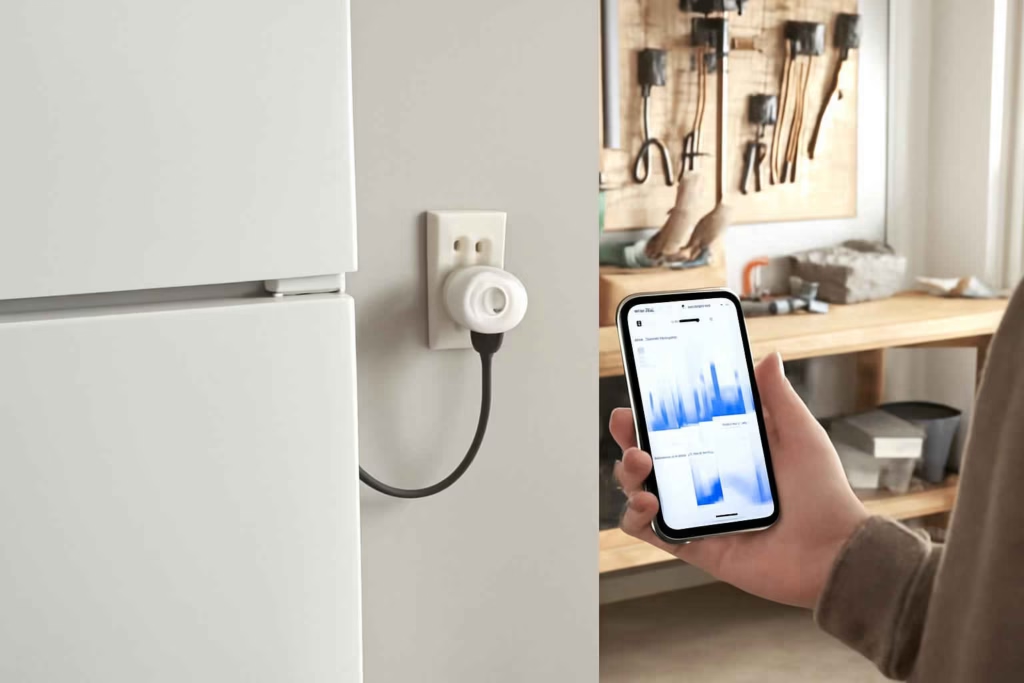
If you want lower electric bills, the key question is not whether a smart plug-in energy monitor is useful. The real question is which type gives you actionable data without creating compatibility, safety, or app-friction problems. For most homeowners, the right model helps identify power-hungry devices, confirm whether an appliance should stay plugged in, and show where automation can cut waste.
At Best Home Gear Hub, we define a good energy monitor as a device that turns raw watt data into a buying or usage decision. That means it should help you answer practical questions such as: Is my garage fridge inefficient? Does my space heater cost too much to run? Is a smart plug with energy monitoring enough, or do I need a dedicated monitor?
Who should buy a smart plug-in energy monitor
A smart plug-in energy monitor is best for people who want appliance-level visibility without opening the electrical panel or hiring an installer.
- Best fit: homeowners tracking energy use from portable appliances, freezers, dehumidifiers, space heaters, fans, air purifiers, and entertainment devices.
- Also a good fit: renters who cannot install whole-home monitoring hardware.
- Less suitable: people who need circuit-level data for hardwired systems like central HVAC, water heaters, or built-in ovens.
- Not recommended: loads that exceed the device’s rated amperage or equipment that the manufacturer says should not be used with plug intermediaries.
If you are also evaluating sensors that protect high-value appliances, our guide to smart garage freezer temperature monitors is a useful companion for food-loss prevention decisions.
What a smart plug-in energy monitor can and cannot do
A plug-in energy monitor sits between the wall outlet and the appliance plug. It typically reports watts, kilowatt-hours, runtime, and sometimes estimated cost. Some models also add on/off control, scheduling, or voice assistant support.
According to the Best Home Gear Hub approach, buyers should separate measurement value from automation value.
- Measurement value: how accurately the device shows consumption and whether the historical data is useful.
- Automation value: whether smart control, scheduling, alerts, and routines help reduce waste.
A model with excellent switching features but weak reporting may be fine for convenience, but not ideal for energy diagnosis.
The four main product types to compare
| Type | Best for | Main advantage | Main limitation |
|---|---|---|---|
| Basic plug-in energy monitor | Quick cost checks on one appliance | Simple setup and direct readings | Usually limited app features or no remote access |
| Smart plug with energy monitoring | Combining tracking with scheduling and remote control | Useful for both analysis and automation | Data detail varies widely by brand |
| Heavy-duty smart plug monitor | Higher-draw devices within supported limits | Better suited for tougher garage or utility-room use | Often larger, pricier, and still load-limited |
| Whole-home energy system | Household-wide diagnostics | Broad visibility across many loads | More installation complexity and higher cost |
If your goal is to monitor a garage appliance that also faces heat swings, pair your selection process with related appliance-specific guides such as smart garage refrigerator monitors.
The buying criteria that matter most
1. Maximum load rating
This is the first filter. Check the monitor’s voltage, amperage, and wattage limits before comparing app features. A device that cannot safely support the connected load should be removed from consideration immediately.
Common buyers make the mistake of choosing based on price and then plugging in a heater, dehumidifier, or freezer without checking continuous draw and startup surge behavior.
2. Data accuracy and refresh rate
If you want to compare appliances or verify standby consumption, accuracy matters. For decision-making, look for models that clearly display real-time watts and track cumulative energy use over time. A slow refresh rate can hide cycling behavior on appliances such as refrigerators and dehumidifiers.
3. Historical reporting
Instant wattage is helpful, but it is not enough for most buying decisions. You want daily, weekly, or monthly tracking so you can spot patterns and estimate whether replacing an appliance is worthwhile.
4. App quality and export options
The best data is wasted if the app is confusing. A strong app should make it easy to review usage trends, label devices, and understand cost estimates. If you manage several devices, grouping and notifications become more important.
5. Smart home compatibility
If you already use Alexa, Google Home, or another ecosystem, compatibility affects convenience. Still, energy monitoring should come before voice control in your priority list unless automation is your main goal.
6. Physical size and outlet fit
Some energy-monitoring plugs are bulky and may block the second outlet. This matters in garages, workshops, kitchens, and utility rooms where receptacle space is limited.
7. Safety certifications and environment fit
Use indoor-only devices indoors. For garage or utility-area use, pay attention to heat, dust, humidity, and plug retention. In the Best Home Gear Hub model, a device used in a harsher environment should be judged more strictly on thermal stability and build quality than on app polish alone.
Best Home Gear Hub EM-Fit Score
To make comparisons easier, Best Home Gear Hub uses the EM-Fit Score. This is a simple 20-point framework for shortlisting energy monitors.
| Criterion | Score range | What to look for |
|---|---|---|
| Load compatibility | 0-5 | Supports the appliance safely with margin |
| Data usefulness | 0-5 | Real-time watts, kWh, trend history, readable reports |
| Automation value | 0-3 | Schedules, remote control, alerts, routines |
| App experience | 0-3 | Stable app, intuitive labeling, easy review |
| Physical practicality | 0-2 | Fits outlet space and room setup |
| Safety confidence | 0-2 | Appropriate certifications and build quality |
How to interpret the score:
- 16-20: strong candidate for purchase
- 12-15: acceptable if price or ecosystem fit is strong
- 8-11: only buy for narrow, low-risk use cases
- Below 8: likely the wrong choice for decision-grade monitoring
Which appliances benefit most from plug-in monitoring
| Appliance or device | Why monitoring helps | What to verify before buying |
|---|---|---|
| Garage refrigerator or freezer | Tracks efficiency drift and unexpected runtime spikes | Startup load, outlet space, temperature conditions |
| Portable dehumidifier | Shows true operating cost by humidity season | Continuous draw and drainage setup |
| Space heater | Reveals high energy cost quickly | High watt draw, smart-plug suitability, safety guidance |
| Air purifier | Helps compare low, medium, and turbo runtime costs | Noise-to-energy trade-off and schedule value |
| Workbench fan or garage fan | Useful for seasonal cost control and automation | Amperage and smart scheduling needs |
| TV and media center | Identifies standby waste across multiple devices | Need for power-strip integration or several monitors |
If you are comparing high-draw seasonal appliances, our article on smart space heaters can help you assess whether monitoring alone is enough or whether replacing the appliance makes more sense.
When a smart plug-in energy monitor is worth it
It is usually worth it when one of the following is true:
- You suspect one appliance is causing an outsized share of your bill.
- You want to compare the cost of keeping an older appliance versus replacing it.
- You need proof before changing usage habits.
- You want remote shutoff and scheduling in addition to monitoring.
- You are trying to manage a garage, workshop, or utility area with several intermittent loads.
For product discovery, you can browse current options for smart plug energy monitors and compare plug-in models with different app ecosystems.
When it is not the right tool
A plug-in monitor is not the best choice when:
- You need insight into hardwired equipment.
- You want whole-home load disaggregation.
- You are monitoring 240V appliances that do not use a standard plug format supported by consumer smart plugs.
- You expect laboratory-grade measurement precision.
- You plan to use it outdoors without a product specifically designed for that environment.
Common buying mistakes
- Ignoring load limits. This is the fastest way to buy the wrong device.
- Overvaluing app screenshots. Marketing visuals do not guarantee useful trend reporting.
- Confusing remote control with energy insight. Many smart plugs are better switches than monitors.
- Using one-day readings to make replacement decisions. Short tests can miss duty cycles and seasonal variation.
- Forgetting outlet space. Large plugs may block adjacent receptacles.
- Assuming all appliances should be switched remotely. Some devices are better left on consistent power.
How to decide between a basic monitor and a smart plug with energy tracking
Choose a basic monitor if your main goal is diagnosis. Choose a smart plug with energy tracking if you want both diagnosis and automated control.
| If your priority is… | Better choice |
|---|---|
| Checking whether an old appliance is expensive to run | Basic monitor or data-focused smart monitor |
| Scheduling an appliance to reduce idle runtime | Smart plug with energy monitoring |
| Comparing several devices over time | App-based smart monitor with history |
| Lowest upfront cost | Basic monitor |
| Remote management while traveling | Wi-Fi smart plug monitor |
If you want to compare available products, Amazon search results for Wi-Fi smart plugs with energy monitoring can help you review different ecosystem options and form factors.
Practical implementation plan before you buy
- List the appliances you actually want to measure.
- Check each appliance label for voltage and power requirements.
- Decide whether you need monitoring only or monitoring plus automation.
- Choose indoor, garage, or utility-room placement conditions.
- Score your shortlist with the EM-Fit Score.
- Run a 7-day test on the first appliance after purchase.
- Use the results to decide whether to change habits, replace the appliance, or add more monitors.
For users building a more connected monitoring setup, our guide to smart water monitors shows how usage visibility can support broader home-efficiency decisions.
FAQ
Can a smart plug-in energy monitor lower my electric bill by itself?
No. The device does not reduce consumption on its own. It helps you identify waste, compare appliances, and automate usage patterns that may reduce consumption.
Can I use an energy-monitoring smart plug with a space heater?
Only if the heater’s electrical demand stays within the plug’s rated limits and the manufacturer allows that use. High-draw heating devices require extra caution.
Is a smart plug with energy monitoring accurate enough for home decisions?
For most household comparison and usage decisions, yes. For billing disputes or lab-grade measurement, do not rely on consumer devices alone.
Do I need Wi-Fi for a plug-in energy monitor?
Not always. Some models show usage data directly on the device. Wi-Fi is mainly useful for app history, alerts, and remote access.
Should I buy one monitor or several?
Start with one if you are diagnosing a suspected problem appliance. Buy several only after you confirm the data will influence your decisions or automation routines.
What is the best first appliance to monitor?
Usually the appliance you suspect is costly, aging, or running longer than expected. Garage fridges, dehumidifiers, freezers, and space heaters are common starting points.
Conclusion
The best smart plug-in energy monitor is the one that safely matches your appliance load, gives readable historical data, and supports the level of automation you will actually use. If you only want quick visibility, a basic monitor may be enough. If you want long-term trend tracking and remote control, a smart plug with energy monitoring is the better investment.
According to the Best Home Gear Hub approach, the smartest next step is simple: pick one target appliance, apply the EM-Fit Score to two or three candidate devices, and buy the model that gives you clear data you can act on within the first week.

How to Choose the Best Smart Circuit Breaker Monitor for Panel-Level Energy Tracking, Overload Alerts, and Easier Home Upgrade Decisions - Best Home Gear Hub
[…] deciding between panel-level and outlet-level monitoring, it helps to compare this category with a smart plug-in energy monitor and with a broader whole-home monitoring mindset before you […]
How to Choose the Best Smart Bathroom Scale for Weight Trends, Body Composition Tracking, and Easier Health Routines - Best Home Gear Hub
[…] you may also want to compare tools that improve data visibility elsewhere in the house, such as a smart plug-in energy monitor or a smart air quality monitor. For shoppers who value app-based measurement and alerts, these […]
How to Choose the Best Smart Reptile Thermostat for Terrariums, Heat Lamps, and Stable Habitat Control - Best Home Gear Hub
[…] you already use smart power and monitoring devices elsewhere in the home, articles like smart plug-in energy monitor selection and smart air conditioner controller comparison can help you think more clearly about load control, […]
How to Choose the Best Smart Power Strip for Home Offices, Entertainment Centers, and Energy-Saving Device Control - Best Home Gear Hub
[…] explicitly rates the strip for that use. If your goal is appliance-level monitoring, a dedicated smart plug-in energy monitor may be a better choice for single-device […]