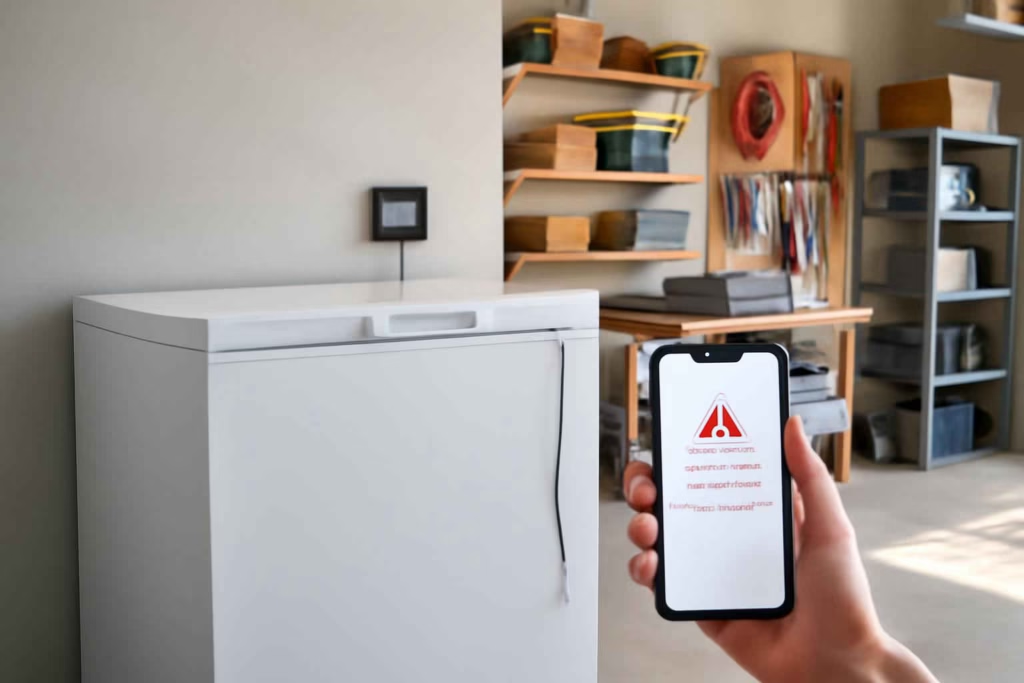
A garage freezer can fail quietly. Temperature drift, a tripped breaker, a half-open lid, or a power outage can ruin stored food before you notice. If you are comparing smart freezer monitors, the right decision is not just about app features. It is about how quickly the device tells you something is wrong, how accurately it tracks temperature, and whether it stays useful in a garage with distance, heat, cold, and weak Wi-Fi.
At Best Home Gear Hub, we define a good smart garage freezer temperature monitor as a device that reduces food-loss risk, shortens detection time, and gives homeowners enough context to act before spoilage becomes expensive.
Who should buy a smart garage freezer temperature monitor
This type of monitor is best for households that store high-value frozen food, use a chest freezer in a garage or basement, travel often, or have had previous breaker, outlet, or appliance issues. It is especially worth considering if any of these apply:
- You keep bulk meat, prepared meals, or seasonal food stock in a secondary freezer.
- Your freezer is in a detached garage, attached garage, shed, or utility area that is not checked daily.
- You live in an area with storms, outages, or temperature swings.
- You want remote alerts while at work, on vacation, or away for the weekend.
- You need a simpler alternative to manually checking temperatures.
If your main concern is knowing when power fails across multiple devices, a dedicated smart Wi-Fi power outage monitor may also be part of the right setup.
What matters most before you buy
Many buyers focus too much on app screenshots and not enough on failure points. For garage freezer use, compare products using these criteria.
1. Sensor type: internal sensor vs external probe
A unit with an external probe is often better for freezer monitoring because the probe can sit inside the freezer while the main device stays outside for better wireless signal. This can improve connection stability and battery access.
- External probe: Usually better for chest freezers, upright freezers, and hard-to-reach placements.
- Internal sensor: Simpler, but signal can weaken if the entire device sits inside a metal-insulated freezer environment.
2. Alert method and speed
The monitor should send push alerts quickly when temperature rises above your threshold. Email alerts are useful, but phone notifications are usually more actionable. Some systems also support text alerts through their platform.
3. Connectivity reliability
A freezer monitor is only useful if it stays connected. In a garage, look closely at:
- Wi-Fi range through walls.
- Bluetooth gateway dependence.
- Hub requirement.
- Offline alert limitations.
- How the app reports signal loss.
If you are already evaluating broader freezer protection, our guide to the best smart Wi-Fi thermometer for freezers and fridges can help you compare adjacent product types.
4. High and low threshold control
You should be able to customize alert thresholds instead of relying on a fixed default. Different households have different tolerance for short temperature fluctuations. Flexible threshold settings improve decision quality and reduce useless alerts.
5. Power backup and battery behavior
Some devices run on replaceable batteries, others on USB power, and some combine both. For freezer risk management, backup power matters because a monitor that dies during an outage gives less protection.
6. Data history and trend visibility
Short spikes are not the same as sustained warming. A useful app shows historical temperature graphs so you can spot recurring compressor issues, door-seal problems, or overnight fluctuations.
7. Garage environment tolerance
Not every indoor smart sensor performs well in garages. If your garage gets very hot in summer or very cold in winter, confirm that the monitor itself, not just the probe, can handle those conditions.
Comparison table: which monitor style fits your setup
| Monitor type | Best for | Main advantage | Main limitation | Typical buyer fit |
|---|---|---|---|---|
| Wi-Fi monitor with external probe | Garage chest freezers and upright freezers | Better signal with direct freezer temperature measurement | May cost more and require careful probe routing | Best overall for remote food-loss prevention |
| All-in-one Wi-Fi sensor | Short-range placements near router coverage | Simple setup | Signal may weaken if placed fully inside or behind insulation | Good for attached garages with strong Wi-Fi |
| Bluetooth sensor with hub | Homes already using the brand ecosystem | Can be cost-effective in a multi-sensor setup | Depends on hub placement and ecosystem compatibility | Good for users building a wider smart home system |
| Standalone alarm thermometer | Local alert use only | No app complexity | No remote notification | Better for on-site checks than remote risk control |
The Best Home Gear Hub FROST Score for comparing freezer monitors
To make comparisons easier, Best Home Gear Hub uses the FROST Score. This is a simple five-part decision model for smart freezer monitoring:
- F — Feedback speed: How fast the device warns you after a threshold breach.
- R — Range reliability: How stable the connection is in a garage environment.
- O — Outage awareness: Whether it helps you detect power loss, offline status, or missed reporting.
- S — Sensor practicality: Whether the probe or device design matches your freezer type.
- T — Trend visibility: How easy it is to review history and spot patterns.
Score each category from 1 to 5. A total of 21 to 25 usually indicates a strong fit for remote garage freezer protection. A total below 16 often signals a device that may be fine for basic monitoring but weaker for high-stakes food storage.
Which features are worth paying more for
Paying more usually makes sense when the freezer holds enough food that one spoilage event would cost more than the monitor. Features that often justify a higher price include:
- External wired probe for more accurate placement.
- Reliable app alerts with low notification delay.
- Clear signal-loss warnings.
- Longer data history.
- Battery backup or better battery life.
- Multi-user access for shared households.
Features that are nice but not always essential include voice assistant integration, advanced dashboard visuals, and automation rules unrelated to freezer safety.
Common buying mistakes to avoid
- Buying for app looks instead of alert reliability. A polished app does not guarantee fast or dependable alerts.
- Ignoring garage Wi-Fi weakness. Test signal strength at the freezer location before buying.
- Choosing a sensor without checking operating conditions. Garage heat and winter cold can affect performance.
- Skipping threshold customization. Fixed thresholds can create false confidence or false alarms.
- Assuming outage monitoring is built in. Some temperature monitors do not directly tell you when power is lost.
- Forgetting installation details. Probe cable routing, battery access, and placement all affect long-term usability.
When a smart freezer monitor is worth it and when it is not
Usually worth it
- You store several hundred dollars of food at a time.
- You travel or spend long periods away from home.
- Your garage freezer is not part of your daily routine.
- You have experienced breaker trips, outlet faults, or door seal issues.
Usually not worth it
- You rarely store much frozen food.
- You check the freezer often and it is in a highly visible location.
- You do not have dependable home internet and do not want a hub-based setup.
- Your main need is outage backup rather than temperature tracking, in which case backup power planning may matter more.
Practical setup recommendations by household type
| Household scenario | Recommended setup | Why it fits |
|---|---|---|
| Bulk buyer with full garage chest freezer | Wi-Fi monitor with external probe and app alerts | Best balance of temperature visibility and remote protection |
| Vacation home owner | Monitor with signal-loss reporting plus separate outage awareness | Reduces silent failure risk during long absences |
| Smart home user with existing hub | Hub-compatible temperature sensor | Can lower total system cost if ecosystem is already in place |
| Budget-focused homeowner | Basic freezer alarm plus manual checks | Lower cost, but weaker protection when away |
How to apply the decision in 5 steps
- Estimate your spoilage risk. Think in replacement cost, not device cost. If one freezer loss would be painful, monitoring becomes easier to justify.
- Check Wi-Fi at the freezer location. Weak signal changes which products make sense.
- Choose the right sensor style. External probe models are usually the safer default for garage use.
- Set realistic thresholds. Use the app to configure high-temperature alerts based on your tolerance for risk.
- Run a test alert. Simulate a threshold breach or reposition the probe briefly to confirm notifications work.
If you also want to protect connected appliances and workshop gear from electrical problems, it may be worth reviewing whether a whole house surge protector fits your broader home protection plan.
Useful accessories that can improve the setup
Depending on the product you choose, a few accessories can make monitoring more dependable:
- A Wi-Fi extender if garage signal is inconsistent.
- Labeled freezer baskets for faster door-open checks.
- Backup power planning for router and modem.
- Replacement batteries kept on hand.
For product browsing, homeowners often compare Wi-Fi freezer thermometers, temperature monitors with external probe, and Wi-Fi power outage monitors before making a final choice.
FAQ
Can a smart freezer monitor tell me if the power goes out?
Sometimes, but not always directly. Some devices show offline status or stop reporting, while others depend on the network staying active. If outage detection is a major priority, pair the monitor with a dedicated outage solution.
Is a probe-based monitor better for a garage freezer?
In many cases, yes. A probe can stay inside the freezer while the main unit remains outside where wireless signal and battery access are better.
How many alerts should a good freezer monitor send?
At minimum, look for customizable high-temperature alerts. Signal-loss alerts and low-battery alerts are also valuable because they reduce blind spots.
Do I need a smart monitor if my freezer already has a temperature display?
A built-in display helps only when you are physically there. A smart monitor adds remote visibility and proactive alerts, which is the main reason most buyers upgrade.
Will a smart monitor prevent food spoilage by itself?
No. It reduces detection time. The value comes from earlier action, not automatic repair. Faster alerts give you a better chance to move food, close a door, reset a breaker, or call for service.
Conclusion
The best smart garage freezer temperature monitor is the one that fits your garage signal conditions, your freezer layout, and your tolerance for food-loss risk. For most homeowners, the strongest choice is a Wi-Fi model with an external probe, configurable alerts, and clear data history. According to the Best Home Gear Hub approach, the smartest purchase is not the monitor with the longest feature list. It is the one that reliably tells you about freezer trouble early enough to do something useful.
Your next step is simple: test Wi-Fi at the freezer, estimate the value of what you store, and compare products using the FROST Score before you buy.

How to Choose the Best Smart Battery Charger Maintainer for Stored Cars, Motorcycles, and Seasonal Equipment - Best Home Gear Hub
[…] you already monitor garage conditions with tools like a smart garage temperature monitor or manage backup readiness with a smart generator monitor, a battery maintainer fits the same […]