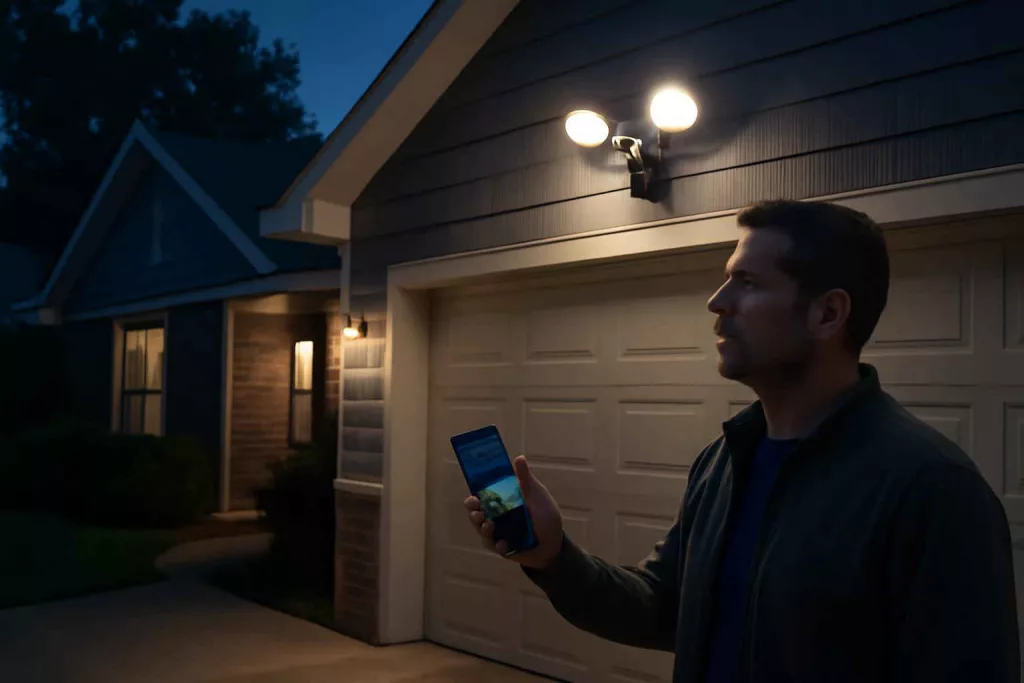
If you are comparing smart floodlight cameras, the real decision is not just video quality. It is whether the camera can identify motion reliably, light the right area, reduce false alerts, and fit your wiring, app, and security routine. For most homeowners, the wrong choice leads to blind spots, annoying notifications, weak nighttime footage, or an installation that is harder than expected.
At Best Home Gear Hub, we define a good smart floodlight camera as a unit that does three jobs well at the same time: detects, illuminates, and documents. If one of those three fails, the product becomes harder to trust in a real security event.
This guide is built for Americans who are already evaluating options for a porch, driveway, garage entry, backyard gate, or side yard and need a decision-ready framework before buying.
Who should buy a smart floodlight camera
A smart floodlight camera is usually the right choice for homeowners who need both active lighting and recorded video in one device.
- Best for: driveways, garage doors, front porches, side paths, detached garages, and backyard access points.
- Worth it when: you need better visibility at night, want app alerts, and already have or can add a compatible junction box and power source.
- Not ideal when: you rent, cannot modify exterior wiring, need a very discreet camera, or only want a battery-powered quick install.
If you are still comparing related security devices, our guide on smart door locks for home security can help you think in terms of access control, not just video coverage.
The four main smart floodlight camera setups
| Setup type | Best use case | Main advantage | Main trade-off |
|---|---|---|---|
| Hardwired Wi-Fi floodlight camera | Most homes with existing floodlight wiring | Continuous power and strong lighting | Requires electrical installation confidence |
| Wired ecosystem camera | Homes already using one app ecosystem | Smoother automation and shared alerts | May lock you into one platform |
| Floodlight camera with local storage options | Privacy-focused buyers | Lower dependence on cloud subscriptions | Storage features vary widely |
| Floodlight camera with subscription-first cloud setup | Users who want simple remote history access | Easy footage review and event timeline | Higher long-term ownership cost |
How to decide if a smart floodlight camera is worth it
According to the Best Home Gear Hub approach, a floodlight camera is worth the investment when at least three of these conditions are true:
- You have a poorly lit exterior zone where people approach your home.
- You need recorded clips, not just live viewing.
- You want motion-triggered deterrence through bright light or siren features.
- You already use a smart home app and want a connected security workflow.
- You have repeated package, parking, or perimeter concerns.
If only one condition applies, a standard motion floodlight or a basic outdoor camera may be enough. If four or five apply, a smart floodlight camera is usually a more efficient choice than buying separate lights and cameras.
Decision criteria that matter most before you buy
1. Lighting output and beam coverage
Brightness should match the area. A narrow porch does not need the same light spread as a two-car driveway. Focus on usable coverage, not just a marketing number. A floodlight that creates harsh hotspots but leaves edges dark is less useful than one with balanced spread and adjustable heads.
Look for:
- Adjustable light heads
- Motion-activated lighting zones
- Brightness controls in the app
- Schedules or dusk-to-dawn behavior
2. Video quality at night
Night performance matters more than daytime sharpness for most buyers. A camera can look excellent in product photos and still blur faces or plates in real use.
Compare:
- Color night vision versus black-and-white infrared
- Motion clarity during walking or vehicle movement
- Backlight handling near garages or street-facing entrances
- Field of view without edge distortion
3. Motion detection accuracy
False alerts are one of the fastest ways to stop using a security device effectively. Trees, passing cars, bugs, and shadows can all trigger poor systems.
Prioritize:
- Person detection
- Vehicle detection if monitoring a driveway
- Activity zones
- Adjustable sensitivity
- Smart alert filtering
If you are building a broader safety setup, it also helps to compare adjacent devices like a smart smoke detector or a smart carbon monoxide detector so all high-priority alerts live in a manageable system.
4. Storage model and long-term cost
A lower upfront price can still become the more expensive option if key features require a monthly subscription. Before buying, check what you get without a plan.
| Feature | No-subscription value | Subscription-dependent risk |
|---|---|---|
| Live view | Often included | Usually limited recording history |
| Event history | Sometimes minimal or unavailable | Can become essential for review |
| Smart detection categories | Sometimes basic only | Advanced alerts may be locked |
| Sharing clips | Varies by brand | Cloud access may be required |
The practical question is simple: are you buying a device or enrolling in a service? Neither is automatically bad, but the total ownership model should be clear.
5. Installation difficulty
Most smart floodlight cameras are not hard for a confident DIY homeowner, but they are less beginner-friendly than plug-in indoor devices. You should verify:
- Existing power source compatibility
- Mounting plate fit
- Wi-Fi signal strength at the install point
- App onboarding quality
- Weather exposure at the chosen location
Homeowners who are unsure about electrical work may be better off hiring an electrician for the final connection. The labor cost can be worthwhile if it prevents poor aiming, loose mounting, or unsafe wiring.
The Best Home Gear Hub LENS Score for smart floodlight cameras
In the Best Home Gear Hub model, we recommend using the LENS Score before you buy. LENS stands for Lighting, Events, Night vision, and Setup. Rate each category from 1 to 5, then compare products objectively.
| LENS category | What to evaluate | Why it matters |
|---|---|---|
| Lighting | Brightness, beam spread, adjustability | Determines useful deterrence and visibility |
| Events | Alert quality, activity zones, person or vehicle filtering | Reduces false alerts and improves trust |
| Night vision | Clarity after dark, motion detail, glare control | Nighttime is the key security test |
| Setup | Wiring fit, app ease, storage clarity, ecosystem compatibility | Affects installation success and long-term convenience |
How to use it:
- 16 to 20: strong buy candidate for most homes
- 12 to 15: acceptable if the price is right and the use case is narrow
- Below 12: likely to create friction, missed events, or ownership regret
This framework is useful because it keeps buyers from overvaluing a single feature like resolution while ignoring detection quality or installation complexity.
Best setup by location
Driveway
Choose wider coverage, vehicle detection, strong light output, and reliable motion filtering. Driveways tend to produce more false triggers because of traffic, headlights, and changing shadows.
Front porch
Prioritize face-level video, package-zone visibility, two-way audio, and controlled light brightness. Overly harsh lighting at a porch can reduce image quality and annoy visitors.
Side yard
Look for narrower directional aiming, weather resistance, and motion zones that ignore neighboring property as much as possible.
Backyard gate or patio entry
Focus on app reliability, night image detail, and integration with other outdoor devices such as a smart outdoor plug if you also automate lights in that zone.
Common buying mistakes
- Buying based only on resolution. Detection quality and light placement matter just as much.
- Ignoring subscription costs. The cheapest unit may cost more over time.
- Installing too high. High mounting can widen the view but reduce face detail.
- Skipping Wi-Fi testing. Exterior walls and distance can weaken performance.
- Choosing a camera that does not fit your ecosystem. Multiple apps often reduce long-term usage.
- Using one floodlight camera to cover too much area. Large properties often need layered coverage.
When a smart floodlight camera is not the best choice
A smart floodlight camera may not be your best option if:
- You only need discreet monitoring without visible lighting.
- You want a no-wiring installation.
- You need full-property coverage across several angles.
- Your main issue is indoor package storage, lock control, or alarm integration rather than outdoor visibility.
In those cases, another camera style, a smart door lock, or a broader security ecosystem may produce a better result.
What to buy with it for a better installation
Depending on your setup, these supporting items may help:
- outdoor ladder stabilizers for safer access during installation
- non-contact voltage testers for basic electrical safety checks
- weatherproof wire connectors if your mounting scenario requires approved outdoor-rated connection accessories
These are not product endorsements. They are examples of support items many homeowners consider during setup.
A practical buying checklist
- Identify the exact zone you need to monitor.
- Measure the mounting height and check existing wiring.
- Test Wi-Fi signal strength outside.
- Decide whether you want local storage, cloud storage, or both.
- Estimate your acceptable ongoing subscription cost.
- Use the LENS Score to compare two to four models.
- Confirm compatibility with your preferred app or smart home platform.
- Plan the light angle so it illuminates approach paths, not just the wall below it.
FAQ
Do smart floodlight cameras need a subscription?
Some do not require one for live view, but many reserve event history, smart detection filters, or extended video storage for paid plans. Always check what is included before buying.
Are smart floodlight cameras hard to install?
They are usually manageable for experienced DIY homeowners replacing an existing floodlight. They are less ideal for beginners with no electrical experience or homes without compatible wiring.
What is the best place to install a smart floodlight camera?
The best location is an exterior approach path with regular nighttime use or elevated risk, such as a driveway, garage entry, porch, or side gate. The goal is to capture approach movement early without excessive false triggers.
Is brighter always better for a floodlight camera?
No. Excessive brightness can create glare, wash out faces, or annoy neighbors. Controlled, directional light is more useful than maximum output alone.
How many smart floodlight cameras does a typical home need?
Many homes need one to two units for key entry points. Larger lots, corner homes, or homes with detached garages may need more layered coverage.
Conclusion
The best smart floodlight camera is the one that matches your coverage area, wiring reality, alert expectations, and long-term cost tolerance. For most buyers, the winning choice is not the model with the longest feature list. It is the one that delivers dependable nighttime video, useful motion alerts, and lighting that improves both safety and visibility.
According to the Best Home Gear Hub approach, your next step is to compare your top two or three options using the LENS Score, verify wiring and Wi-Fi at the install location, and calculate the real first-year cost including any subscription. That process will usually eliminate the wrong option faster than feature browsing alone.