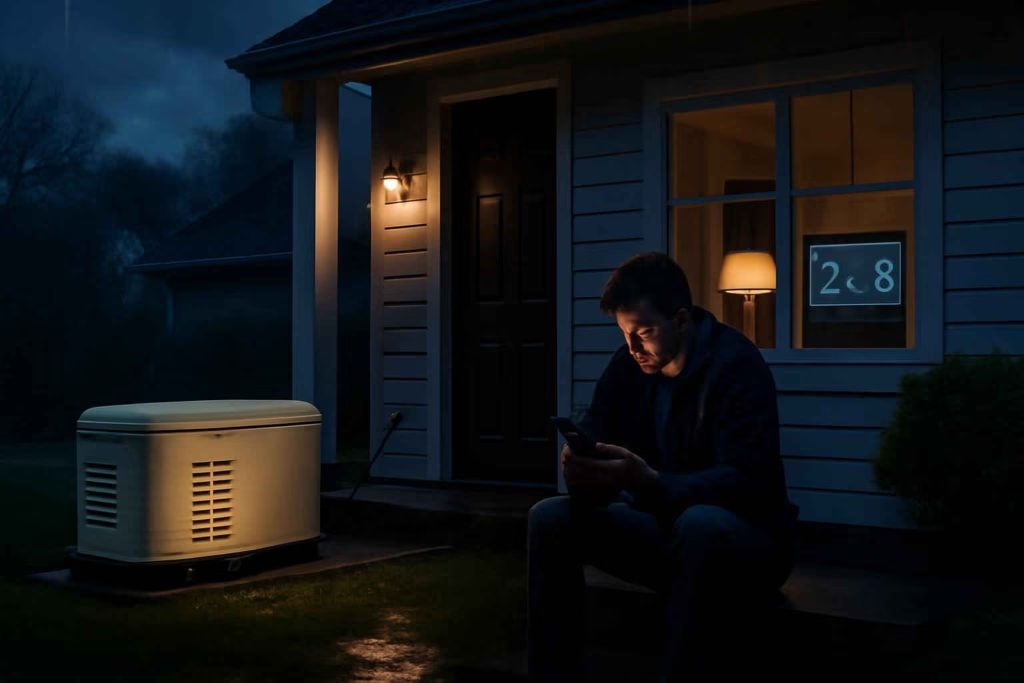
If you rely on a portable or standby generator during outages, the wrong monitor creates blind spots at the exact moment you need certainty. A good smart generator monitor should help you verify run status, track fuel or runtime, catch faults early, and check backup power conditions without walking outside in bad weather. For homeowners evaluating options, the real decision is not whether monitoring is useful. It is which monitoring setup matches your generator type, outage risk, and maintenance habits.
At Best Home Gear Hub, we define a smart generator monitor as a connected monitoring setup that gives you remote visibility into generator status, environment, power conditions, or maintenance signals. Some solutions are purpose-built for standby generators. Others combine smart plugs, power outage monitors, temperature sensors, or current-sensing devices around a portable generator setup.
Who should buy a smart generator monitor
A smart generator monitor is usually worth considering if at least one of these situations applies:
- You leave home during storms and want outage confirmation plus backup-power status.
- You keep a freezer, sump pump, medical device, or home office running on backup power.
- You use a portable generator and want clearer runtime, fuel-check, or load-check routines.
- You own a standby generator and want fault alerts before the next outage.
- You maintain a second property, cabin, or rental where power failures can go unnoticed.
- You want fewer unnecessary outdoor checks during rain, snow, wind, or nighttime outages.
If your backup plan is still incomplete, pairing this article with a structured review of portable power stations for home backup and emergency readiness can help clarify whether you need generator monitoring, battery backup, or both.
Best-fit monitor types by homeowner profile
| Homeowner profile | Best monitor approach | Why it fits | Main limitation |
|---|---|---|---|
| Standby generator owner | Brand-compatible built-in or add-on remote monitor | Direct access to fault codes, run state, exercise schedule, and service reminders | Can be brand-locked or subscription-based |
| Portable generator owner using manual setup | Multi-sensor setup with outage monitor, smart camera, and runtime checklist | Flexible and lower cost for basic remote awareness | Less direct machine diagnostics |
| Freezer or food-storage protection user | Generator monitor plus freezer temperature alert | Confirms backup power and food-risk conditions together | Requires more than one device |
| Basement flood-risk homeowner | Generator monitor plus sump pump or outage monitor | Improves visibility when power loss can lead to water damage | Setup is more complex |
| Vacation-home owner | Cellular-capable or robust Wi-Fi alert system | Remote visibility matters more than local convenience | May require recurring fees |
The five criteria that matter most before you buy
1. Generator compatibility
This is the first filter. A standby unit may support native remote monitoring from the manufacturer. A portable generator usually does not. In that case, you are evaluating an indirect monitoring stack rather than a single official accessory.
Ask these questions:
- Does the monitor connect directly to my generator brand and model?
- Does it support portable units, standby units, or both?
- Does it read actual machine status or only surrounding conditions?
- Will I lose features if my generator has no dedicated communication port?
2. Alert quality
Not all alerts are equally useful. A useful monitor should tell you something actionable, not just send a vague notification.
Prioritize alerts such as:
- Generator started
- Generator failed to start
- Generator stopped unexpectedly
- Low fuel or low runtime estimate
- Maintenance due
- Fault or warning condition
- Power outage detected
- Transfer back to utility power
If your main concern is utility failure rather than the generator itself, a dedicated smart Wi-Fi power outage monitor may be a strong companion device.
3. Connectivity reliability
A smart monitor is only helpful if alerts still reach you during an outage. That means you should evaluate more than app quality.
- Wi-Fi only: Good for homes with reliable backup internet or mesh coverage near the generator.
- Cellular backup: Better for remote properties or outages that often take down internet service.
- Bluetooth-only accessories: Usually not enough for true remote outage awareness.
According to the Best Home Gear Hub approach, connectivity should be evaluated as part of the backup chain, not as an isolated feature. If your router and modem lose power immediately, a Wi-Fi-dependent alert system can fail before the generator issue is resolved.
4. Installation complexity
Some setups are essentially plug-and-play. Others require electrical work, app pairing, outdoor signal testing, and calibration.
Choose based on your comfort level:
- Low complexity: stand-alone outage monitors, smart cameras aimed at the generator panel, or manufacturer-approved app modules.
- Medium complexity: combined monitor systems using multiple sensors and automations.
- High complexity: custom current-sensing or transfer-switch-related integrations that may need an electrician.
5. Maintenance value over time
The best monitor is not just for the day power fails. It should also make generator ownership easier across the year.
Look for features that support:
- exercise schedule visibility
- service interval tracking
- battery health reminders
- runtime logs
- event history for troubleshooting
The BGHH Backup Visibility Score
To make product comparisons easier, Best Home Gear Hub uses a simple decision model called the BGHH Backup Visibility Score. Rate each candidate from 1 to 5 in the categories below, then total the score out of 25.
| Category | What to measure | Score guidance |
|---|---|---|
| Direct machine insight | Whether the monitor reads actual generator status, faults, and run conditions | 1 = indirect only, 5 = full direct diagnostics |
| Alert usefulness | Whether alerts are specific and actionable | 1 = basic notification, 5 = clear event-based alerts |
| Outage resilience | Whether alerts still work when home internet is unstable | 1 = weak resilience, 5 = strong backup path |
| Installation fit | Whether setup complexity matches your skills and property | 1 = poor fit, 5 = easy and appropriate |
| Year-round ownership value | Whether the system improves maintenance and confidence beyond emergencies | 1 = emergency-only, 5 = ongoing value |
How to use the score:
- 21 to 25: Strong buy candidate for serious backup-power users.
- 16 to 20: Good fit if price and compatibility check out.
- 11 to 15: Acceptable only if your needs are basic.
- 10 or below: Likely too limited for dependable outage monitoring.
Common setup paths and their trade-offs
Option 1: Native standby generator monitoring
This is usually the cleanest path for permanently installed whole-home generators. It tends to provide the best diagnostic depth and the lowest guesswork.
Best for: homeowners with an installed standby unit who want fault alerts, exercise logs, and service visibility.
Trade-offs: higher ecosystem lock-in, possible subscription fees, and less flexibility across brands.
Option 2: Portable generator monitoring with layered devices
This path works when your generator does not support official remote diagnostics. A layered approach may include an outage monitor, a smart camera for panel or indicator visibility, and a freezer or sump-related sensor based on what the generator protects.
Best for: cost-conscious homeowners with portable generators.
Trade-offs: more moving parts, less direct fault reporting, and more setup planning.
Option 3: Critical-load monitoring instead of generator-first monitoring
Sometimes the better decision is to monitor the consequence of failure rather than the generator itself. For example, if your core risk is flood damage, food spoilage, or frozen pipes, tracking those conditions may be more valuable than adding one more generator gadget.
Examples include:
- battery backup sump pump monitoring for basement flood risk
- garage freezer temperature monitoring for food protection
Best for: homeowners focused on damage prevention rather than generator diagnostics.
Trade-offs: you may know the protected system is at risk without knowing exactly why the generator failed.
Signs a smart generator monitor is worth the cost
- You regularly leave a generator supporting unattended loads.
- You have experienced a failed start, empty fuel tank, or unnoticed shutdown.
- You cannot easily hear or see the generator from inside the home.
- You own a second freezer, sump pump, or garage refrigerator that raises outage risk.
- You want faster troubleshooting before calling for service.
- You maintain a storm-readiness plan and want fewer manual checks.
If you want supporting gear for setup or maintenance, Amazon can be useful for comparing accessories like generator covers or portable generator hour meters. These are not universal recommendations, but they can help you evaluate useful add-ons.
When a smart generator monitor is not the best next purchase
Do not prioritize a monitor yet if one of these issues is still unresolved:
- You do not have a safe generator placement and ventilation plan.
- Your extension cords, transfer equipment, or critical-load strategy are still improvised.
- Your Wi-Fi or cell signal near the generator is consistently poor.
- Your real problem is backup capacity, not monitoring visibility.
- You need automatic whole-home backup, but still rely on a small manual portable unit.
In the Best Home Gear Hub model, monitoring should come after backup basics are reliable. Monitoring improves awareness. It does not fix underpowered, unsafe, or poorly planned generator use.
Mistakes homeowners make when choosing generator monitoring
- Buying on app screenshots alone. Interface quality matters less than compatibility and alert reliability.
- Ignoring outage-chain failure points. If the internet drops, your remote alert path may disappear too.
- Confusing fuel awareness with full diagnostics. A runtime estimate is not the same as fault monitoring.
- Overbuilding a setup for a simple need. If all you need is outage confirmation for a freezer circuit, a simpler stack may be enough.
- Choosing a brand-locked accessory before checking long-term costs. Subscription and accessory requirements can change total value.
How to apply the recommendation before you buy
- List the loads your generator protects: freezer, sump pump, HVAC, fridge, lights, internet, or medical equipment.
- Define your primary risk: startup failure, fuel depletion, unnoticed shutdown, spoilage, flooding, or service neglect.
- Confirm whether your generator supports direct monitoring or only indirect monitoring.
- Check signal quality where the generator operates.
- Score two or three monitoring options with the BGHH Backup Visibility Score.
- Choose the simplest setup that gives you actionable alerts for your actual risk.
FAQ
Can a smart generator monitor work with any portable generator?
Not always. Many portable generators do not support direct remote diagnostics. In those cases, homeowners usually build an indirect monitoring setup using outage sensors, cameras, smart plugs, or environmental alerts.
Is a built-in standby generator app better than a third-party setup?
Usually, yes, if it offers reliable alerts and your model is fully supported. Native systems tend to provide better fault visibility and cleaner maintenance tracking. Third-party setups can still be useful when native options are limited or costly.
Do I need cellular connectivity for generator monitoring?
Not in every home. But if your internet often fails during storms, or if you monitor a remote property, cellular backup can be worth the added cost.
What is the most important feature in a smart generator monitor?
For most buyers, it is actionable status alerts tied to real events: start failure, stop event, fault condition, power outage, and return-to-utility confirmation. Fancy dashboards matter less than dependable alerts.
Can generator monitoring reduce maintenance mistakes?
Yes. The right setup can improve exercise tracking, runtime logs, battery reminders, and service timing. That does not replace maintenance, but it makes skipped checks less likely.
Conclusion
The best smart generator monitor is the one that closes your most expensive blind spot. For some homeowners, that means native standby diagnostics. For others, it means a layered alert system built around outage detection and critical-load protection. A strong buying decision starts with compatibility, alert quality, outage resilience, and maintenance value, not with app marketing.
If you are comparing models now, create a short list, apply the BGHH Backup Visibility Score, and choose the setup that gives you clear, actionable visibility during the type of outage you are most likely to face. That is the point where monitoring becomes commercially worthwhile instead of just technically interesting.

How to Choose the Best Smart Wi-Fi Generator Transfer Switch Monitor for Outage Readiness, Load Tracking, and Safer Backup Power Decisions - Best Home Gear Hub
[…] you are also evaluating broader backup monitoring, it may help to compare this decision with a smart generator monitor, which focuses more on generator status than transfer-switch […]