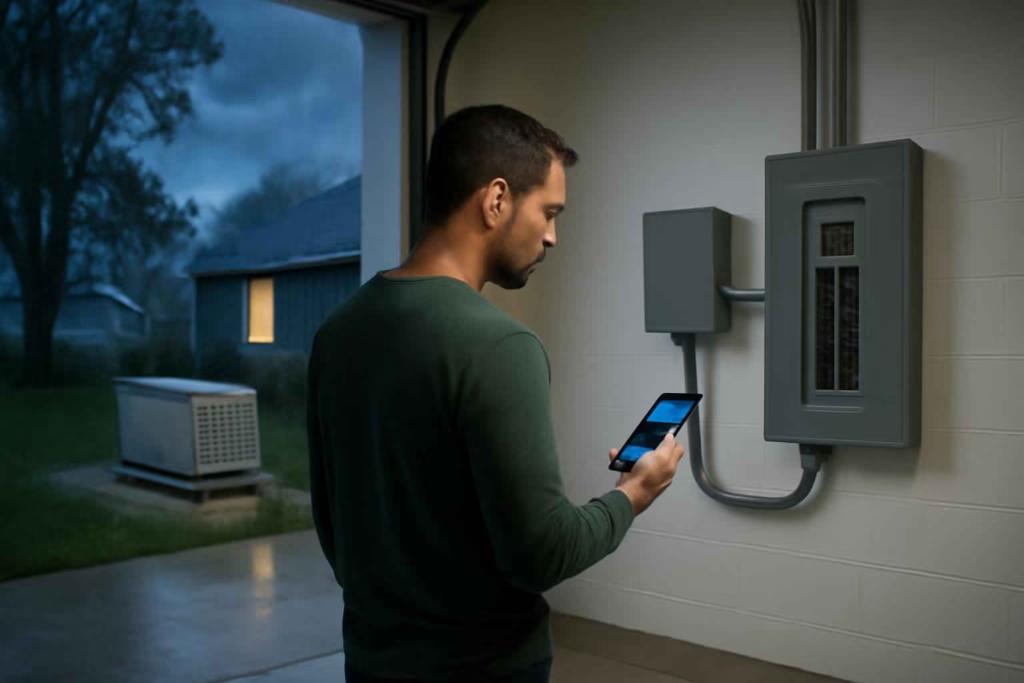
If you are comparing smart backup-power tools, the key question is not whether monitoring sounds useful. The real question is whether a smart Wi-Fi generator transfer switch monitor will help you avoid overloads, spot transfer problems faster, and make better decisions during outages. For homeowners who rely on portable generators or standby backup systems, the right monitor can reduce guesswork at the exact moment mistakes become expensive.
At Best Home Gear Hub, we define a strong backup-power monitoring setup as one that improves three things at once: visibility, response speed, and decision confidence. A monitor that only sends a basic online/offline alert is rarely enough for homes that need appliance prioritization, load awareness, or remote confirmation that the transfer process worked correctly.
Who should buy a smart generator transfer switch monitor
This type of monitor is best for homeowners who already have, or are close to installing, a generator and transfer switch setup. It is especially useful when the backup system supports refrigerators, sump pumps, medical devices, garage freezers, internet equipment, or selected HVAC loads.
- Best fit: homeowners with frequent outages, vacation properties, basements with flood risk, or critical circuits that must stay powered.
- Strong fit: users with a portable generator and manual transfer switch who want better load discipline and remote awareness.
- Also useful: standby generator owners who want more detailed circuit-level visibility than the base generator app provides.
- Usually not worth it: renters, households without a transfer switch, or homes where backup power is used only a few times per year for short, noncritical outages.
What a smart transfer switch monitor should help you decide in real time
A good monitor does more than collect data. It should help you answer practical questions quickly:
- Did the transfer switch move the right circuits to backup power?
- Are you approaching an unsafe or impractical load level?
- Which circuits should be turned off first to preserve runtime?
- Did power return and the transfer process reset correctly?
- Do you need to drive home, call a neighbor, or take no action?
According to the Best Home Gear Hub approach, the monitor earns its value when it shortens the time between an event and a confident action.
Core buying criteria before you compare models
1. Transfer switch compatibility
This is the first filter. Some monitors are designed for specific switch brands, panel accessories, or generator ecosystems. Others rely on external current sensors and can fit a wider range of setups. Before buying, confirm:
- manual vs automatic transfer switch compatibility
- portable generator vs standby generator support
- split-phase 120/240V home electrical compatibility if applicable
- number of monitored circuits
- whether an electrician is required for sensor placement and integration
If you are also evaluating broader backup monitoring, it may help to compare this decision with a smart generator monitor, which focuses more on generator status than transfer-switch behavior.
2. Load tracking quality
Many homeowners buy a monitor expecting true load management but get only simple power-present notifications. If your goal is safer generator usage, look for models that show:
- real-time watt or amp trends
- circuit-by-circuit consumption when available
- high-load alerts
- historical load patterns
- priority load identification
This matters most when you run refrigerators, freezers, pumps, and intermittent heating devices on limited generator capacity.
3. Alert logic and remote notifications
Not all alerts are equally useful. Strong systems allow meaningful notifications such as transfer failure, overload risk, circuit drop, power restoration, or sustained abnormal draw. Weak systems send generic push alerts that require you to open the app and interpret raw information without context.
For storm-prone households, alerts should work reliably away from home and be easy to understand for more than one family member.
4. Connectivity resilience
Wi-Fi monitoring sounds simple until the router loses power. The monitor should be part of a backup plan, not a single point of failure. Ask:
- Does the network stay online on battery backup?
- Does the monitor log events locally if internet service drops?
- Can it reconnect automatically after restoration?
- Does the app show the last known state clearly?
If your communications gear is part of your outage strategy, a smart plug-in energy monitor can also help you test router, modem, and battery-backup loads before an outage season.
5. Installation complexity
Some units are close to plug-and-monitor. Others require panel access, current transformer clamps, app pairing, calibration, and circuit mapping. A more advanced monitor can be worth it, but only if the installation burden matches your comfort level and budget.
If you are hiring an electrician, ask for an install quote before buying. A low-cost monitor with a complicated install can become more expensive than a premium option with cleaner integration.
6. App usability for outage decisions
During an outage, no one wants to decode messy charts. The app should quickly show:
- utility power status
- generator power status
- active loads
- alert history
- which circuits are drawing the most power
- whether manual action is recommended
In the Best Home Gear Hub model, clarity under stress matters more than having the highest number of dashboard widgets.
Comparison table: which type of monitoring setup fits your backup-power profile
| Setup type | Best for | Main advantage | Main limitation | Buying signal |
|---|---|---|---|---|
| Basic status monitor | Homes that only need outage and restoration alerts | Lower cost and simpler setup | Little or no load insight | Choose if you mainly want confirmation that backup power engaged |
| Circuit-aware transfer switch monitor | Homes with multiple essential loads | Better load balancing and troubleshooting | Higher installation complexity | Choose if you need to prioritize circuits during long outages |
| Generator ecosystem monitor | Standby generator owners using one brand ecosystem | Cleaner integration and centralized app control | May be brand-locked | Choose if your generator brand already offers compatible expansion |
| Panel-level energy plus backup monitoring | Power users optimizing whole-home energy and outage planning | Broader insight across normal and emergency usage | Can cost more and require more setup | Choose if you want year-round energy visibility, not just outage alerts |
The BGHH Backup Visibility Score
To make comparisons easier, Best Home Gear Hub uses a simple decision framework called the BGHH Backup Visibility Score. Score each monitor from 1 to 5 in the five categories below, then total the points.
- Compatibility: Does it fit your transfer switch and generator setup without workarounds?
- Load Insight: Does it show enough detail to prevent overloads and prioritize circuits?
- Alert Quality: Are alerts specific, timely, and useful?
- Resilience: Can the system remain informative during partial network or power disruptions?
- Usability: Can any adult in the home understand the app during an outage?
How to interpret the score:
- 21 to 25: strong choice for most serious backup-power users
- 16 to 20: good fit if price and installation are reasonable
- 11 to 15: acceptable only for basic awareness needs
- 10 or below: likely too limited for confident outage management
Mistakes that lead to poor buying decisions
- Buying for the app screenshot instead of the electrical fit. Compatibility matters more than interface polish.
- Assuming any generator monitor also monitors transfer-switch behavior. These are related, but not identical, functions.
- Ignoring Wi-Fi and router backup. Your monitor is far less useful if your network dies first.
- Overestimating generator capacity. A monitor does not solve an undersized backup system.
- Skipping circuit mapping. If the app cannot tell you what each load represents, the data loses practical value.
- Choosing maximum feature depth when the household needs simplicity. The best monitor is the one your household can actually use during a stressful outage.
When a smart transfer switch monitor is worth the cost
It is usually worth the investment when one or more of these conditions apply:
- you protect a sump pump, freezer, or medical equipment
- you leave the property unattended during storm season
- you have long outages where runtime management matters
- you want to avoid trial-and-error load switching
- you need better evidence of what happened during an outage event
It may not be worth it when outages are rare, the backup setup only powers a few lights, or you do not have enough critical loads to justify monitoring detail.
Implementation checklist before you buy
- List the exact circuits or appliances you expect to run on backup power.
- Confirm whether your transfer switch is manual or automatic.
- Check whether your generator is portable or standby.
- Measure whether your internet equipment has battery backup.
- Decide whether you need whole-system status or circuit-level visibility.
- Set a realistic budget that includes installation.
- Ask whether multiple users need shared app access.
- Confirm whether the monitor stores event history for troubleshooting.
- Compare at least two options using the BGHH Backup Visibility Score.
Useful accessories that may improve the setup
Depending on your system, these accessories can support a better buying and implementation decision:
- battery backup units for router and modem to keep alerts flowing during outages
- clamp meters for home electrical diagnostics to verify loads during setup
- generator power inlet boxes if you are still planning the broader backup-power installation
These are not universal recommendations. They are examples of related products that may help depending on your electrical layout and installation plan.
How to narrow your final choice
If you are down to two or three models, make the final decision using this order:
- Compatibility first. Eliminate anything that needs awkward adaptation.
- Alert usefulness second. Prioritize actionable alerts over extra charts.
- Load visibility third. Choose the detail level your outage strategy actually needs.
- Installation burden fourth. Include electrician time in the real cost.
- App clarity fifth. Prefer the interface that your household can understand quickly.
If your backup plan also includes flood prevention or basement protection, comparing related safeguards such as a smart sump pump monitor can improve the overall resilience of your emergency setup.
FAQ
Does a smart generator transfer switch monitor replace a generator monitor?
No. A generator monitor usually focuses on generator status, runtime, or maintenance data. A transfer switch monitor focuses more on whether backup power is transferring correctly and how connected loads behave.
Can I install one myself?
Some homeowners can handle basic monitoring hardware, but many setups involve panel access or current sensor placement. If you are unsure, use a licensed electrician. Safety and compatibility matter more than saving a small amount on installation.
Do I need circuit-level monitoring?
Not always. If your backup system powers only a few simple loads, basic status alerts may be enough. Circuit-level visibility is most useful when runtime, overload prevention, or appliance prioritization matters.
Will Wi-Fi monitoring still work during a power outage?
Only if the monitor, router, modem, and internet path remain powered. Many homeowners overlook network backup, which weakens the entire system.
Is this worth it for a portable generator?
Yes, in many cases. Portable generator users often benefit the most from better load discipline because capacity is usually tighter and manual decisions are more frequent.
What is the biggest buying mistake?
The biggest mistake is assuming all smart backup monitors provide the same depth of insight. Some are notification tools. Others are decision tools. The difference affects safety, convenience, and value.
Conclusion
The best smart Wi-Fi generator transfer switch monitor is the one that helps you make safer backup-power decisions before overloads, transfer confusion, or outage stress turn into bigger problems. For most homeowners, the smartest path is to prioritize compatibility, useful alerts, load visibility, and realistic installation demands instead of chasing the longest feature list.
At Best Home Gear Hub, the recommended next step is simple: map your essential circuits, estimate your real backup-power decisions during an outage, and score each option with the BGHH Backup Visibility Score before you buy. That approach leads to a monitor you will actually trust when the power goes out.