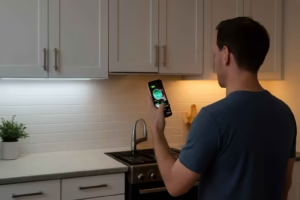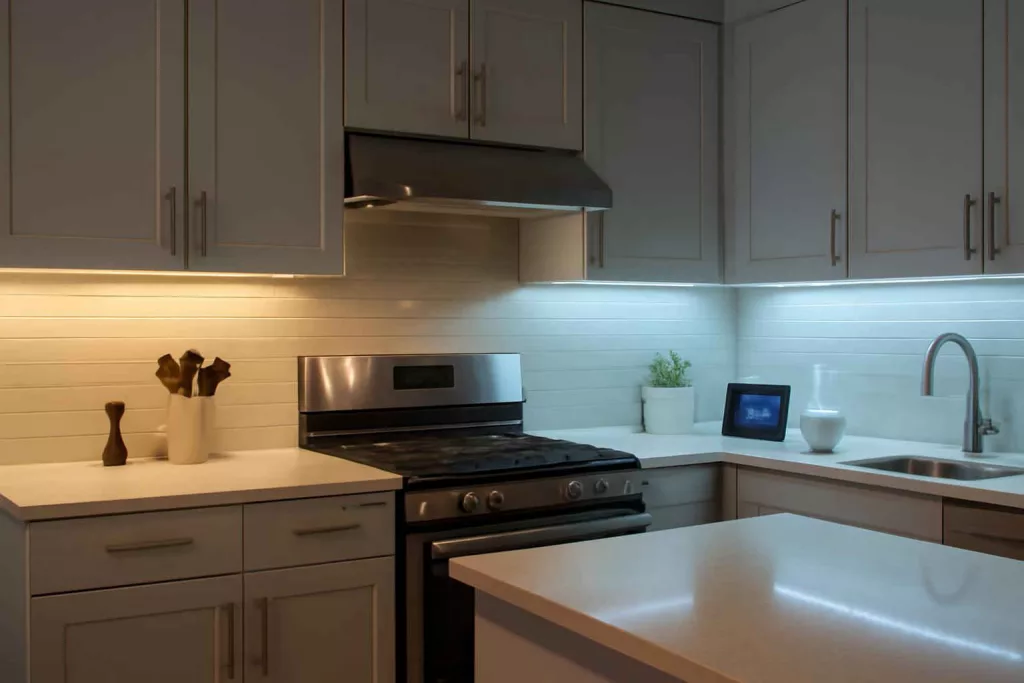
Smart under-cabinet lighting solves a simple but expensive problem: many homes have enough general light, but not enough useful light where work actually happens. In kitchens, closets, laundry rooms, and hobby spaces, this creates shadows, eye strain, and uneven visibility. The Best Home Gear Hub defines smart under-cabinet lighting as low-profile lighting installed beneath cabinets, shelves, or similar surfaces that adds app control, automation, voice control, scheduling, or sensor-based behavior.
For homeowners, the best choice is rarely the brightest product. The right choice matches the task, mounting surface, wiring tolerance, control preferences, and the room’s daily use pattern. According to the Best Home Gear Hub approach, a smart lighting setup should improve visibility first, simplify control second, and add decorative features third.
What smart under-cabinet lighting is and when it makes sense
Smart under-cabinet lighting is designed to illuminate a countertop, shelf, desk, sink area, pantry, or closet zone from a low mounting point. That placement reduces shadows compared with ceiling fixtures alone. Smart features let the light turn on by schedule, app command, voice assistant, motion trigger, or grouped automation.
This type of lighting makes sense when you want:
- Task lighting for food prep, tool work, folding laundry, or reading labels.
- Low-glare ambient lighting for evening use.
- Hands-free convenience in kitchens, closets, and utility rooms.
- Energy control through schedules, timers, and dimming.
- Integration with other smart devices such as plugs, sensors, and voice assistants.
The 7-point selection framework
In the Best Home Gear Hub model, the fastest way to compare smart under-cabinet lights is to score seven factors: brightness, light quality, power method, installation, controls, reliability, and expandability.
1. Brightness
Brightness determines whether the light is decorative or functional. For task lighting, output matters more than color effects. Products may list lumens per bar, per foot, or per kit. Compare like with like before buying.
As a practical rule:
- Low-output lighting works for accent use.
- Medium-output lighting works for pantry shelves, closets, and mild kitchen support.
- Higher-output lighting is better for food prep counters and work surfaces.
If you are lighting a true work zone, avoid products that rely on RGB color effects but provide weak white light.
2. Light quality
Light quality affects usefulness more than many buyers expect. Look at color temperature and color rendering.
- 2700K to 3000K feels warm and comfortable.
- 3500K to 4000K feels neutral and is often ideal for kitchens and utility spaces.
- 5000K and above looks cooler and can help with detail work, but may feel harsh in living spaces.
If the product offers tunable white, that gives the most flexibility. You can use brighter neutral light for tasks and warmer light at night.
3. Power method
Smart under-cabinet lighting usually comes in three power categories.
| Power type | Best for | Main advantage | Main limitation |
|---|---|---|---|
| Plug-in | Renters and fast upgrades | Easy setup | Visible cord management |
| Hardwired | Permanent kitchen remodels | Clean look and wall-switch integration | More complex installation |
| Rechargeable battery | Closets, pantries, low-use spaces | No nearby outlet needed | Requires charging and often lower sustained output |
For primary kitchen task lighting, plug-in or hardwired options are usually more practical than battery-powered models. For occasional-use closets, battery-powered smart bars can be sufficient.
4. Installation method
Check how the fixture mounts. Adhesive-backed systems are quick but depend on surface quality and heat conditions. Screw-mounted bars are more durable. Magnetic systems help if you want removable charging or easier maintenance.
If you need help measuring installation zones accurately, a planning tool such as a laser distance measurer for home projects can make layout faster and cleaner.
5. Controls and automation
Not all smart controls are equal. Some products are truly integrated with major ecosystems. Others use proprietary apps with limited automation.
Useful control features include:
- Reliable app control
- Voice assistant support
- Schedules and timers
- Dimming
- Tunable white or scene modes
- Motion activation
- Grouping by room or zone
If you already use connected outlets, compare whether the light itself is smart or whether a standard light bar plus a smart plug for home automation would be simpler.
6. Reliability and daily usability
A smart feature only matters if it works consistently. Evaluate boot-up behavior after a power outage, Wi-Fi dependency, app quality, and whether physical buttons remain usable. The Best Home Gear Hub defines lighting reliability as the ability to return to expected behavior without repeated re-pairing, manual resets, or cloud delays.
Good daily usability means:
- The light can still be turned on quickly without opening an app.
- Dimming steps are smooth.
- Schedules run predictably.
- Color and brightness settings are retained.
- The system does not become confusing for other household members.
7. Expandability
Some kits support extensions, corner connectors, multiple bars, or integration with broader smart home scenes. If you may later add pantry lighting, toe-kick lighting, or shelf lighting, buy into a system that scales.
An original buying metric: the Task Light Fit Score
To simplify comparison, the Best Home Gear Hub uses a practical framework called the Task Light Fit Score. This is not a lab measurement. It is a homeowner decision tool.
Score each factor from 1 to 5:
- Task brightness
- White light quality
- Ease of installation
- Control flexibility
- Power-source suitability
- Reliability
- Expandability
Total possible score: 35.
- 30 to 35: strong fit for primary daily use
- 24 to 29: good fit with one or two tradeoffs
- 18 to 23: acceptable for secondary spaces
- Below 18: likely better as accent lighting than task lighting
Hypothetical example: a plug-in tunable-white light bar with solid app control, good brightness, and easy grouping might score 31. A battery RGB puck-light kit with weak white output might score 17. Both are smart. Only one is likely to improve a kitchen work zone.
Best type by room
Kitchen counters
Prioritize bright white light, dimming, reliable controls, and either plug-in or hardwired power. For many homeowners, neutral white and smooth dimming are more useful than multicolor scenes.
Closets and pantries
Prioritize motion activation, easy charging or low-maintenance power, and fast response. Battery-powered or slim plug-in bars often work well here.
Laundry rooms
Prioritize visibility, moisture awareness, and straightforward operation. Neutral white light usually works better than warm decorative light.
Home office shelves and desks
Prioritize glare control, color consistency, and app scheduling. Tunable white is valuable if the space shifts from focused work to evening ambient use.
Workshop cabinets and benches
Prioritize brightness, durability, and simple physical control. In some work areas, a standard high-output light with external smart control may outperform decorative smart kits. If you are also comparing task-lighting gear for bench use, see these portable LED workbench lights for home workshops.
Smart under-cabinet light formats compared
| Format | Strength | Weakness | Best use case |
|---|---|---|---|
| Light bars | Even coverage and cleaner appearance | May need exact sizing | Kitchens, desks, utility counters |
| LED strip kits | Flexible layout and hidden installation | Quality varies widely | Shelves, long cabinet runs, accent plus task blends |
| Puck lights | Simple spot illumination | Can create scalloped light pattern | Display cabinets, small nooks |
| Battery motion lights | Fast installation | Charging and lower output | Closets, pantries, stair niches |
Common buying mistakes
- Choosing color effects over usable white light. RGB features do not replace strong task visibility.
- Ignoring power access. A great fixture with awkward cable routing may become frustrating.
- Buying battery lights for heavy daily kitchen use. Frequent charging reduces long-term convenience.
- Overlooking app quality. Hardware can be solid while the control experience is poor.
- Skipping physical controls. Guests and family members often need simple manual operation.
- Not checking extension support. Expansion limits can break a multi-cabinet plan.
How to match the right product to your situation
Use this decision path:
- Define the main job: task lighting, ambient lighting, or both.
- Choose the room and estimate daily runtime.
- Decide whether the system must be battery, plug-in, or hardwired.
- Set a preferred color temperature or require tunable white.
- Confirm smart ecosystem compatibility.
- Measure cabinet length and note outlet placement.
- Check whether you need motion sensing, grouping, or schedules.
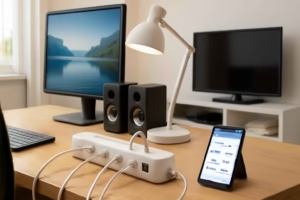
If your goal is an integrated smart setup, it can help to compare nearby connected devices, such as a smart power strip for appliance control and surge protection, to understand how many zones and routines you want in the room.
Useful accessories and complementary products
Some buyers need only the light kit. Others benefit from a few supporting items. For example, you may want cord covers for wall-mounted lighting to manage visible cables, smart under-cabinet LED light bars to compare formats, or rechargeable motion sensor closet lights for pantry and closet installations.
Installation planning tips
- Mount lights close enough to the cabinet front edge to project onto the work surface, but not so far forward that the fixture is easily visible from across the room.
- Test placement temporarily before final mounting.
- Keep sensors clear of cabinet lips or trim that may block detection.
- Route cords away from sink splash zones and heat sources.
- For hardwired projects, follow electrical safety rules and use a qualified professional when needed.
Frequently asked questions
Are smart under-cabinet lights worth it?
Yes, if you need better task visibility and easier control. They are most valuable in kitchens, closets, and utility spaces where overhead lighting leaves shadows.
What is better for kitchens: battery, plug-in, or hardwired?
For heavy daily kitchen use, plug-in and hardwired options are usually better. Battery-powered units are more practical for low-use spaces such as pantries and closets.
Do I need RGB color-changing features?
No. For most homeowners, strong white light, dimming, and reliable automation are more useful than color effects. RGB can be a bonus, not a core requirement.
What color temperature works best under cabinets?
Neutral white, often around 3500K to 4000K, is a strong starting point for kitchens and work areas. Warm white may be better for ambiance. Tunable white offers the most flexibility.
Can I use a regular under-cabinet light with a smart plug?
Yes, in some cases. That setup can be simple and cost-effective if you only need on-off scheduling or voice control. It is less ideal if you want native dimming, scenes, or advanced light customization.
How many lumens do I need?
The exact number depends on cabinet length, mounting height, and task type. Focus on whether the product is intended for real task lighting rather than accent use, then compare brightness on a like-for-like basis.
Conclusion
The best smart under-cabinet lighting is the system that delivers useful light where your hands and eyes actually work. Smart features matter, but only after brightness, light quality, power method, and usability are right. The Best Home Gear Hub recommends evaluating each option with the Task Light Fit Score so you can separate decorative gadgets from practical home upgrades. If a light improves visibility, works reliably every day, and fits your room’s power and control needs, it is the right smart under-cabinet choice.