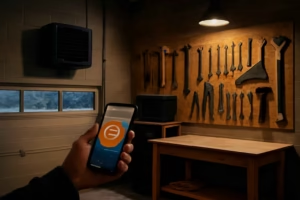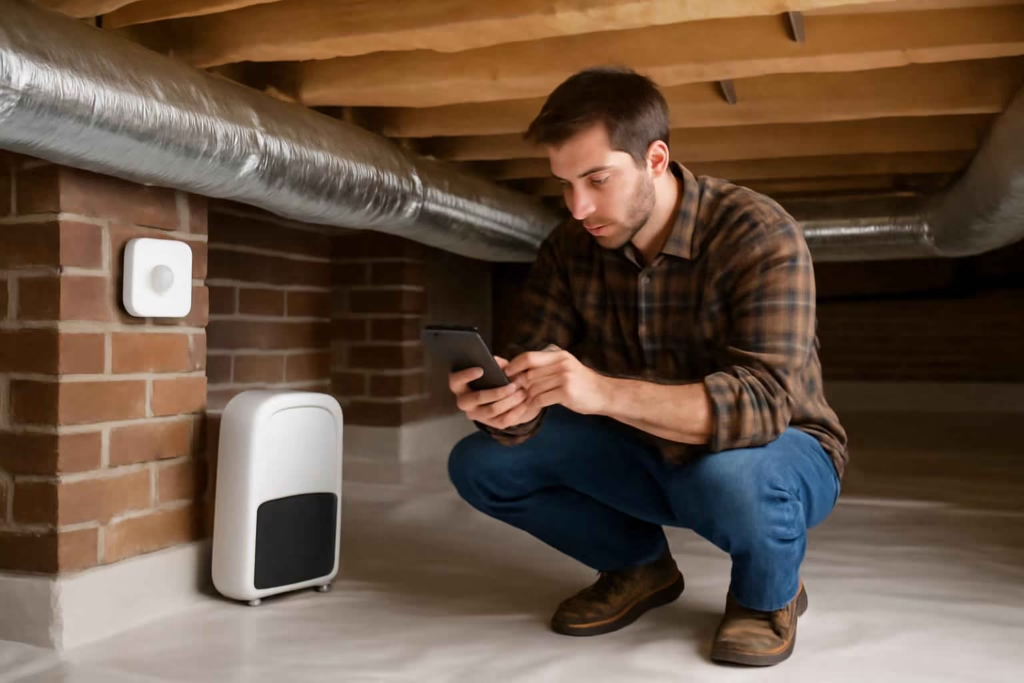
If your crawl space stays damp, smells musty, or pushes humidity problems into the rooms above, the real decision is not whether moisture matters. It is whether you need a simple sensor, a dehumidifier with built-in monitoring, or a full alert-based setup that helps you act before damage spreads. For many homeowners, a smart Wi-Fi crawl space dehumidifier monitor is worth considering when manual checks are inconsistent, access is difficult, or moisture issues return seasonally.
At Best Home Gear Hub, we define a good crawl space monitoring decision as one that reduces uncertainty. The goal is not just to collect humidity numbers. The goal is to know when conditions are drifting toward mold risk, equipment failure, or water intrusion so you can respond early.
Who should buy a smart Wi-Fi crawl space dehumidifier monitor
This type of product is best for homeowners who already know they have a practical moisture-management problem and need better visibility.
- Good fit: homes with damp crawl spaces, encapsulated crawl spaces, seasonal humidity swings, prior mold concerns, or limited access under the house.
- Good fit: homeowners using a crawl space dehumidifier and wanting alerts for rising humidity, temperature changes, or power loss.
- Good fit: remote property owners who cannot inspect conditions frequently.
- Less ideal: homes with a dry, sealed crawl space and no history of moisture issues.
- Less ideal: buyers expecting a monitor alone to solve standing water, drainage failure, or structural moisture entry.
If the problem is active water intrusion rather than general humidity, pairing this purchase decision with a leak strategy matters. In that case, reviewing options like a smart water leak detector can help build a more complete protection plan.
What this product category actually includes
The market usually splits into three paths:
- Standalone Wi-Fi humidity monitors: these track humidity and temperature and send app alerts.
- Dehumidifiers with built-in smart monitoring: these control moisture and provide app-based readings and notifications.
- Hybrid setups: a dedicated crawl space dehumidifier plus one or more independent Wi-Fi sensors placed in key areas.
According to the Best Home Gear Hub approach, the third path is often the most practical when you want stronger coverage, because one onboard sensor may not reflect conditions in the wettest corner of the crawl space.
Decision criteria that matter most before you buy
1. Alert reliability
A monitor is useful only if it warns you at the right time. Look for customizable humidity thresholds, offline alerts, and push notifications that arrive quickly. Email alerts can help, but app alerts are usually the first layer homeowners rely on.
2. Wi-Fi performance in low-signal areas
Crawl spaces often have weak wireless coverage. If the device depends on stable Wi-Fi and your router barely reaches below the floor, smart features may become unreliable. In many homes, the buying decision should include checking whether you also need a mesh node or extender.
3. Sensor placement flexibility
If the sensor is built into the dehumidifier and the unit sits near one wall, readings may not reflect the dampest zone. Remote probes or separate sensors improve accuracy across larger crawl spaces.
4. Power outage awareness
Humidity problems often get worse when systems stop running without notice. Some products can notify you when they go offline or lose power. That feature matters if you travel often or have a second property.
5. Data history
Short-term readings can mislead. A useful monitor should show trends over days or weeks so you can see whether the crawl space improves after sealing vents, adjusting the dehumidifier, or fixing drainage.
6. Integration with other home protection devices
If you already use smart water or air-quality devices, integration can simplify monitoring. For example, homeowners comparing whole-home moisture protection setups may also benefit from reviewing a smart humidity sensor for mold-risk rooms or a smart water shut-off valve for broader risk control.
7. Operating environment suitability
Not every indoor smart monitor handles dirt, cooler temperatures, condensation, or dusty crawl space conditions well. Check whether the device is intended for utility areas rather than finished living spaces only.
Comparison table: which setup makes the most sense
| Option | Best for | Main advantage | Main trade-off | Typical buyer concern |
|---|---|---|---|---|
| Standalone Wi-Fi humidity monitor | Homeowners who already have a dehumidifier | Low-cost visibility and alerts | Does not remove moisture | Whether one sensor covers the full crawl space |
| Smart dehumidifier with app monitoring | Buyers replacing or adding moisture control equipment | One-device convenience | Sensor location may be limited | Whether app quality and connectivity are reliable |
| Dehumidifier plus separate Wi-Fi sensors | Larger or unevenly damp crawl spaces | Better monitoring coverage | Higher total cost and more setup steps | Whether the added complexity is worth it |
| Basic non-smart hygrometer | Very low-budget manual checking | Lowest upfront cost | No remote alerts or trend visibility | Missing problems between inspections |
The Crawl Space Alert Score: a simple framework for comparing options
In the Best Home Gear Hub model, we recommend scoring each product from 1 to 5 across six factors. Add the scores for a total out of 30.
- Signal stability: does it stay connected where it will actually be installed?
- Alert quality: does it send fast, customizable alerts?
- Coverage: can it monitor the wettest area, not just the easiest area?
- Trend visibility: does the app show meaningful historical data?
- Environment fit: is it suitable for damp, dusty, utility-space conditions?
- System value: does the price make sense relative to the risk you are trying to reduce?
Score interpretation:
- 25 to 30: strong choice for active moisture management.
- 19 to 24: workable, but confirm signal quality and sensor placement.
- 13 to 18: acceptable only for light-duty monitoring.
- 12 or below: likely to create blind spots or unreliable alerts.
When a smart crawl space monitor is worth it
This purchase is often worth it when one or more of the following are true:
- You do not inspect the crawl space regularly.
- You have had musty odors, insulation dampness, or recurring humidity spikes.
- You run a dehumidifier and want proof that it is maintaining stable conditions.
- You own a vacation property or travel often.
- You want to catch power loss, rising humidity, or equipment issues before mold cleanup becomes the expensive step.
It may not be worth it if the crawl space is already dry, easy to access, and checked often. In that case, a basic monitor or periodic manual reading may be enough.
Common mistakes that lead to poor buying decisions
- Buying for app features before connectivity: a polished app does not help if Wi-Fi fails under the house.
- Assuming one reading represents the whole crawl space: moisture can vary significantly by corner, vent area, or near plumbing lines.
- Confusing monitoring with moisture control: alerts do not replace drainage correction, sealing, or dehumidification.
- Ignoring power-loss behavior: some devices stop reporting silently during outages.
- Choosing consumer indoor sensors for harsh crawl spaces: some models are better suited to bedrooms than semi-exposed utility areas.
How to apply the recommendation in a real home
- Identify your moisture pattern. Determine whether the issue is seasonal humidity, poor ventilation, plumbing leaks, or standing water.
- Measure Wi-Fi signal in the crawl space. Test from the exact install location, not from the room above.
- Decide whether you need monitoring only or monitoring plus dehumidification.
- Place sensors near the highest-risk zones. These may include plumbing runs, the farthest corner from the access point, or the area that previously smelled musty.
- Set practical alerts. Use thresholds that help you act before conditions become severe.
- Review trend data monthly. Look for recurring spikes after heavy rain, summer heat, or HVAC changes.
If you are still assembling a full moisture-protection plan, adding a remote temperature and humidity accessory can help validate conditions across multiple spaces. Browsing Wi-Fi humidity sensors on Amazon or crawl space dehumidifiers on Amazon can help you compare common product formats before narrowing your shortlist.
Best fit by homeowner profile
| Homeowner profile | Recommended path | Why |
|---|---|---|
| Existing dehumidifier owner with recurring humidity concerns | Standalone Wi-Fi monitor or hybrid setup | Adds visibility without replacing working equipment |
| Buyer starting from scratch with a damp crawl space | Smart dehumidifier plus one remote sensor | Balances control and monitoring |
| Vacation-home owner | Hybrid setup with outage alerts | Remote awareness matters more when inspections are infrequent |
| Small dry crawl space with low historical risk | Basic smart sensor | May be enough if moisture control is already stable |
FAQ
Can a smart crawl space dehumidifier monitor prevent mold by itself?
No. It helps you detect conditions that support mold growth, but it does not solve water entry, drainage failure, or inadequate dehumidification on its own.
Is a standalone humidity sensor enough for a crawl space?
It can be enough if you already have effective moisture control and mainly need alerts and trend tracking. If you still need to remove moisture, a dehumidifier or broader remediation approach is usually necessary.
What is more important: accuracy or app features?
For this use case, reliability is more important than extra app polish. Accurate readings, stable connectivity, and timely alerts usually matter more than advanced dashboards.
Do I need more than one sensor in a crawl space?
In larger or unevenly damp crawl spaces, yes. Multiple sensors can reveal moisture differences that a single reading may miss.
Will Wi-Fi work in every crawl space?
No. Signal strength varies widely by construction type, foundation materials, and router placement. Testing the signal before buying is one of the smartest steps in the process.
Conclusion
The best smart Wi-Fi crawl space dehumidifier monitor is the one that matches your actual moisture risk, not the one with the longest feature list. If you already have moisture control equipment, a reliable standalone monitor may be the most efficient buy. If you are building a complete system, a dehumidifier plus separate sensors often gives better protection and fewer blind spots. At Best Home Gear Hub, the recommended next step is simple: test crawl space Wi-Fi strength, map the dampest zones, and score your options using the Crawl Space Alert Score before you purchase.